IP Camera W2(1080P)/W3(720P)
41
3.7.2 Unavailable for W2/W3
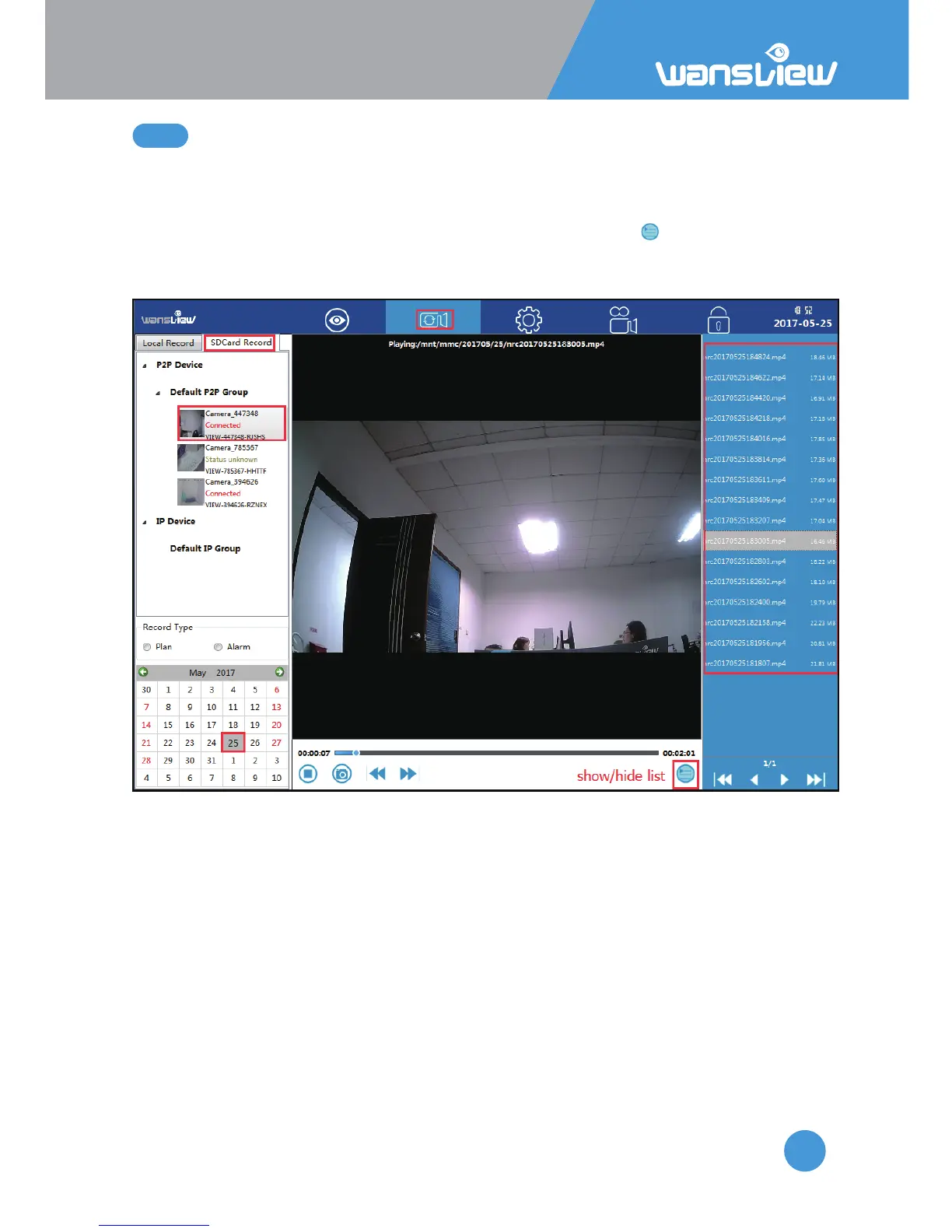
1) Choose SD/TF record and selected the camera you want to check.
2) Select the Media Type(Plan or Alarm)
3) Select the video in an exact date you want to playback
4) Recorded video list will be shown, if it is not shown, please tap to show the list
(Video starts with “nrc” for Scheduled Recording, and “arc” for alarm Recording)
5) Double-click the recorded video name, video will be broadcast.



 To Next Page