IP Camera W2(1080P)/W3(720P)
9
2. Camera Management with Smartphones/Tablets
2.1 Wansview App for iOS and Android
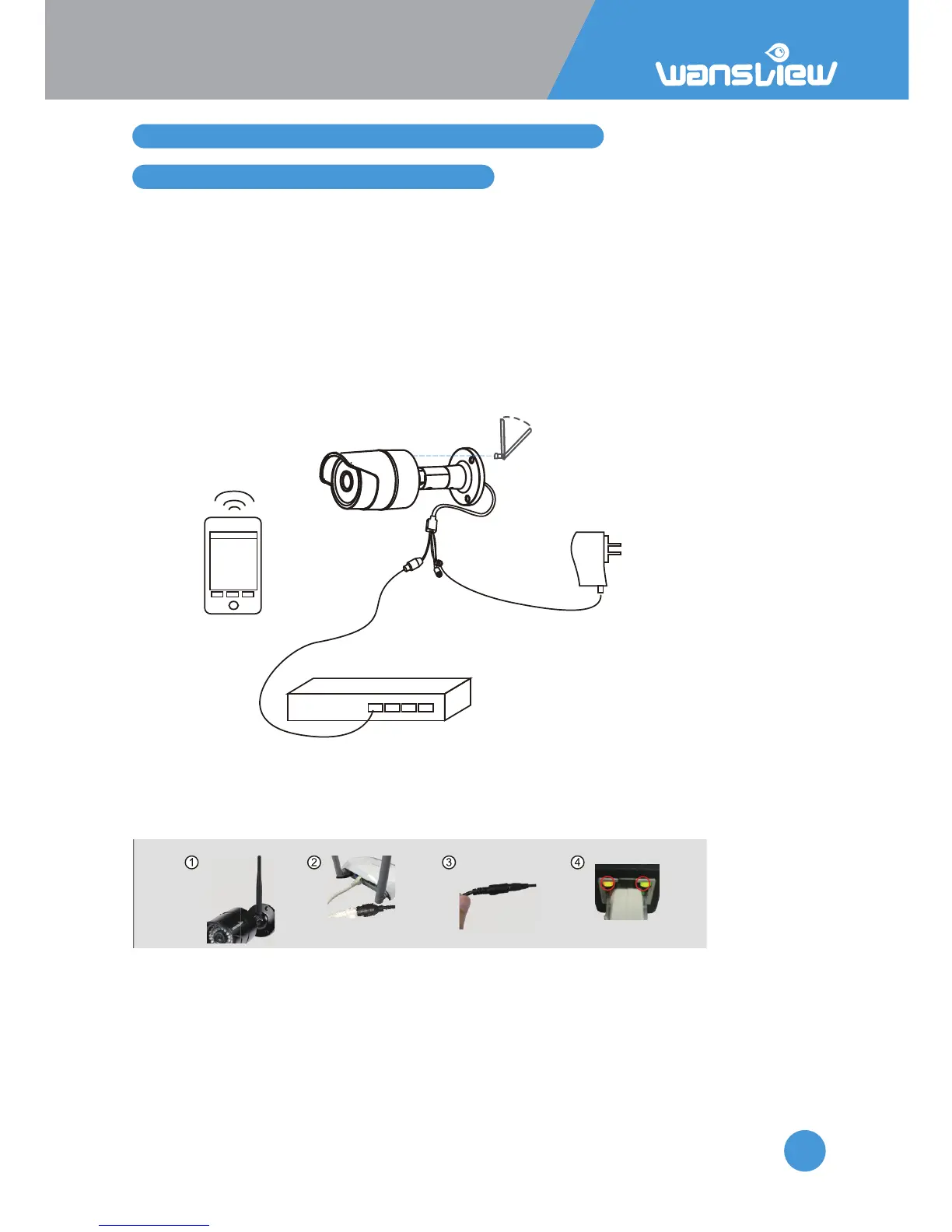
Go to the App Store and install the “Wansview” app. Install the antenna and connect the camera to
the power source with the provided adapter. Users can connect cameras by Ethernet RJ-45 cables or
through Wi-Fi network. In general, cable connecon offers beer video quality.
Note: Wansview App Pictures are taken on the iOS Version. Android and iOS App have the same
structure but a lile different design.
Cable Setup
Steps for product connecon:
1. Install antenna for IP camera.
2. Connect the IP camera and router with the network cable.
3. Power on the camera with the provided adapter (please verify voltage).
3. Launch the Wansview app and click on . Scan the QR Code and input default user name (admin)
and password (123456).
4. Camera is online
Your smart device
(not included)
Network cable
Modem/router
(not included)
Power adapter
Camera
Antenna
(upright position)



 To Next Page