IP Camera W2(1080P)/W3(720P)
53
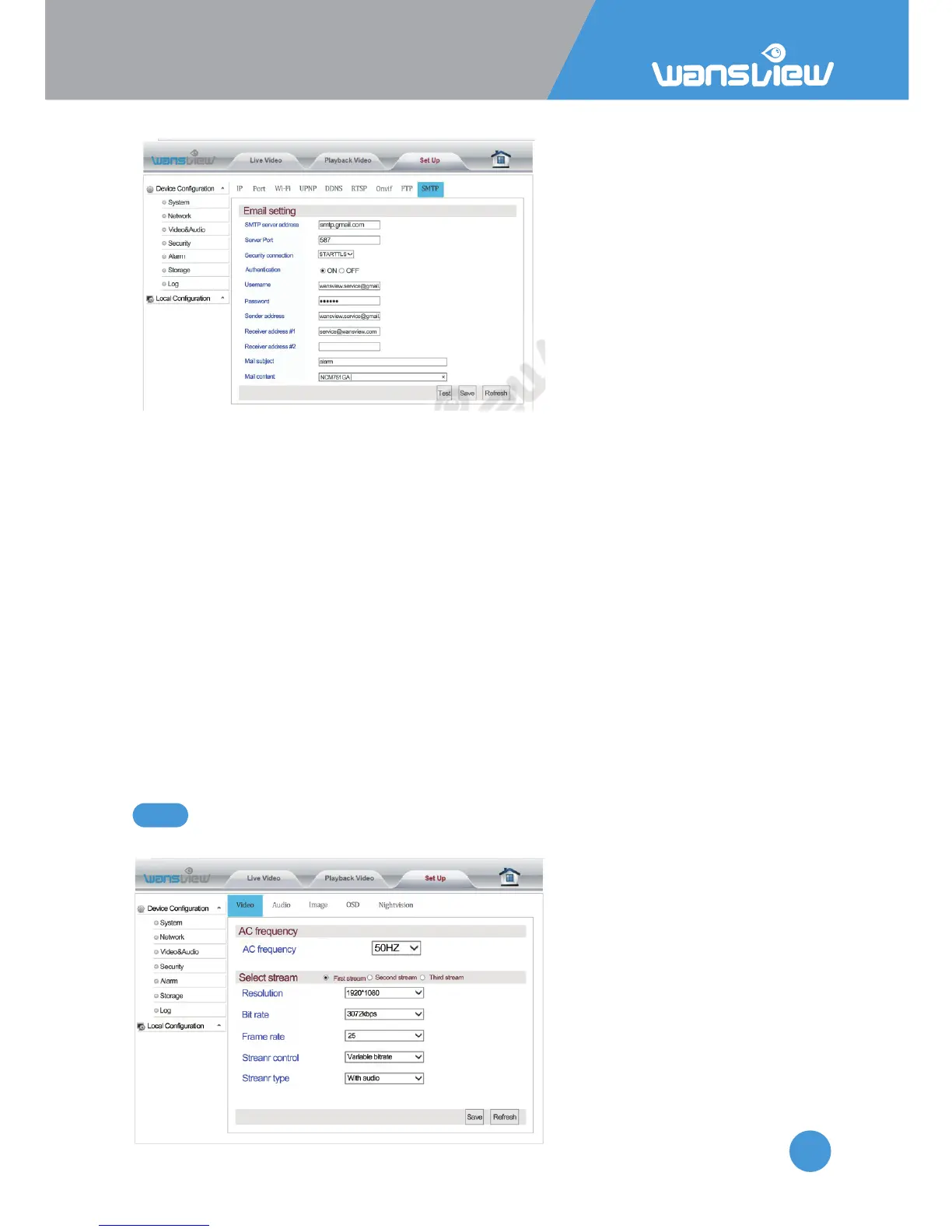
Network >SMTP (E-mail) Seng
To get started, make sure that your
e-mail provider supports SMTP.
Then input required parameters.
Mainstream E-mail suffixes
supported by SMTP include:
smtp.gmail.com, mail.yahoo.com,
smtp.gmx.com,
smtp-mail.outlook.com. Take gmail
seng as an example.
Server address: SMTP stands for
Simple Mail Transfer Protocol.
This field allows the user to enter
the SMTP server used by the email service.
Server Port: This field allows the user to enter the port that corresponds to the selected
SMTP server. The SMTP port is usually set at 25 if there is no security. Some SMTP servers
have their own ports, such as 587 or 465. Specific port number is determined by mail
service provider.
Security connecon: This dropdown box allows the user to select an encrypon type.
User name: Input email address.
Password: Input APP password. APP password allows 2 steps verificaon in your Gmail
account. Click Profile>Account>Sign-in &Security to create App password.
Sender Address: This field allows the user to enter the email address to which alarms are
sent. This email address should be consistent with the above Email address for the User
name.
Receiver Address #1: These fields allow the user to enter the receiver email address
which will receive any emails pertaining to alert and alarm emails.
Mail subject: This field allows the user to define the subject line of the email.
Mail content: This field allows the user to define the mail content.
Video and Audio > Video
Users can set the exact AC
Frequency.
Bit stream sengs include:
Resoluon(1920*1080 or
1280*720), Bit rate
(256~4096kbps), Frame rate
(1~30fps)
5.4.3 Video and Audio



 To Next Page