IP Camera W2(1080P)/W3(720P)
54
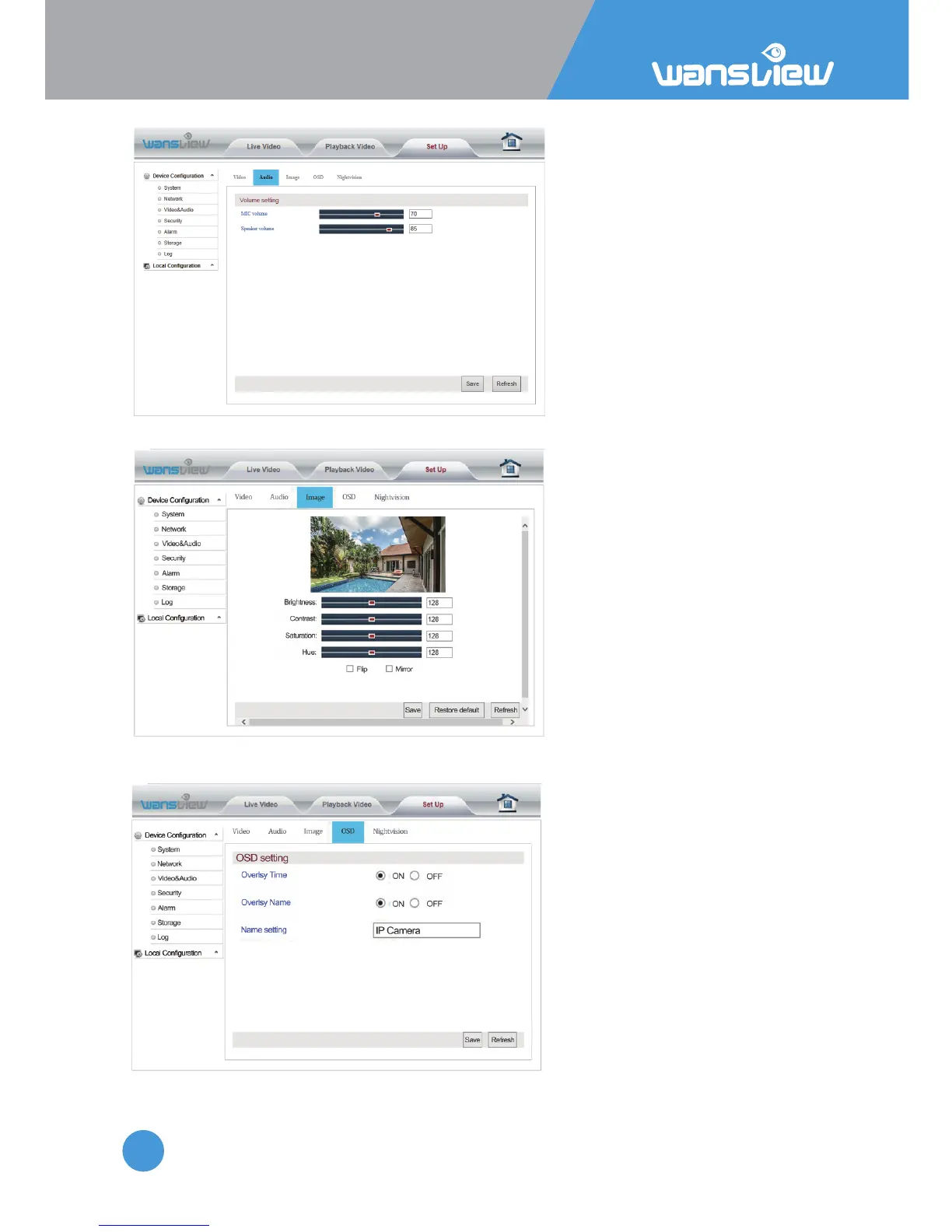
Video and Audio > Audio Seng (funcon disabled in this model)
Video and Audio > Image Seng
Here you can adjust
Microphone and
Speaker volume
Here you can adjust the image
parameters brightness, contrast,
saturaon and hue. You can also
flip and mirror the video image
when ck the opons.
Video and Audio > On Screen Display Time and Camera Name
Enter "OSD Seng" to overlay the
me and name on the video
image.



 To Next Page