IP Camera W2(1080P)/W3(720P)
17
2.6 Advanced Sengs
2.6.1
WiFi Seng
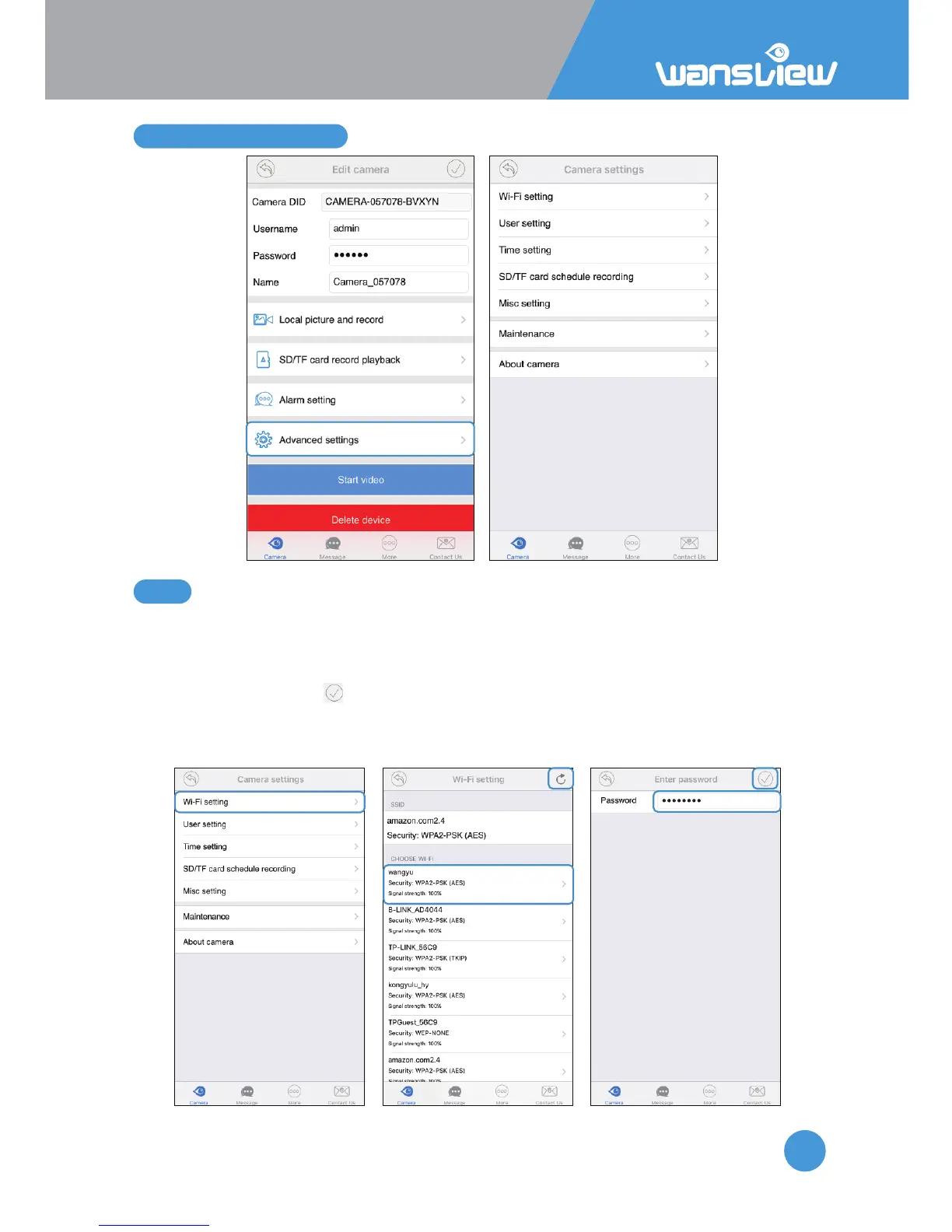
If camera is connected with ethernet cable, and want to set up WiFi, or change another
WiFi network, user can set up WiFi on WiFi Seng.
Tap WiFi Seng, and search the available WiFi, choose the WiFi and manually input the
WiFi Password, then tap to save the WiFi informaon.
User can unplug the ethernet cable when the app appears “WiFi Set Succeed”.
Note: Wansview camera only supports 2.4Ghz WiFi, and wifi password should be no
longer than 31 characters.



 To Next Page