IP Camera W2(1080P)/W3(720P)
15
2.5 Alarm Seng
The camera is mostly for live video, what we achieve is to make the video more clear and
easy set up. it is not a professional security camera, the moon detecon is only an
add-on feature. So the alarm noficaon will not be very accurate.
But if you want the moon detecon works accurately, you may connect the camera to
some professional security soware like: Blue Iris, iSpy or Sighthound, the camera alert
works great on them.
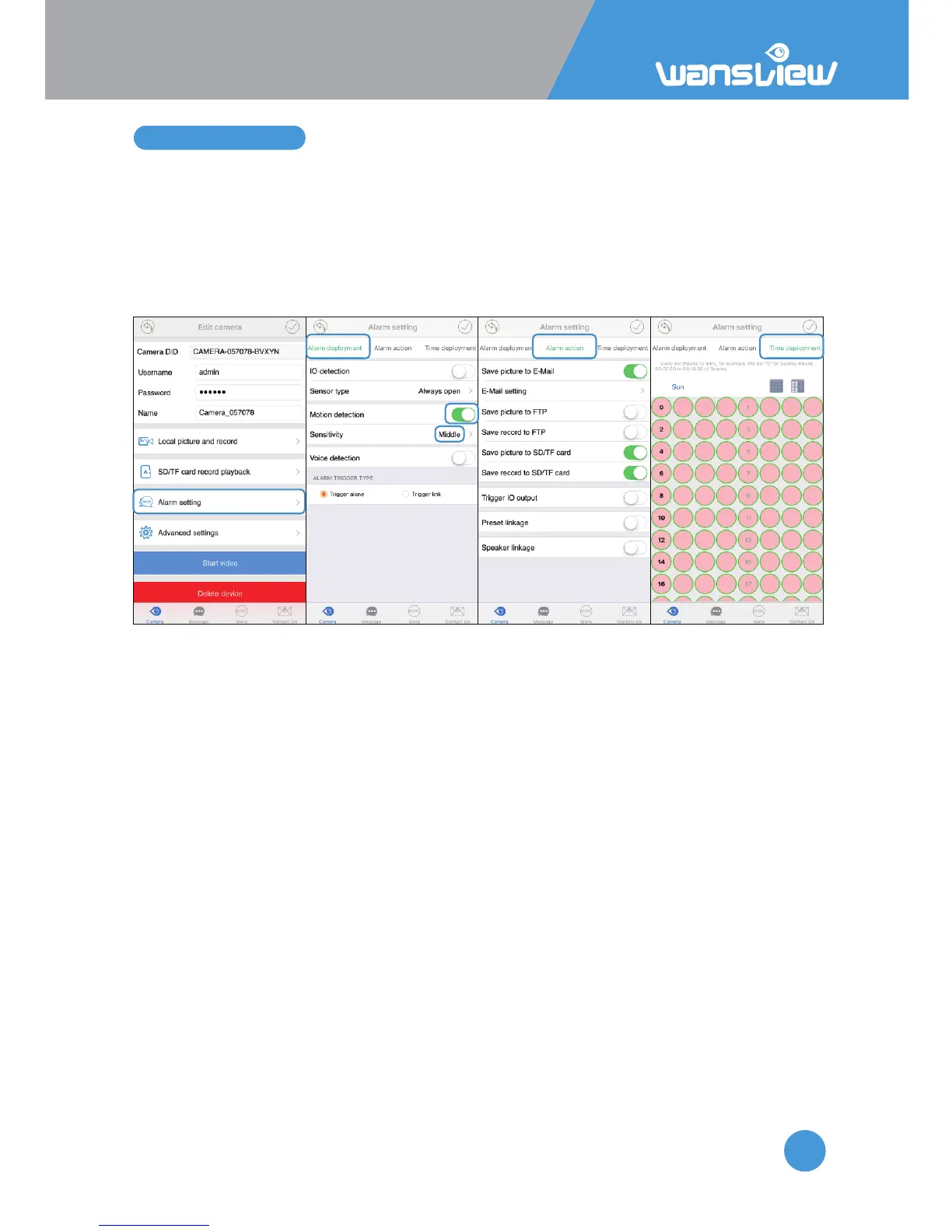
Follow the below steps to set up alarm.
Alarm Deployment
IO Detecon: this is for camera that can connect external source of alert device. The
W2/W3 is not available.
Sensor Type: For external source of alert device. The external sensor can be always open
or always close.
Moon Detecon: Enable Moon Detecon, user can set up camera with moon alarm
Moon Detecon Sensivity: User can choose Low/Middle/High sensivity according to
needs.
Voice Detecon: Enable Voice Detecon, user can set up camera with voice alarm
Voice Detecon Sensivity: User can choose Low/Middle/High sensivity according to
needs.
Trigger Alone: The alarm will be triggered for any kind of acve alarm
event(Moon/Voice/IO)
Trigger Link: The alarm will be triggered for mulple detecon at the same
me(Moon/Voice/IO).
Alarm Acon:
Save Picture to Email: When an alarm is detected, the camera will send pictures to the
email box. Users can set up to 2 recipients.
Click Mail Seng to setup the email. Check your email provider for SMTP Server and
Port.



 To Next Page