IP Camera W2(1080P)/W3(720P)
58
Once the alarm is set, users will receive a noficaon on the smartphone (only Android) if
the app is running on the background and can choose to get:
Snapshot to Email: When an alarm is detected, the camera will send three pictures to the
email box. Users can set up to 2 recipients.
Click Mail Seng to setup the email. Check your email provider for SMTP Server and Port.
Snapshot to FTP server: When an alarm is detected, the camera will send 2 pictures to
your FTP server. Click on FTP Seng to setup FTP.
Recording to FTP server: When an alarm is detected, the camera will send a 15 sec video
to your FTP server.
Snapshot to SD/TF: When an alarm is detected, the camera will send 2 pictures to the SD
card (funcon disabled in this model).
Recording to SD/TF: When an alarm is detected, the camera will send a 30 sec video to
the SD card (funcon disabled in this model).
Trigger IO Output: User can add a siren or another alarm device to the camera (wired).
When an alarm is detected, the external IO output will work. Users can choose alarm
duraon from 5 to 30 sec (funcon disabled in this model).
Trigger Preset: When an alarm is detected, the camera will focus on one of the 8 Preset
spots (see above) (funcon disabled in this model).
Trigger Speaker: When an alarm is detected the speaker will act as a siren for the chosen
length (5-30sec) (funcon disabled in this model).
Trigger indipendently: The alarm will be triggered for any kind of acve alarm event
(Moon/ Voice/IO).
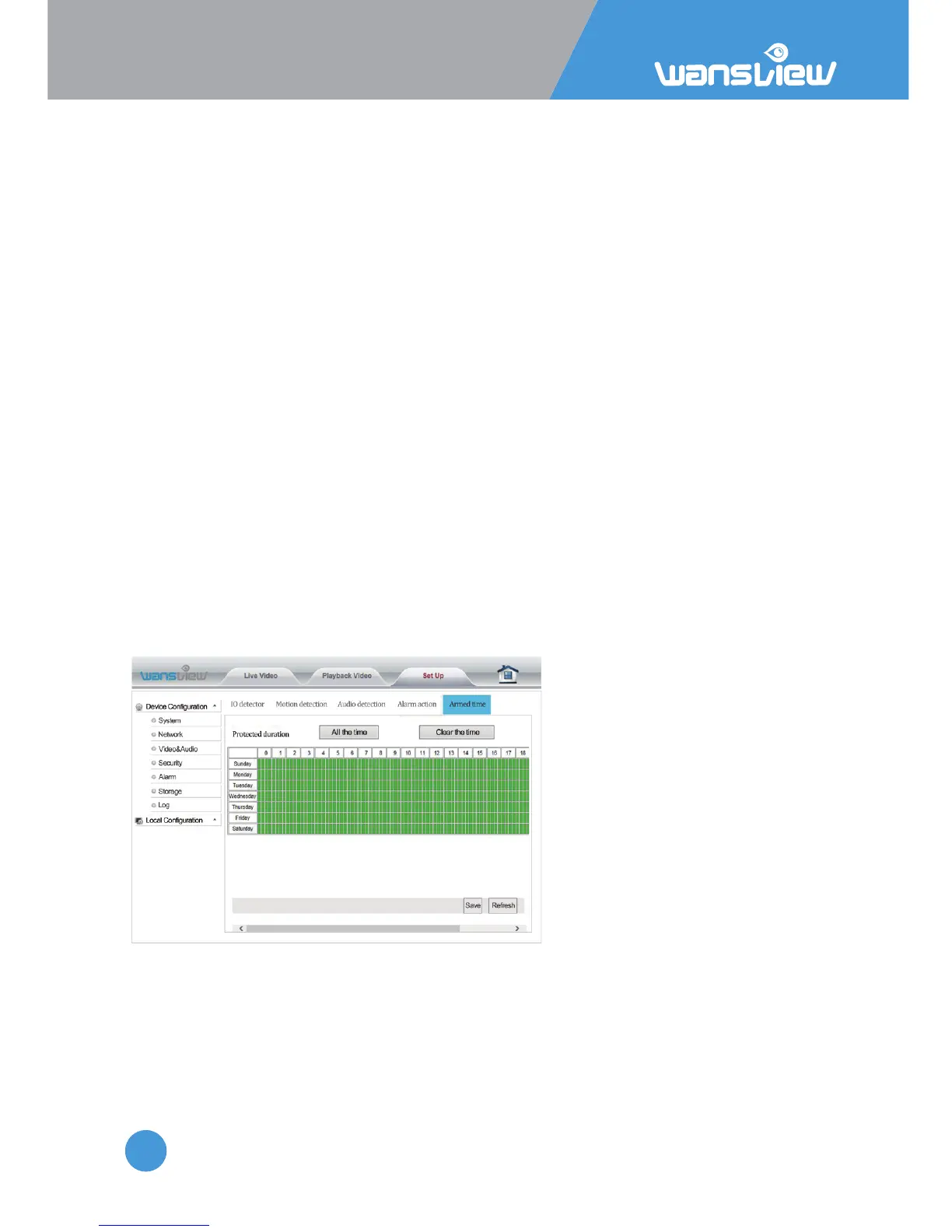
Alarm > Armed Time
By default alarm is armed 24h/7
days. Users can choose specific
days and me ranges.



 To Next Page