39
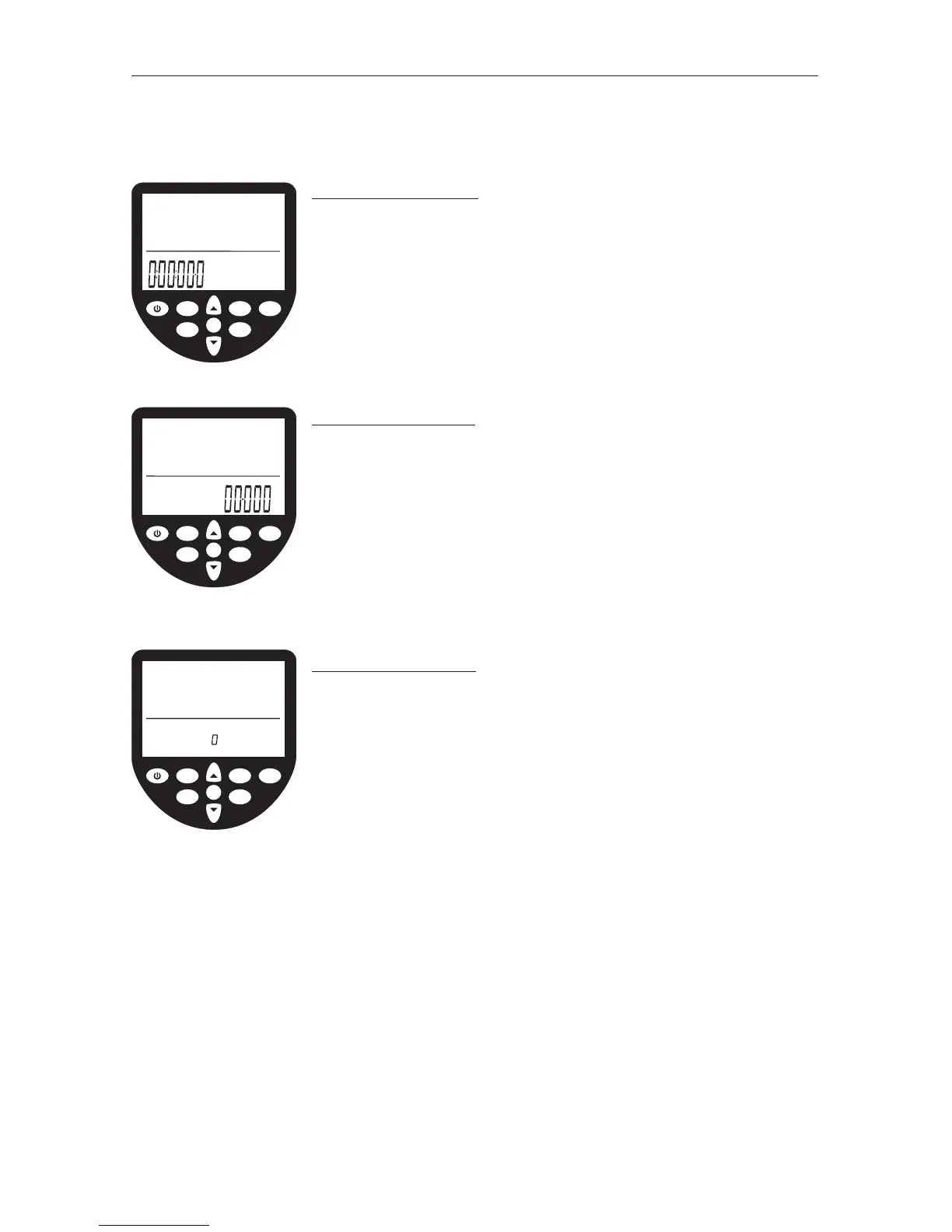
DURATION WINDOW
The duration window displays the time covered (or time to
be covered in a duration workout) in units of hours, minutes,
seconds and decimal seconds. The duration window may
also be programmed to display time remaining (see setting
workouts-duration workouts later in this manual).
DISTANCE WINDOW
The distance window displays the distance covered (or
distance to be covered in a distance workout). Units may
be set to meters, miles, km (kilometers) or strokes (see
setting units later in this manual). The distance window
may also be programmed to display distance remaining
(see setting workouts-distance workouts later in this
manual).
PROGRAM WINDOW
The program window helps the user navigate through a
series of advanced functions. Advanced functions include;
manual workout program storage and retrieval, projected
duration for distance workouts, projected distance for
duration workouts, advanced heartrate analysis, power/
recovery ratio, 2km prognostics, tank volume, total distance
rowed and firmware version (see setting advanced
functions later in this manual).
OK
WaterRower Series IV Performance Monitor
workout
programs
stored
programs
zones
hold/reset
units
advanced
on
Work
Rest
duration
distance
heartrate
strokerate
intensity
OK
WaterRower Series IV Performance Monitor
workout
programs
stored
programs
zones
hold/reset
units
advanced
on
duration
distance
heartrate
strokerate
intensity
meters
OK
WaterRower Series IV Performance Monitor
workout
programs
stored
programs
zones
hold/reset
units
advanced
on
duration
distance
heartrate
strokerate
intensity
advanced
workout
program
interval
store
load
INFORMATION WINDOWS


 To Next Page