40
SETTING UNITS
Display Units may be changed using the UNITS button. Units are scrolled in the
sequence: intensity - average intensity - distance - intensity- etc.
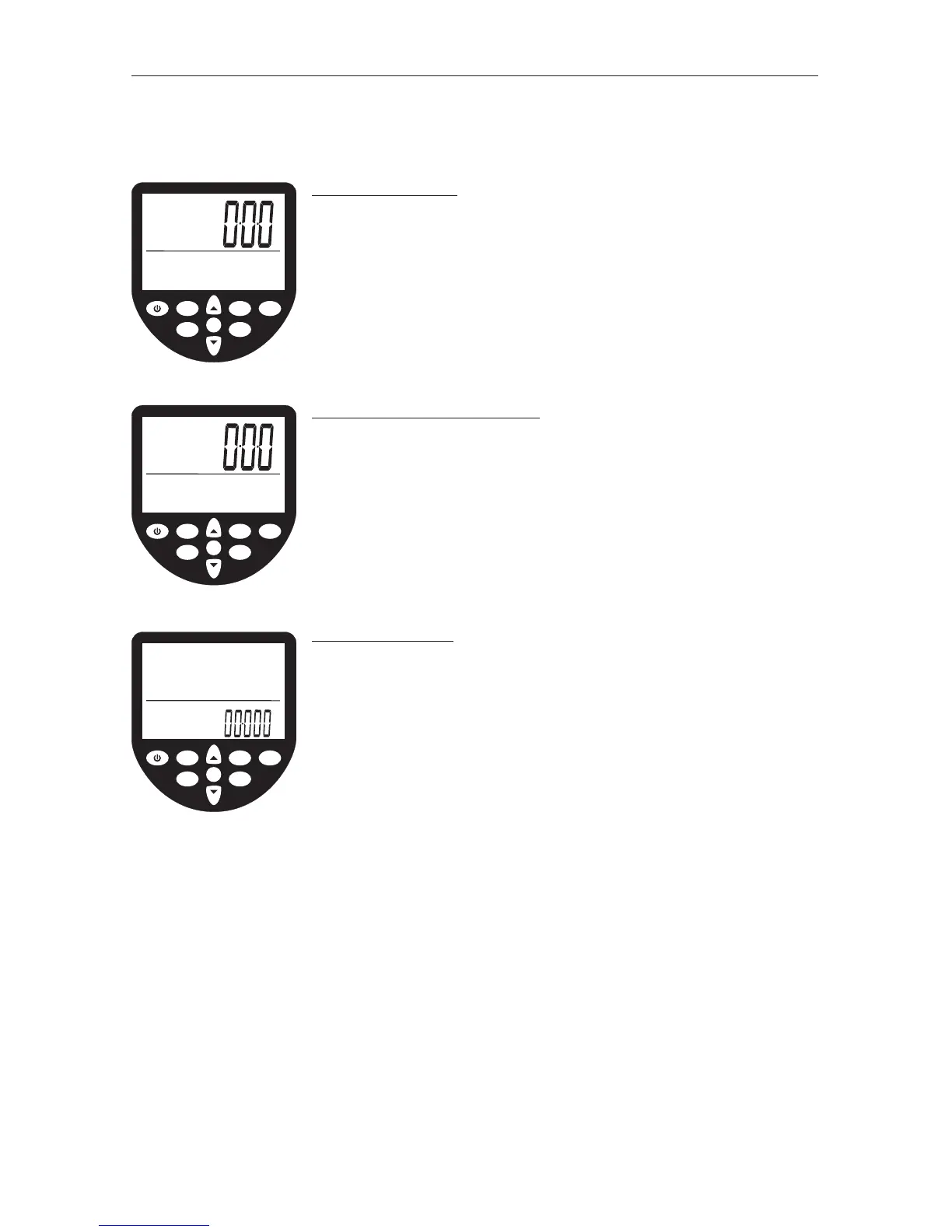
INTENSITY UNITS
• Scroll to the intensity window using the UNITS button (the
intensity unit digits will appear along with the intensity
and intensity units flag).
• Scroll to the desired intensity unit (m/s, mph, /500m,
/2km, watts or cal/hr) using the ARROW buttons. Once the
desired unit is highlighted press OK and the monitor will
return to ready mode.
AVERAGE INTENSITY UNITS
• Scroll to the average intensity window using the UNITS
button (the intensity unit digits will appear along with the
average intensity and intensity units flags).
• Scroll to the desired intensity unit (m/s, mph, /500m or
/2km) using the ARROW buttons. Once the desired unit is
highlighted press OK and the monitor will return to ready
mode.
DISTANCE UNITS
• Scroll to the distance window using the UNITS button (the
distance unit digits will appear along with the distance
and distance units flag).
• Scroll to the desired distance unit (meters, miles, km or
strokes) using the ARROW buttons. Once the desired unit is
highlighted press OK and the monitor will return to ready
mode.
OK
WaterRower Series IV Performance Monitor
workout
programs
stored
programs
zones
hold/reset
units
advanced
on
AVE
W
MPH
duration
distance
heartrate
strokerate
intensity
m/s
watts
mph
cal/hr
/500m
/2km
average
OK
WaterRower Series IV Performance Monitor
workout
programs
stored
programs
zones
hold/reset
units
advanced
on
duration
distance
heartrate
strokerate
intensity
meters
miles
km
strokes
OK
WaterRower Series IV Performance Monitor
workout
programs
stored
programs
zones
hold/reset
units
advanced
on
AVE
W
MPH
duration
distance
heartrate
strokerate
intensity
m/s
watts
mph
cal/hr
/500m
/2km


 To Next Page