48
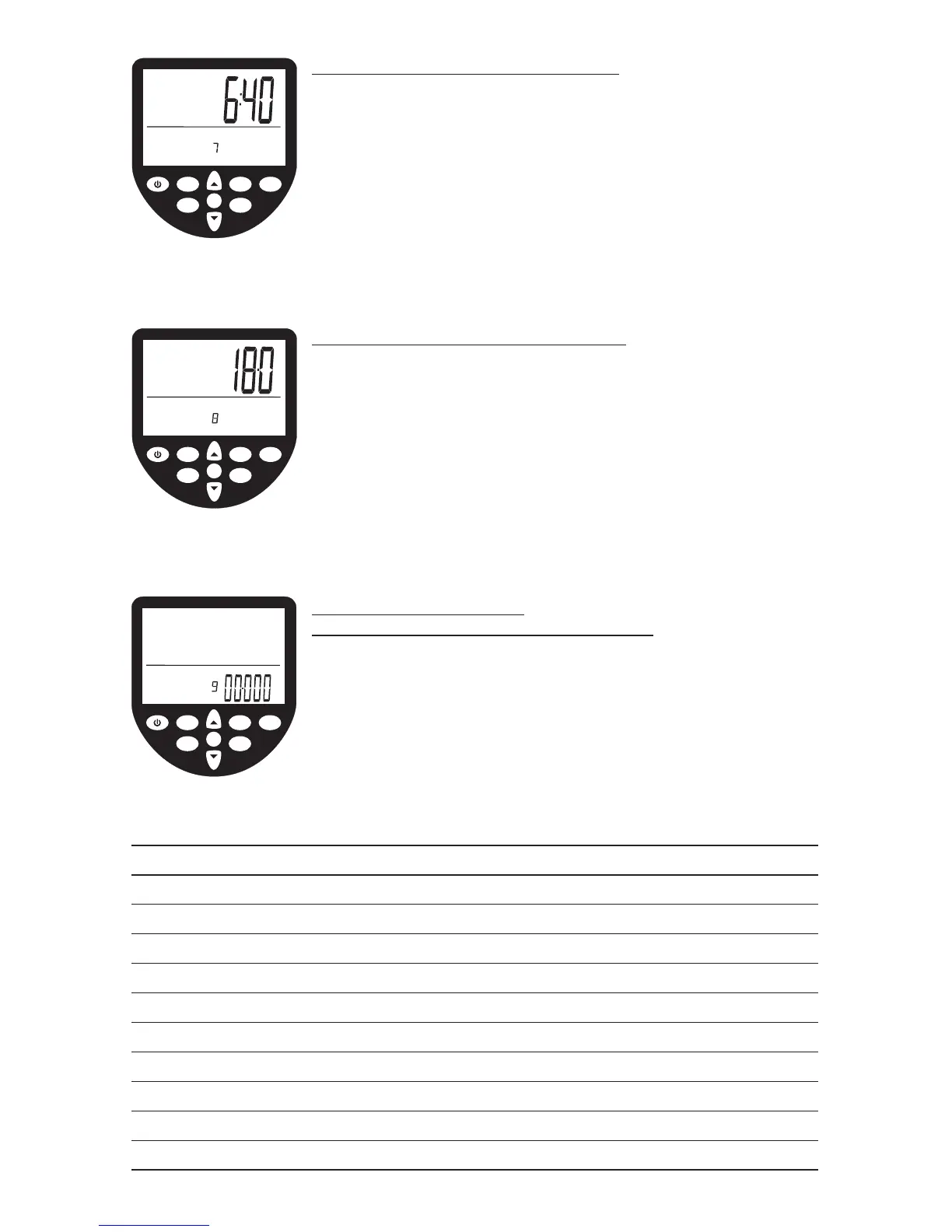
ADVANCED PROGRAM 7 – Prognostics
The WaterRower S4 monitor allows you to view your
prognostics (the % of a defined 2km time). The option is
available only during 2km workouts.
• Scroll through your advanced programs options using the
ADVANCED button. When Advance Program 7 is highlighted,
press OK.
• Enter your expected 2km time in the intensity window
using the SCROLL button. Press OK when the desired target
2km duration is reached.
ADVANCED PROGRAM 8 – Tank Volume
The WaterRower S4 monitor allows you input the volume
of water in the tank. The tank volume is necessary in
calculation of power (watts).
• Scroll through your advanced programs options using the
ADVANCED button. When Advance Program 8 is highlighted,
press OK.
• Enter the tank volume in the intensity window using the
SCROLL button. Press OK when the desired tank volume is
reached.
ADVANCED PROGRAM 9 –
Firmware Version / Total Machine Distance
The WaterRower S4 monitor can display the Firmware
Version (the version of the software that runs the monitor)
and the total distance that the machine has travelled.
• Scroll through your advanced programs options using the
ADVANCED button. When Advance Program 9 is highlighted,
press OK. The total lifetime distance (in kilometers) and
Firmware Version will be displayed.
OK
WaterRower Series IV Performance Monitor
workout
programs
stored
programs
zones
hold/reset
units
advanced
on
AVE
W
MPH
duration
distance
heartrateprognostic
%
strokerate
intensityaverage
advanced
program
/2km
OK
WaterRower Series IV Performance Monitor
workout
programs
stored
programs
zones
hold/reset
units
advanced
on
W
duration
distance
heartrate
strokerate
intensity
advanced
program
liters
OK
WaterRower Series IV Performance Monitor
workout
programs
stored
programs
zones
hold/reset
units
advanced
on
duration
distance
heartrate
strokerate
intensity
km
advanced
program
NOTE:


 To Next Page