Auto-Zone CV & CV-EX
Section 4
Start-Up and Troubleshooting 4-25
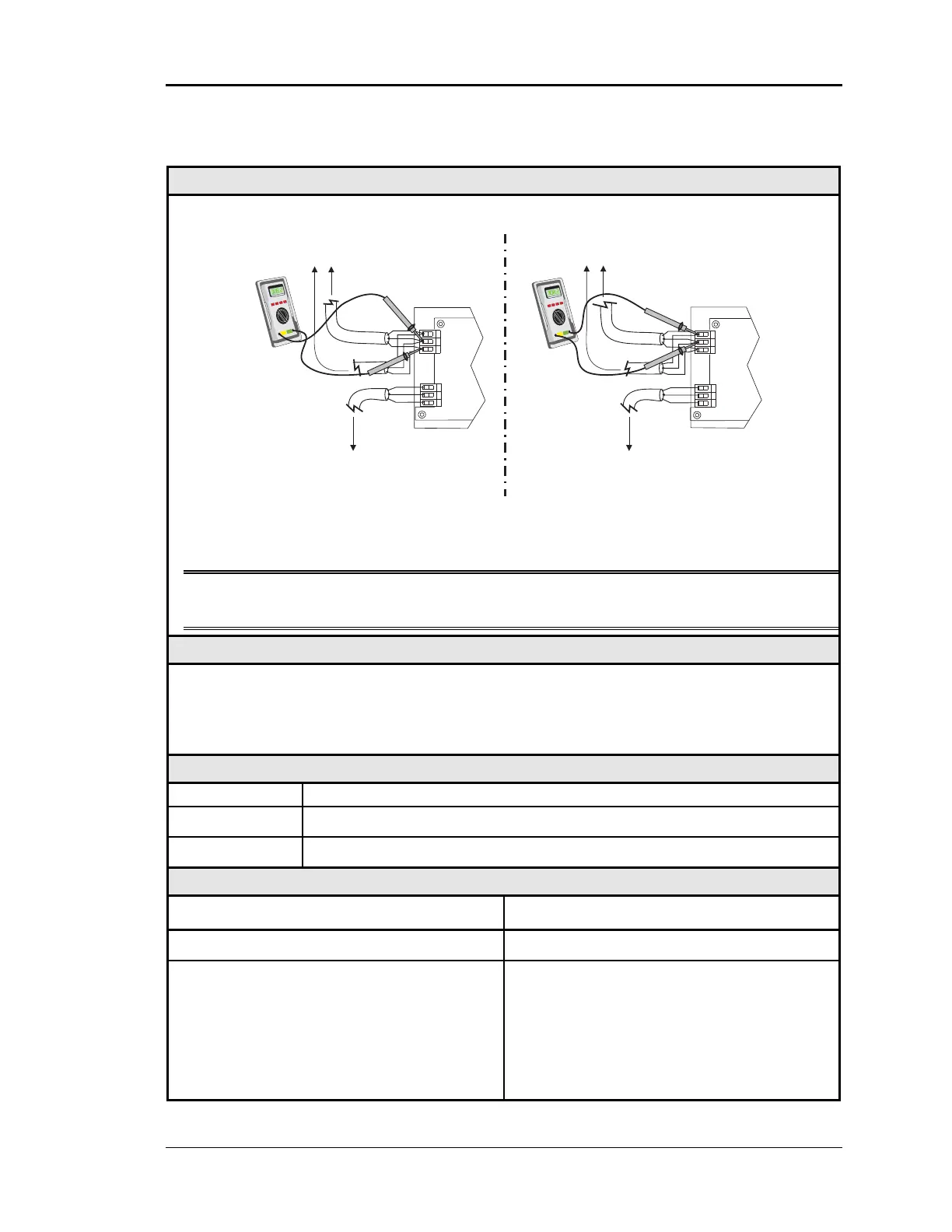
Checking the MiniLink Network Loop – CV-EX
Diagram
Meter Set To Read DC Volts
NETWORK
LOOP
G
T
R
GT
R
+
-
+
-
+1.9 VDC
to
+2.1 VDC
R-to- G
T-to- G
NETWORK
LOOP
G
T
R
GT
R
+
-
+
-
+2.9 VDC
to
+3.1 VDC
To Other MiniLinks
Or CommLink
On The Network Loop
To Other MiniLinks
Or CommLink
On The Network Loop
MiniLink
MiniLink
To CV Controllers
And System Manager
On Local Loop
To CV Controllers
And System Manager
On Local Loop
The indicated readings are typical of a normally operating system. Actual readings may vary
slightly due to the number of units installed and other factors. Any significant deviation
from these values generally indicates a problem.
Note: These tests assume that the CommLink is connected and powered, and that all
MiniLinks, which are connected, are also powered.
Overvie
Proper loop voltages are essential for reliable communications. It is normal to see fluctua-
tions on an operating communications loop. The average value should be close to the ac-
ceptable range described below. Values will vary upon initial powerup for about 15-30
seconds as normal communications occur.
Measurements
LOCAL LOOP Acceptable Range
T - G (SHLD) 2.9 - 3.1 Volts DC
R - G (SHLD) 1.9 - 2.1 Volts DC
Action
Condition Action
Readings near Zero Volts Check for shorted wiring.
If voltages are too high or too low on either
side
1. One or more devices connected to this
loop may have damaged comm driver
chips. See Figure 4-9.
2. Wiring errors. Check for multiple loops
inadvertently “cross connected”, short
circuits, etc.



 To Next Page