Appendix E-3: Diagnostic Capture with the FieldServer Utilities
Once the Diagnostic Capture is complete, email it to support@sierramonitor.com. The
Diagnostic Capture will allow us to rapidly diagnose the problem.
• Ensure that FieldServer Toolbox is Loaded on the PC that is currently being used, or
download FieldServer-Toolbox.zip on the Sierra Monitor Corporation webpage, under
Customer Care: Resource Center, Software Downloads:
http://www.sierramonitor.com/customer-care/resource-center?filters=software-
downloads
• Extract the executable file and complete the installation.
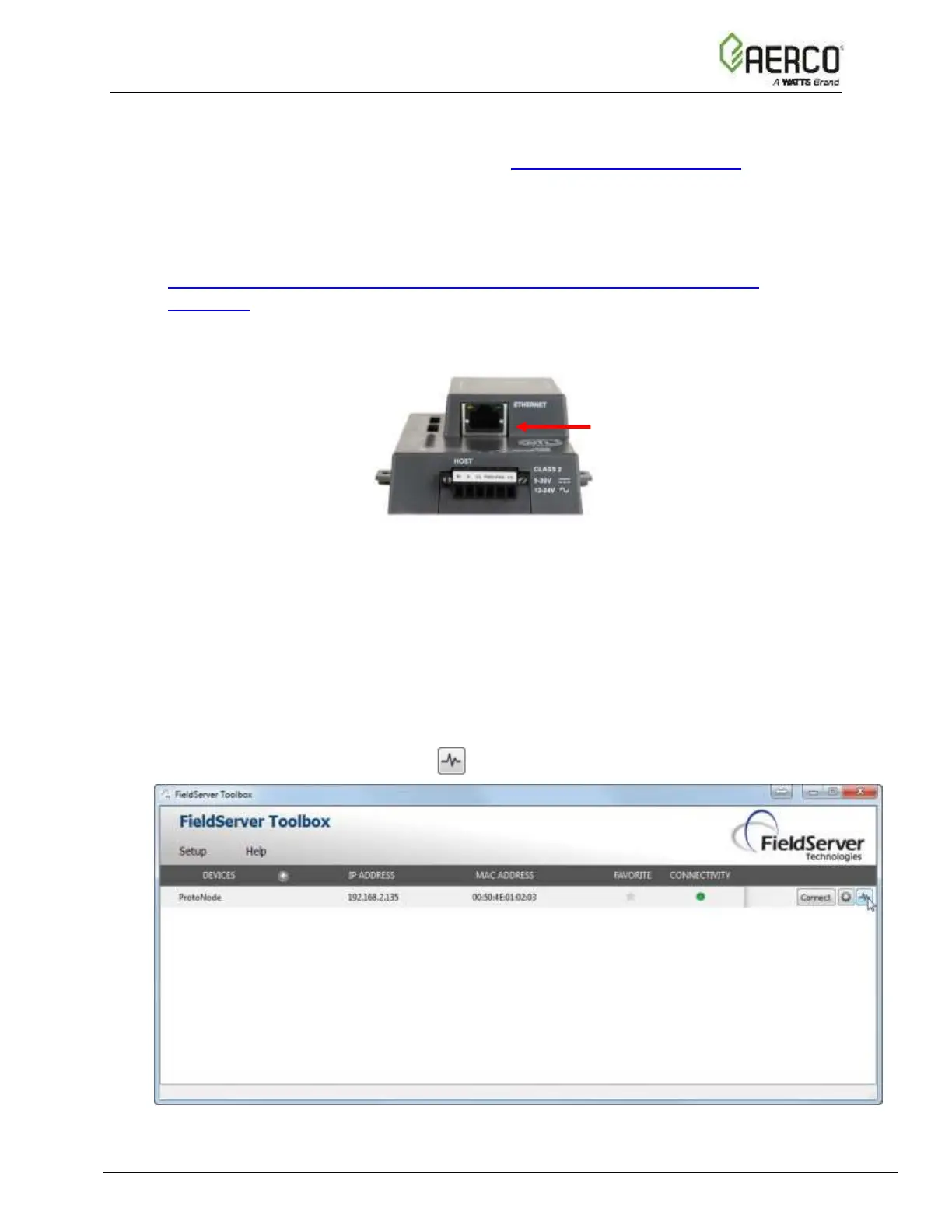
Figure E-2: Ethernet Port Location
• Disable any wireless Ethernet adapters on the PC/Laptop
• Disable firewall and virus protection software if possible
• Connect a standard CAT5 Ethernet cable between the PC and ProtoNode
• Double click on the FS Toolbox Utility
• Step 1: Take a Log:
o Click on the diagnose icon of the desired device.


 To Next Page
 Loading...