EasyManua.ls Logo

Wavetek 3000 - Page 69

Wavetek 3000
225 pages
Print Icon
To Next Page IconTo Next Page
To Previous Page IconTo Previous Page
Loading...
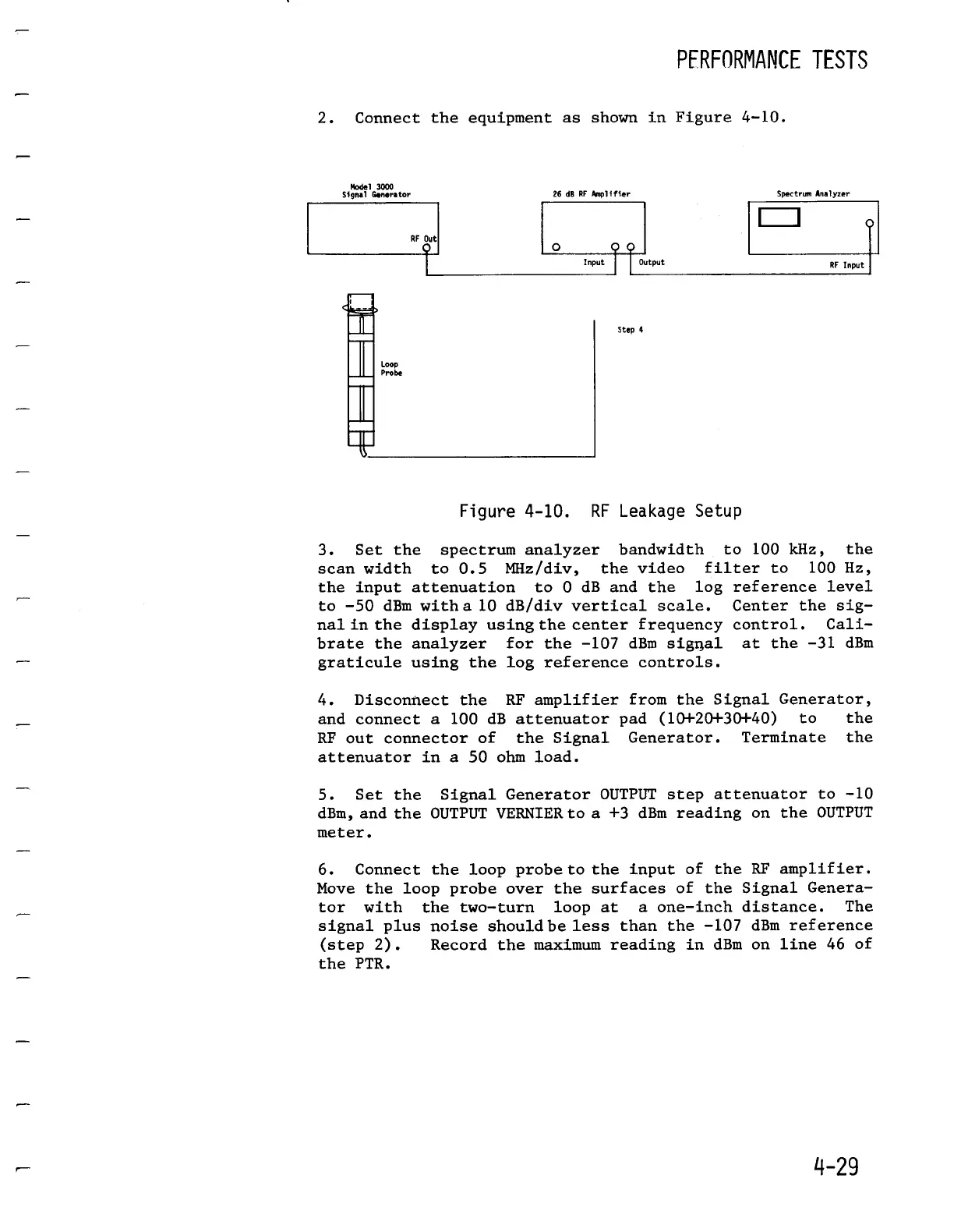
2
.
Connect
the
equipment
as
shown
in
Figure
4-10
.
Model
3000
Signal
Generator
26 dB RF
Amplifier
Spectrum
Analyzer
RF
Out
Input
00
Step
4
Output
Figure
4-10
.
RF
Leakage
Setup
3
.
Set the
spectrumanalyzerbandwidth
to
100
kHz,
the
scan
width
to
0.5
MHz/div,
the
video
filter
to
100
Hz,
to
0 dB and
the log
reference
level
Center
the
sig-
control
.
Cali-
at
the -31
dBm
the
input
attenuation
to
-50
dBm
witha
10
dB/divvertical
scale
.
nal
in
the
display
using
the
center
frequency
brate
the
analyzer
for
the
-107
dBm
signal
graticule
usingthelogreference
controls
.
PFRFORMANCF
TESTS
RF
Input
4
.
Disconnectthe RF amplifierfrom
the
SignalGenerator,
and
connect
a
100
dB
attenuatorpad
(10+20+30+40)
to
RF
out
connector
of
the
Signal
Generator
.
Terminate
attenuatorin
a
50 ohmload
.
the
the
5
.
Set the
Signal
GeneratorOUTPUT
step
attenuator
to
-10
dBm,
and the
OUTPUTVERNIER
to
a
+3 dBm
reading
on
the
OUTPUT
meter
.
6
.
Connect
the
loop
.probe
to
the
input
of
the
RF
amplifier
.
Move
the
loop
probeover
the
surfaces
of
the
Signal
Genera-
tor
with
the
two-turn
loop
at
a
one-inchdistance
.
The
signal
plus
noiseshouldbe
less than
the
-107
dBmreference
(step
2)
.
Recordthemaximum
reading
in
dBmon
line
46 of
the
PTR
.

Table of Contents

Related product manuals