12
Basic Operation
This section explains various functions while watching TV or listening to the Radio.
Switching Channel
You can switch the current channel by three different methods.
Method 1)
Press the Arrow (▲/▼) or PR+/- buttons.
Method 2)
Press the Numeric (0~9) buttons to select a channel directly.
Method 3)
Press the OK button to display the channel list. Select a channel you want to watch
using the Arrow (▲/▼) buttons. The list can be scrolled faster with the Arrow
(◄/►) buttons. Press the OK button to tune to a channel.
[Note] Press the Last button to return to the previous channel.
[Note] Press TV/Radio ( ) button to switch between TV and radio channels.
Volume Control
To control the volume:
• Press the VOL +/- or Arrow (◄/►) buttons.
• Press the
Mute ( )
button to turn the sound off.
• Press the
Mute ( )
button again or the VOL +/- buttons to cancel muting.
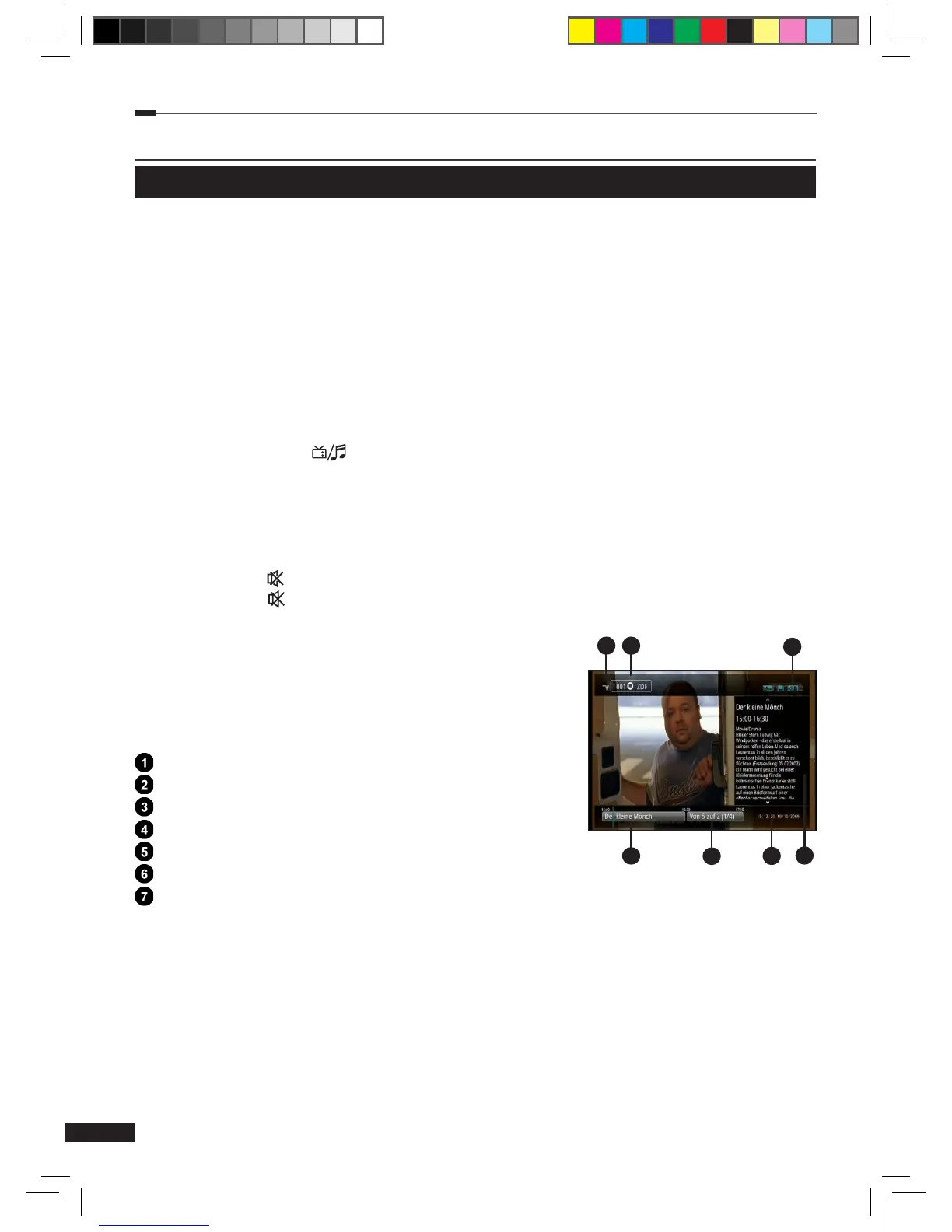
Event Information
Press the Info button to display a banner where you can nd
the following information.
name of the selected channel list
channel number / name
additional information about the program
current program title
next program title
current time / date
icons (widescreen, multichannel audio, lock, subtitles, high denition, audio tracks, teletext,
age rating)
If you press the Info button again, detailed program information will be displayed on the right
side. The banner and detailed information will disappear when you press the Info button for the
third time.
1


 To Next Page