24
Parental control
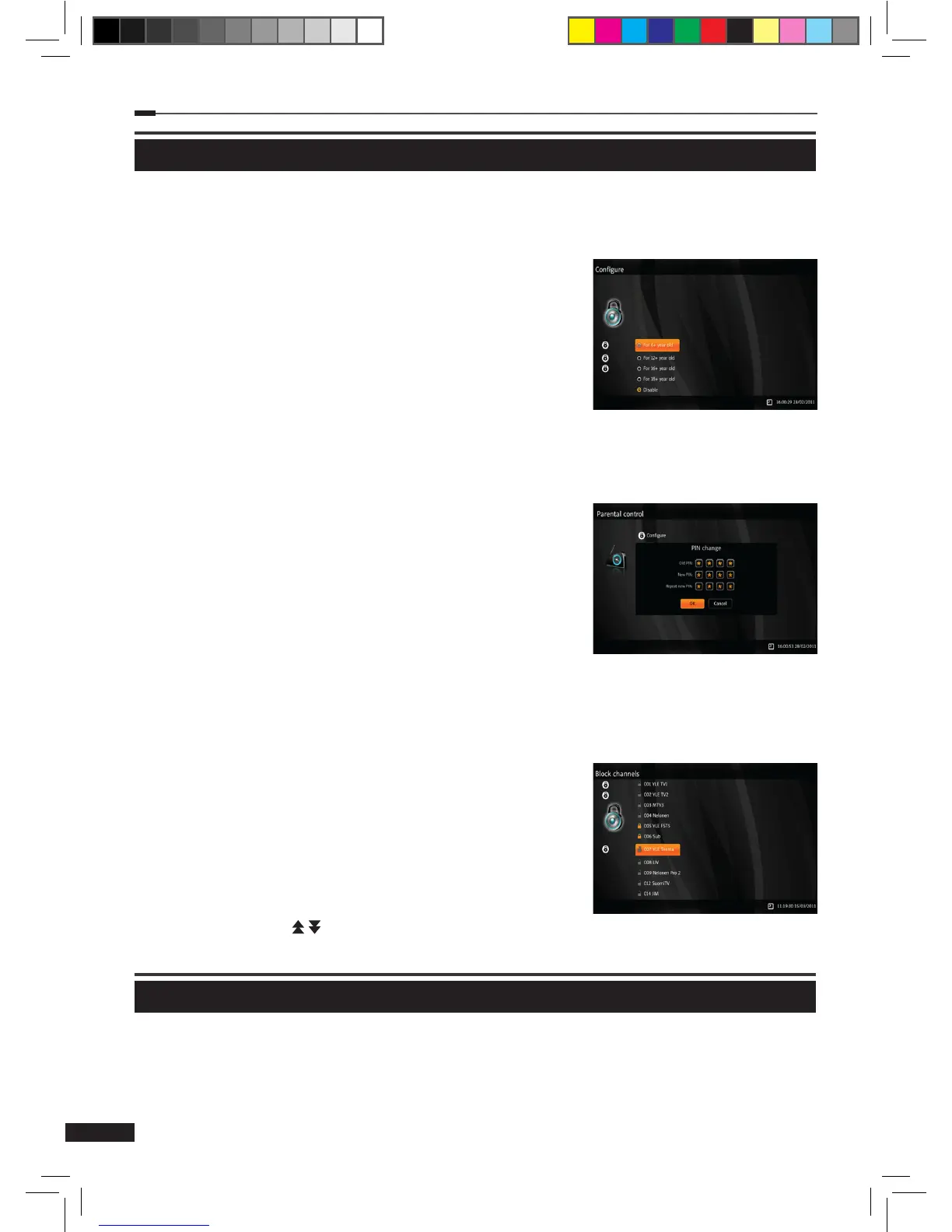
Congure
1
Select Congure using the Arrow (▲/▼) buttons on the Parental control menu and press
the OK button.
2
Authentication required pop-up will be displayed.
3
Input a PIN using the Numeric (0~9) buttons and press the
OK button.
4
Select age lock level (For 6+, 12+, 16+, 18+ year old) using
the the Arrow (▲/▼) buttons and press the OK button.
※The age lock level will be based on EPG rating
information.
Change PIN
1
Select Change PIN using the Arrow (▲/▼) buttons on the
Parental control menu and press the OK button.
2
A pop-up for changing PIN will be displayed.
3
Input the old PIN using the Numeric (0~9) buttons.
4
Input the new PIN using the Numeric (0~9) buttons.
5
Input the new PIN again using the Numeric (0~9) buttons
to conrm.
※Default PIN code is “1111”
Block channels
1
Select Block channels using the Arrow (▲/▼) buttons on
the Parental control menu and press the OK button.
2
Authentication required pop-up will be displayed.
3
Input PIN using the Numeric (0~9) buttons and press the
OK button. When the PIN is typed in correctly, the menu for
blocking channels is displayed.
4
Select the channels that you want to block using the Arrow
(▲/▼) and Page ( / ) buttons, and press the OK button to
lock or unlock a channel.
Conax
When a Conax smart card is inserted, its menu will be displayed in this part of the menu.
Please insert smart card correctly with the chip inwards and downwards.
M_180_DNA_HD-T63CX_ENG_120322_jte.indd 24 2012-03-22 �� 2:41:27


 To Next Page