19
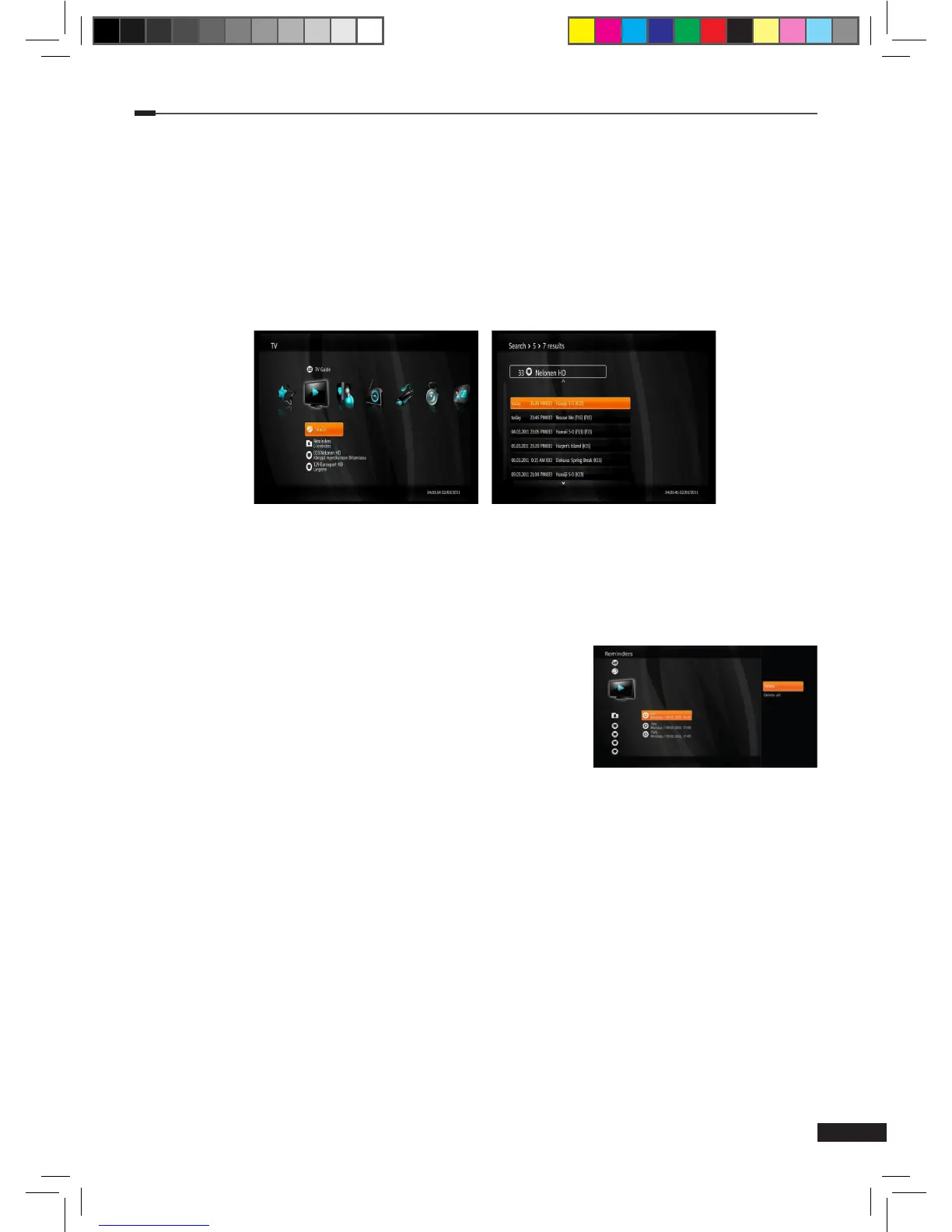
Search
1
Select Search using the Arrow (▲/▼) buttons on the TV menu and press OK button to open
the Keypad.
2
Input a keyword using the Arrow (▲/▼/◄/►) and OK buttons. Then select enter and press
the OK button to start the search.
3
A list of matching programs will be displayed on the screen.
4
You can record programs directly from search results. Select a program using the Arrow
(▲/▼) buttons and then press the Option or OK button. Recording options are listed in
more detail in section EPG record on page 15.
Reminders
This menu lists all reminders.
1
Select Reminders using the Arrow (▲/▼) buttons on the
TV menu and press the OK button.
2
Reminders list is displayed.
3
Press the Option button on the reminders list to open more
options.
(1) Delete: Delete the selected reminder.
(2) Delete all: Delete all reminders.
TV List
This part of the menu lists all TV channels with current program information.
M_180_DNA_HD-T63CX_ENG_120322_jte.indd 19 2012-03-22 �� 2:41:26


 To Next Page