18
M
ain Menu
This menu consists of 8 different menus:
• Favorites • TV
• PVR • Radio
• USB • Parental control
• Conax • Conguration
1 Press the Menu button to enter the Menu mode. Menu will open at the last remembered state.
2 Use the Arrow (▲/▼/◄/►) buttons to move up, down, left, and right on the menus.
3 Navigate to the submenu you are looking for and press the OK button to conrm your choice.
4 Use the Arrow (◄) button to return to the previous menu.
5 To exit the current menu, press the Back button.
Favorites
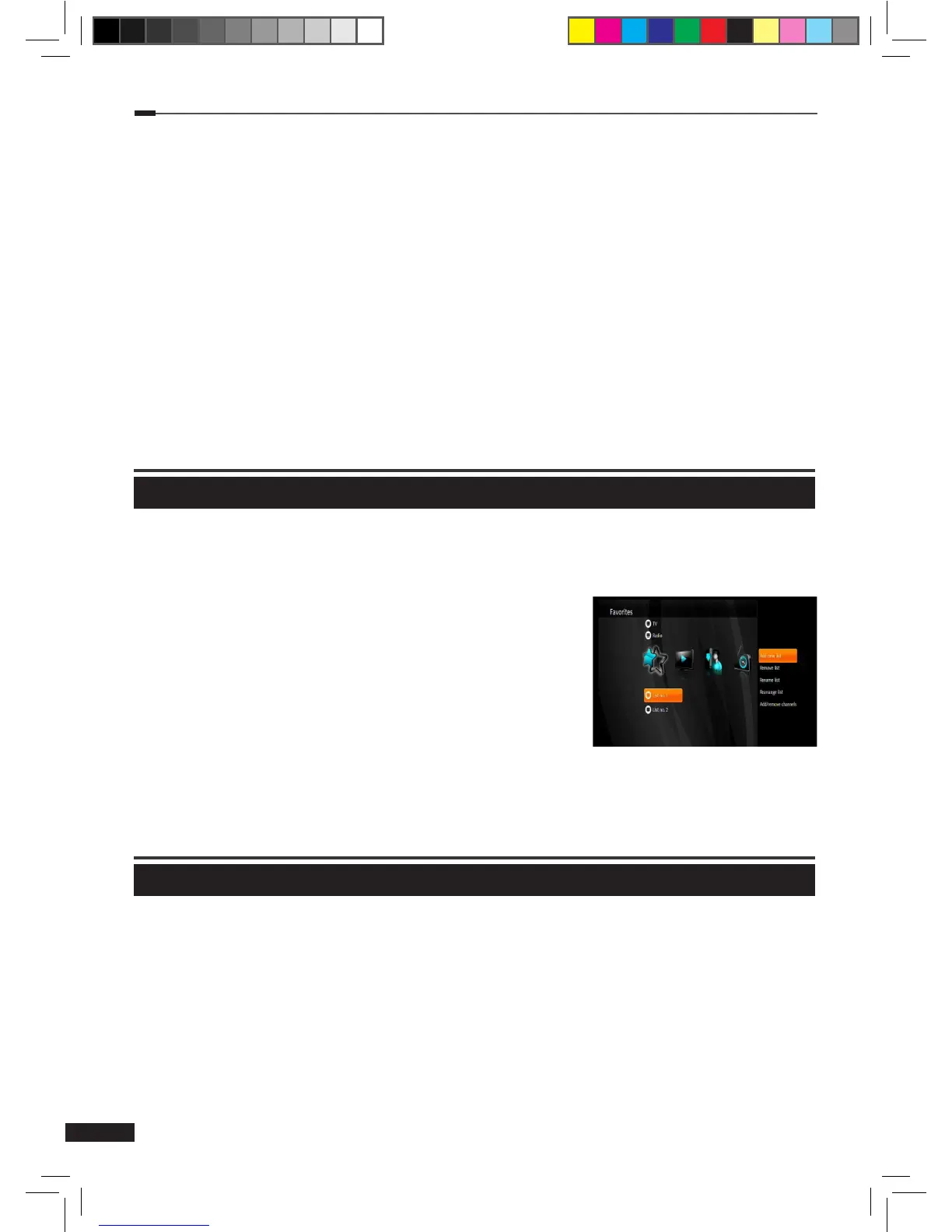
Select Favorites using the Arrow (◄/►) buttons and press the Option button to open more
options.
(1) Add new list: Create a new favorites list.
(2) Remove list: Remove an existing list. Default lists
cannot be removed (HDTV, TV, Radio).
(3) Rename list: Rename an existing list.(max. 10 letters)
(4) Rearrange list: Rearrange channels on a list. When
done
with rearranging, press the Arrow (►) button, and
then select Save and press the OK button to save your
changes.
(5) Add/remove channels: Add/remove channels on the selected list. When done with
adding/removing channels, press Arrow (►) button, and then select Save and press
the
OK button to save your changes.
TV
TV Guide
1
Select TV Guide using the Arrow (▲/▼) buttons on the TV menu and press OK button.
2
TV guide will be displayed.
[Note] Please refer to pages 14 and 15 for instructions on how to use EPG and record
programs.
M_180_DNA_HD-T63CX_ENG_120322_jte.indd 18 2012-03-22 �� 2:41:26


 To Next Page