23
Cura Soware Detailed Introducon
5.2.2. Model Adjustment
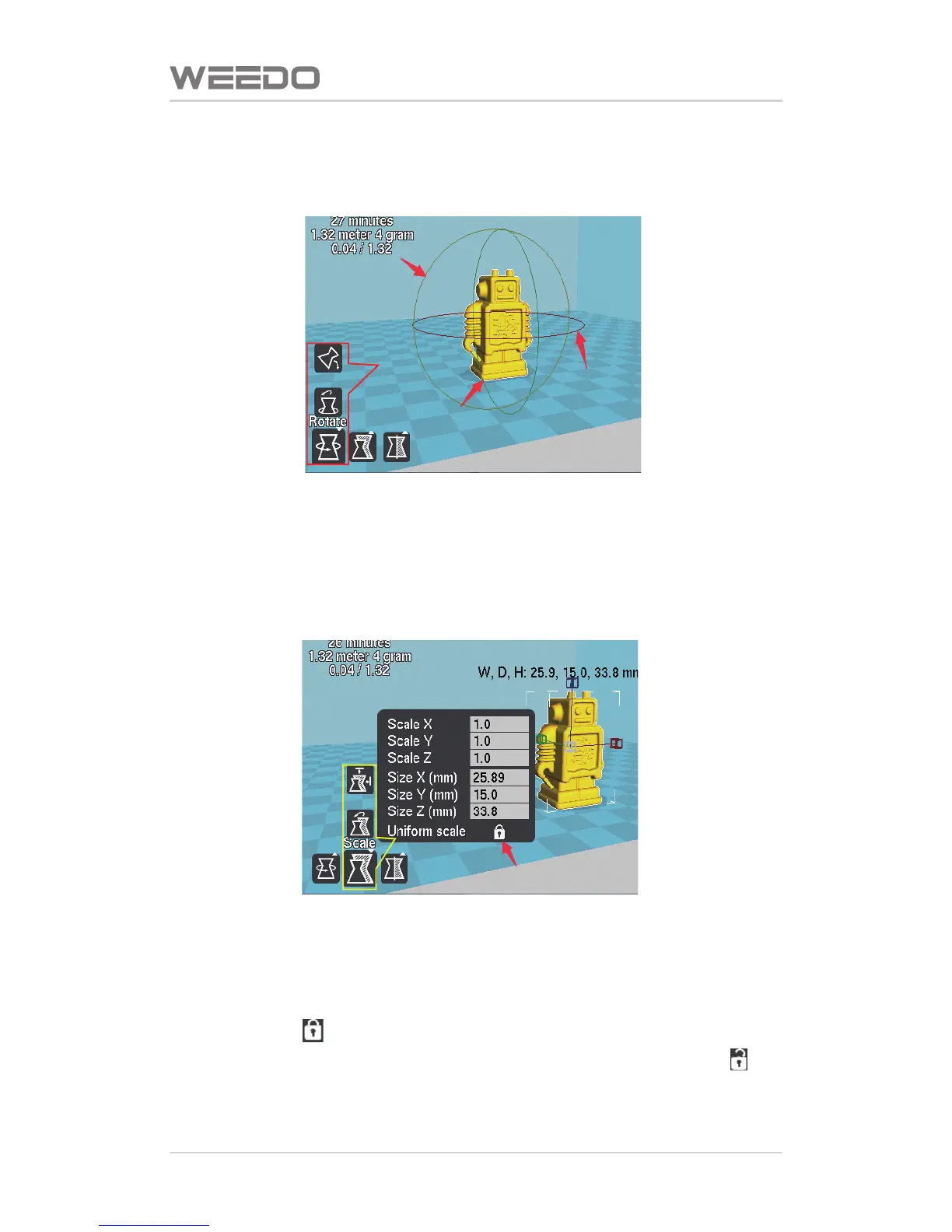
Red Box is Model Rotaon Seng.Click therotaon buon, and then hold the
le key of mouse, and drag the ring shape edge frame around the model to
adjust the model, it can perform rotaon adjustment to the model from three
direcons of “X, Y, Z”.
Yellow Box is Model Zoom Seng.Click on the zoom buon, and pop up
model zoom scale and model size dialogue window. In the item of “Scale”, it
inputs the proporon factor needed with zoom to adjust the model size.
When the icon “ ” red arrow poinng is at the lock-out state, any direcon
zoom would perform the zoom to the model enty; When the icon “ ” is
at the open state, it can perform the single direcon zoom to the model.



 To Next Page