WEIGHTECH USA Weighing indicator WT3000-IR ABS– Technical manual
Wt3000irabs v20151126
26
9 CALIBRATION PARAMETERS
• Note: The access to these functions is blocked through a jumper located on the main board
of the indicator.
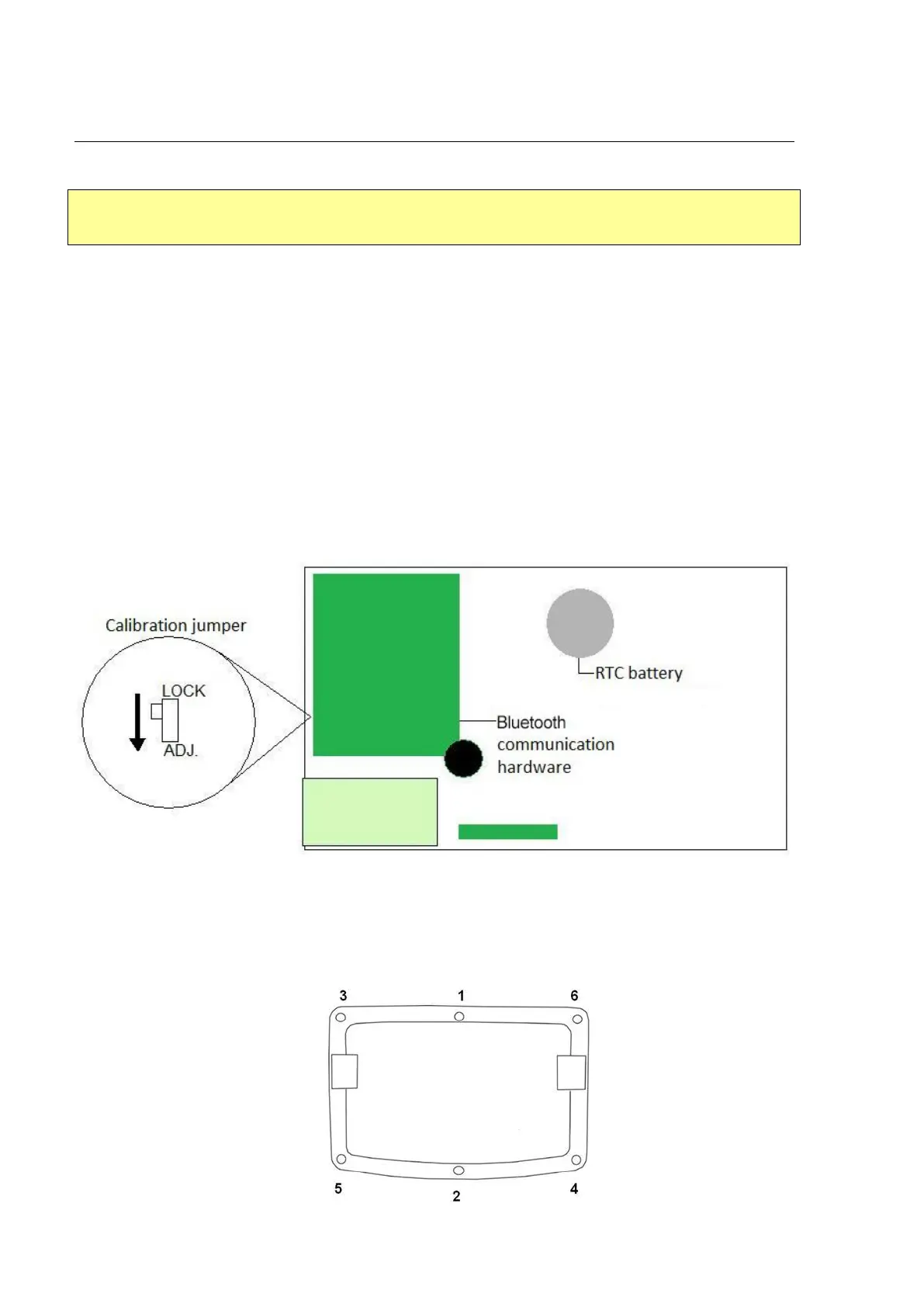
9.1 ACCESS TO THE CALIBRATION JUMPER
• Turn off the indicator;
• Open up the indicator to access the main board;
• Change the position of the jumper, from “LOCK” to “ADJ.”;
• Close the indicator;
• Turn on the indicator.
• When the configuration procedures and calibration are finished, close the indicator
noting the bolt tightening sequence described below to ensure smooth operation of the
indicator.
•



 To Next Page