WEIGHTECH USA Weighing indicator WT3000-IR ABS– Technical manual
Wt3000irabs v20151126
9
6 OPERATION
• To turn on the indicator, press the key . The display performs the self-test indicating
"999999" to "000000". Then goes into weighing mode.
• To turn off the display press and hold for about 2 seconds button.
6.1. CHARGING THE INDICATOR
To charge the internal battery, connect it to the power source, the supply voltage is (110V or
220V).
The battery charging time is about 8 hours and the battery life is up to 15 hours.
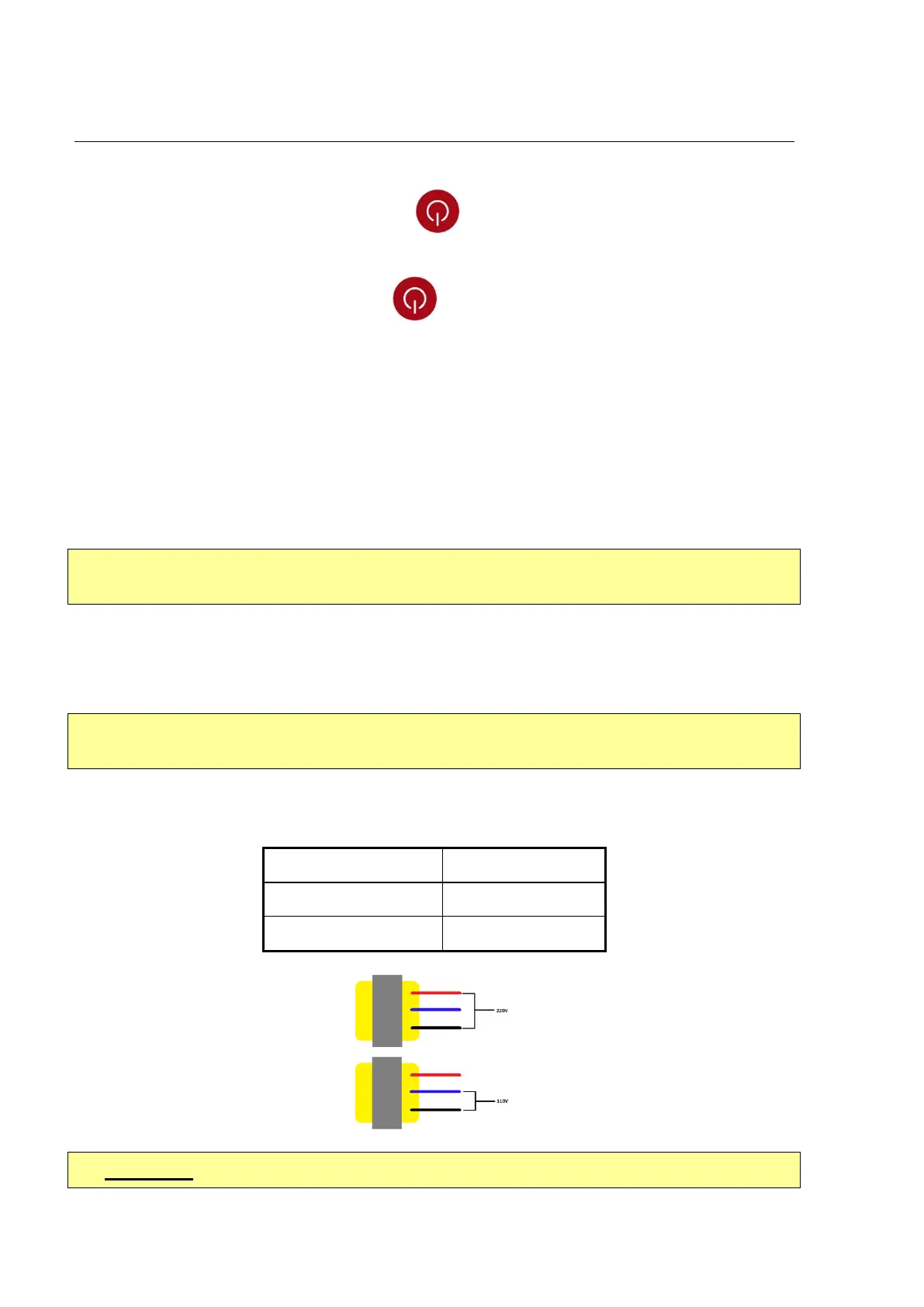
• Caution: Before connecting the indicator to power supply check the selected voltage
transformer located inside the indicator housing.
6.2. POWER SUPPLY
• Caution: Before connecting the indicator to power supply check the selected voltage
transformer located inside the indicator housing.
To select the voltage for the power supply, use the wires connected to the transformer located
inside the equipment.



 To Next Page