WEIGHTECH USA Weighing indicator WT3000-IR ABS– Technical manual
Wt3000irabs v20151126
35
10.4 CONNECTION WITH PRINTER ZEBRA TLP 2844
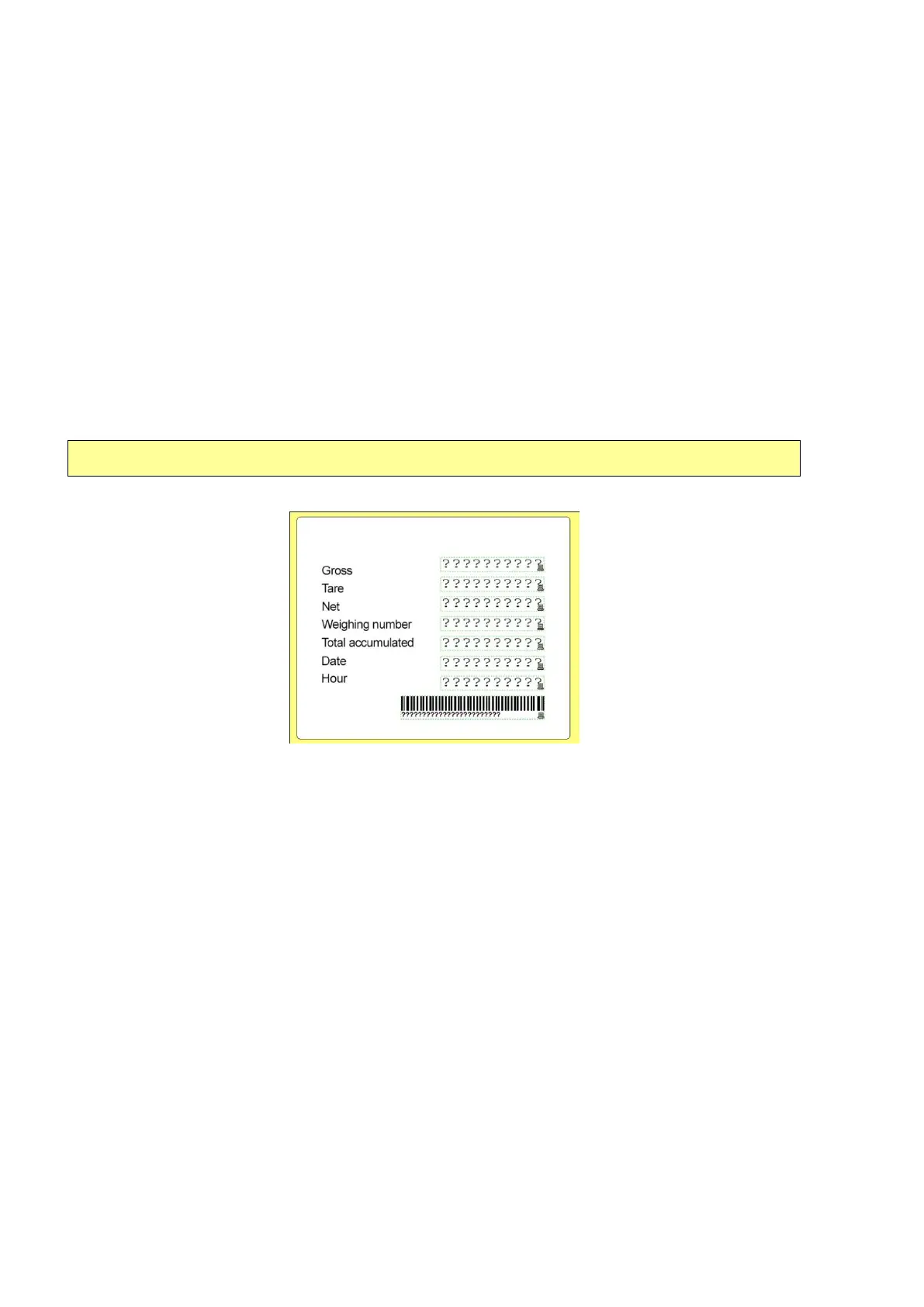
The printer Zebra TLP2844 enables printing of gross weight, tare weight, net weight, date, time,
number of weighings cumulative weight and barcode. The print format is fully customizable and
even allows the insertion of the company logo.
10.4.1 PRINTER SETUP
The printer configuration is done through the "Zebra Designer" software that can be acquired
free of charge, for download directly from the Zebra website. In ZebraDesigner program, open
the "IRWT3000.LBL" file. And then export to the printer through the menu "File"> "Export to
printer". “IRWT3000.lbl”.
• Additionally, download the label model WT3000.lbl
Ticket example:
10.4.2 SETTING THE INDICATOR
To establish communication with the printer, the indicator must be configured according to the
list below:
• CFn - 02= 4;
• rS1 – 01 = b 9600;
• rS1 – 02 = p n81;
• rS1 – 03 = F-M 13;
• rS1 – 04 = M-PLuS;
• rS1 – 05 = rPS 4;
• rS1 – 08 = Stb-P;
• rS1 – 09 = SEvEn;



 To Next Page