User Manual Programming 51
Setting the Department Name
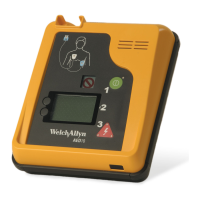
The supervisor has the ability to assign a specific department name to the Welch Allyn
AED 10. The AED 10 includes this department name number when reporting events so
that it can be identified among other AEDs.
To set department name
1. While in the Supervisor Menu, press the Next soft key to highlight Dept, and then
press the Enter soft key to go to the Department Menu.
2. Enter the desired department name by using Next to scroll to the appropriate
number, letter, or symbol and use Enter to shift to the next space. After the last
character has been selected, press Enter until Save is highlighted.
3. Press Enter again while in the Save box to save the new Dept name.
4. To exit the Dept name prompt without changing it, press Next when the Save box is
highlighted to select the Cancel box. Press the Enter soft key to return to the
Supervisor Menu.
Setting the Bit Rate
The supervisor can change the bits per second at which infrared port of the AED 10
communicates.
1. While in the Supervisor Menu, press the Next soft key to highlight Bit Rate, and
then press the Enter soft key to go the Bit Rate Menu.
2. Press the Next soft key to change the bit rate to the appropriate number. After the
appropriate number appears press the Enter soft key.
3. Press the Enter soft key to save the new bit rate.
4. To exit the Bit Rate menu without changing the bit rate, press Next when the Save
box is highlighted to select the Cancel box. Press the Enter soft key to return to the
Supervisor Menu.
Utility Menu
The Utility menu allows access to the System Test function. When selected, the System
Test will speak all the voice phrases for the selected language:
Note
There are 12 available characters for the Department name.
Save
Cancel
Dept
TOWNPOLICE#4
Save
Cancel
Dept
Utility
System Test
Back


 To Next Page
 Loading...