Parame‑
ter
Description
MAC‑
Address
Enter the MAC address of the device here in the format XX : XX : XX : XX: XX : XX. A typical MAC address
looks like this: 00:FF:4E:85:F1:B5
IP‑
Address
Enter the IP address which the device should get, e.g. 192.168.2.150
Descrip‑
tion
Text description field
3.7 3.7. VPN
Virtual Private Network, or VPN for short. The VPN is used to link participants in the existing communications net‑
work to another network. For example, an employee’s computer can gain access to the company network from
home, just as if he were sitting right in the middle of it.
3.7.1 3.7.1. IPsec
IPsec (short for Internet Protocol Security) is a protocol suite designed to enable secure communications over po‑
tentially insecure IP networks such as the Internet. The goal is to provide encryption‑based security at the network
level. IPsec provides this capability through connectionless integrity and access control and authentication of data.
In addition, IPsec ensures confidentiality as well as authenticity of the packet sequence through encryption.
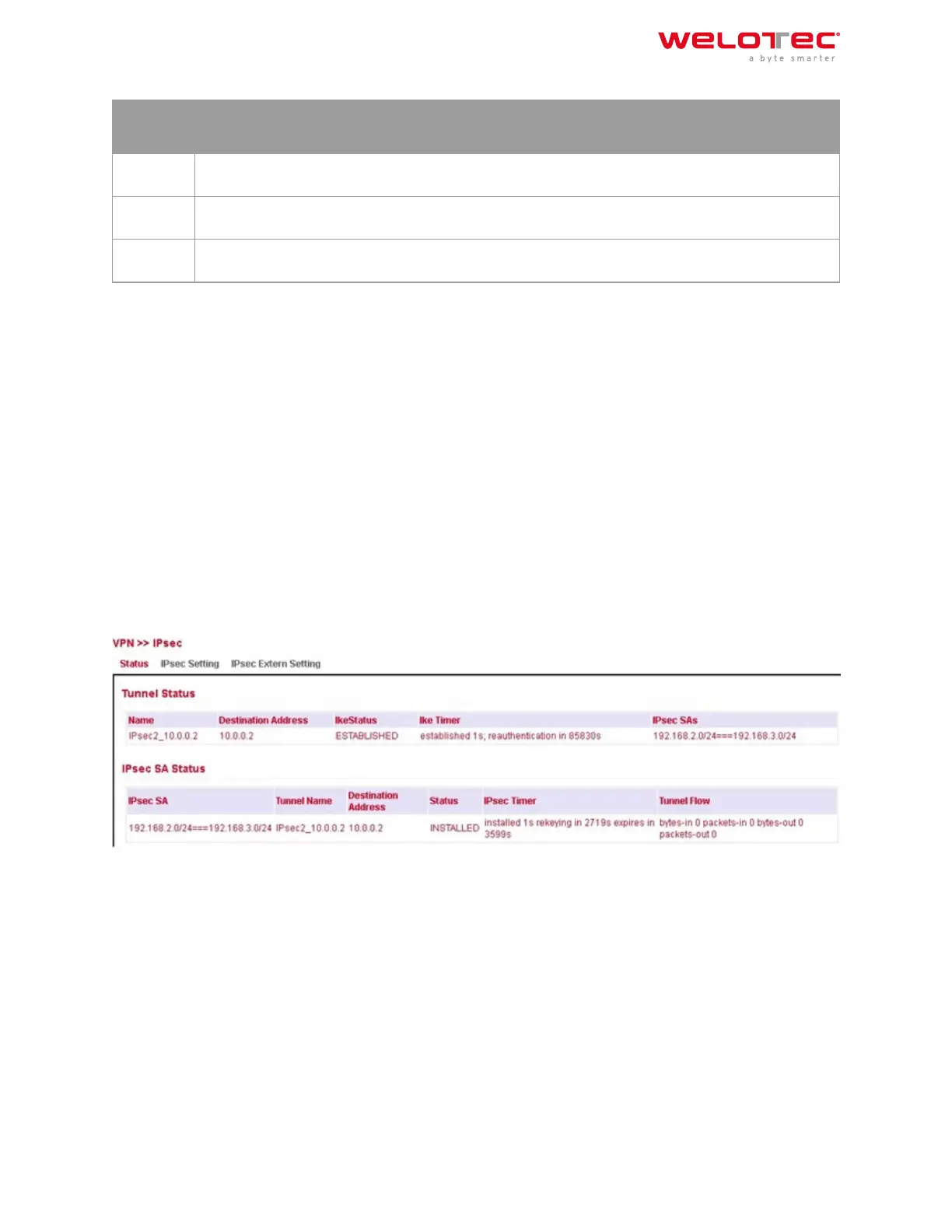
3.7.1.1. Status
If the IPsec tunnel(s) have been successfully established, you will see the following in the status overview.
3.7.1.2. IPsec Setting
Under VPN > IPsec > IPsec Setting, existing settings can be adjusted or a new IPsec tunnel can be created. When
creating a new IPsec tunnel, an IKE policy and an IPsec policy must first be created.
Aerwards, this setting must first be confirmed with Apply & Save. Then the actual IPsec tunnel can be created via
Add.
Welotec GmbH
Zum Hagenbach 7
48366 Laer
www.welotec.com
info@welotec.com
+49 2554 9130 00
Page 104



 To Next Page