and confirm with “Enter”. Now you will be redirected to the configuration web page. Now configure the router
according to your requirements.
To check if you are connected to the Internet, select Network > Cellular > Status from the navigation panel. Here
you can see the data of the cellular unit in the router. Alternatively, simply open a web page in your browser.
IP:
192.168.2.1
Username: adm
Password: 123456
2.10
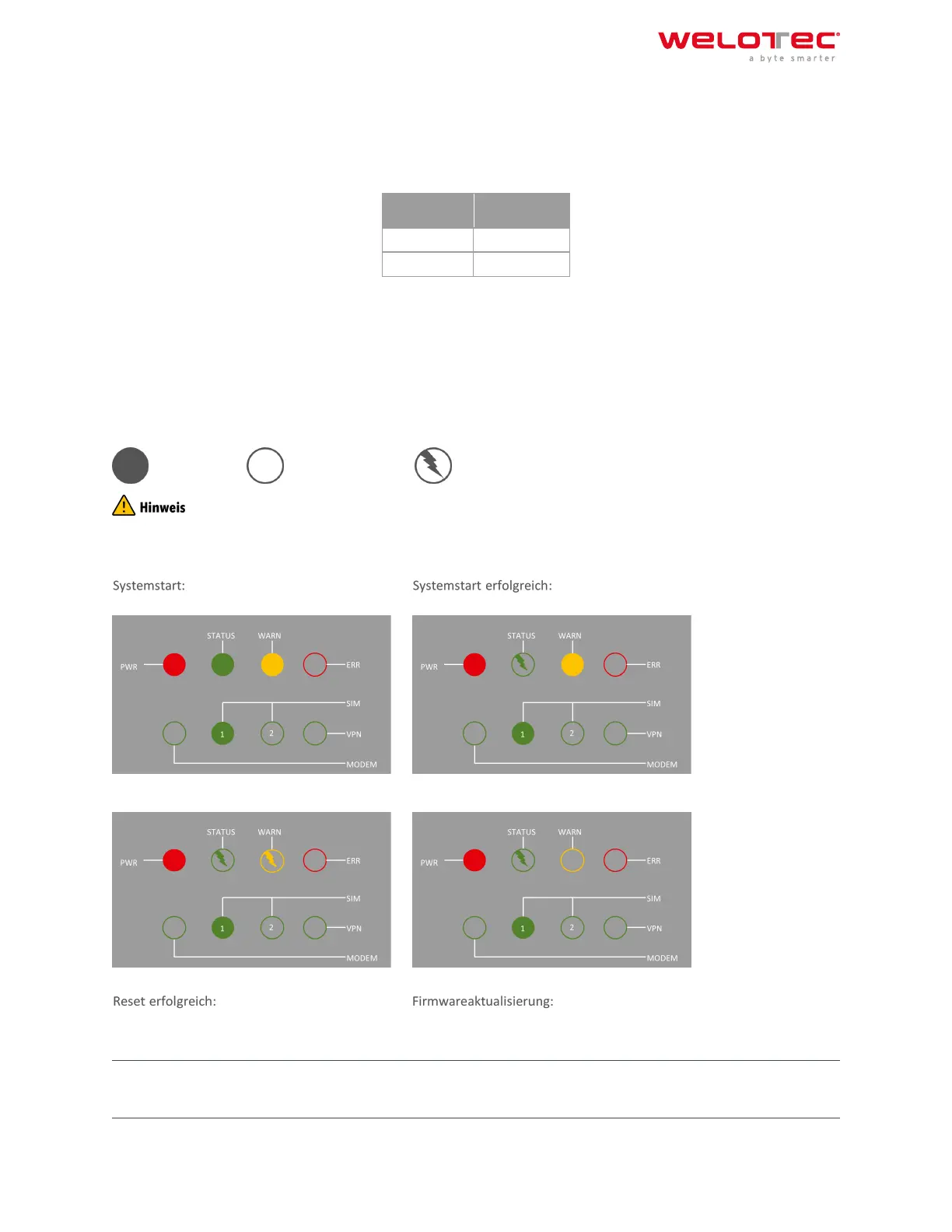
2.11 2.10. LED status lamps
2.11.1 Symbol explanation
= LED leuchtet = LED leuchtet nicht = LED blinkt
There are two SIM card LEDs. When the router boots up, the SIM card LED for SIM card 1 is lit. In all other cases, the
SIM card reception indicator is lit:
Dial‑in: Dial‑in successful:
STATUS WARN STATUS WARN
SIM
Welotec GmbH
Zum Hagenbach 7
48366 Laer
www.welotec.com
info@welotec.com
+49 2554 9130 00
Page 11



 To Next Page