3.4 3.4. Link Backup
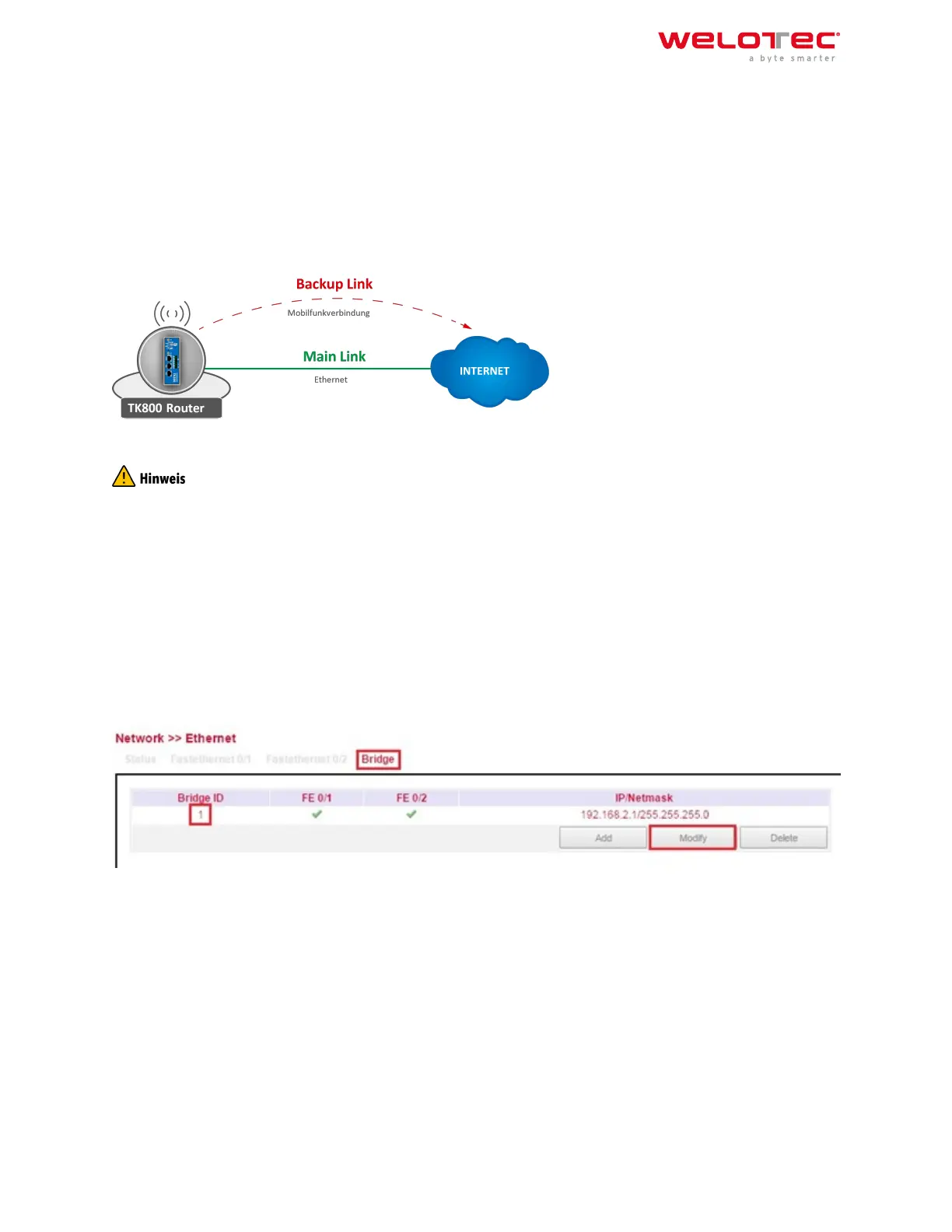
With the TK800, it is possible to use two dierent Internet connections (wired and cellular) to increase accessibility.
The router periodically checks the primary Internet connection and automatically switches to the secondary Inter‑
net connection in case of failure. As soon as the primary Internet connection is available again, the router auto‑
matically switches back to this connection.
In this example, a wired (Ethernet, DHCP) is used as the primary Internet connection and cellular (4G LTE) as the
secondary.
Configuring a WAN Port – Modify Bridge (TK8X2‑X only)
The prerequisite for Link Backup is Internet access via the cellular network. Therefore, configure the mobile net‑
work interface (Cellular) accordingly to be able to connect to the Internet. The router is preconfigured for T‑Mobile
SIM cards, so no configuration steps are usually necessary here.
On the TK8X2‑X, the two Ethernet ports are connected via a bridge at the factory. To configure one of the ports to
the WAN port, the corresponding port must be excluded from the bridge.
To do this, perform the following steps:
1. Go to the subitem Ethernet via the subitem Network.
2. Now select the Bridge tab
3. Click here in the line with the Bridge ID 1 and edit the entry by clicking Modify.
4. Remove the check mark for the interface FE 0/1 and confirm the change with Apply & Save.
Welotec GmbH
Zum Hagenbach 7
48366 Laer
www.welotec.com
info@welotec.com
+49 2554 9130 00
Page 74



 To Next Page