2.3.2 2.3.2. Mounting the Device
DIN rail:
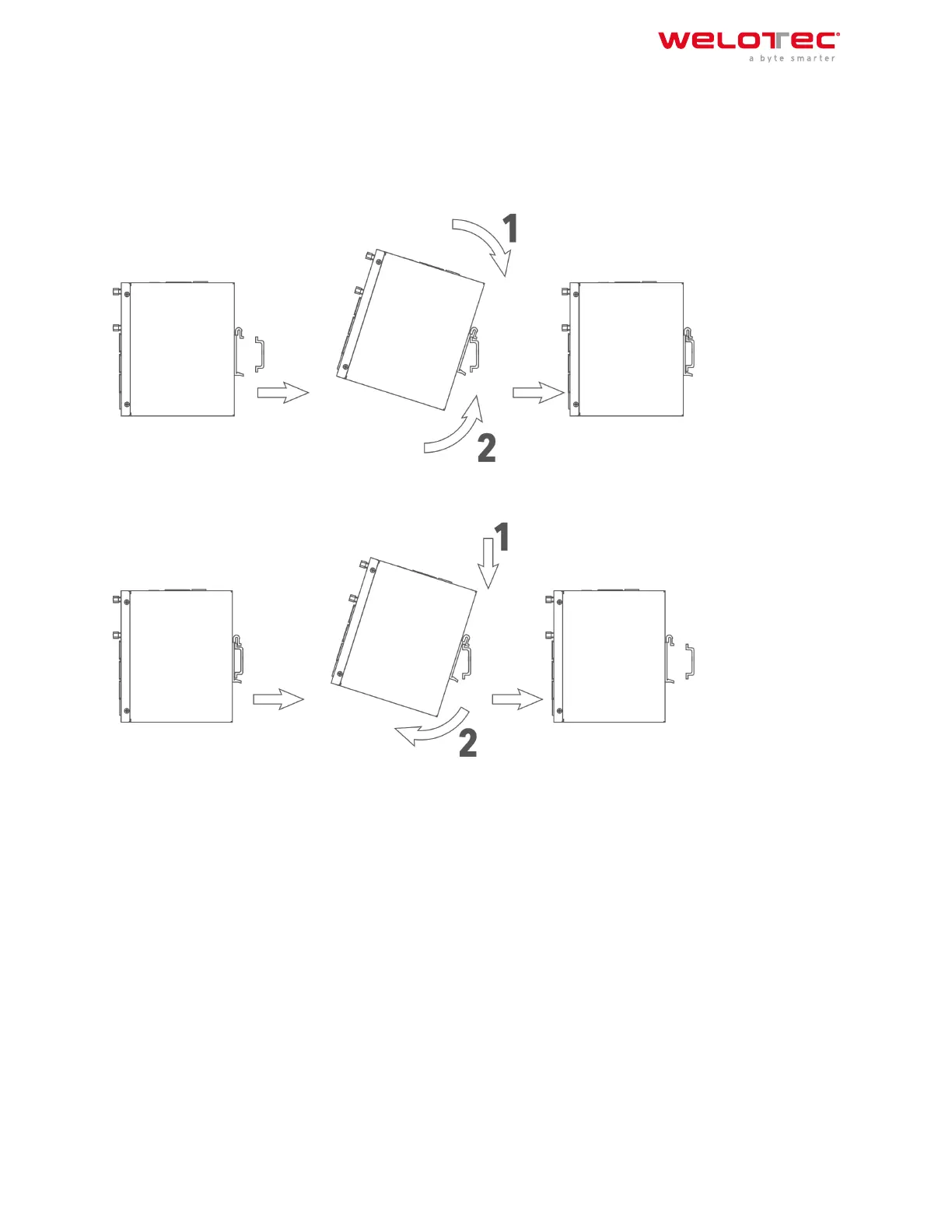
Select a position with suicient space on the DIN rail. Then place the upper part of the DIN rail mount on the DIN
rail. Subsequently, press the lower side of the DIN rail mount down until the device is locked in place. This picture
serves as an illustration:
For demounting press the device from top to bottom and then pull the lower side of the device from the DIN rail
(see figure).
2.4 2.4. Installing the SIM Card
The TK800 supports dual SIM. To insert the cards, press the yellow “Eject” button with a small screwdriver on the
top of the device, for example. The respective SIM card slot is pushed out. If the TK800 is not operated in dual SIM
mode, use the SIM card slot “SIM1”.
Then insert the SIM card. The SIM card slot is not hot‑pluggable. The router must be restarted aer inserting the
SIM card.
Welotec GmbH
Zum Hagenbach 7
48366 Laer
www.welotec.com
info@welotec.com
+49 2554 9130 00
Page 7



 To Next Page