3 3. WEB Configuration
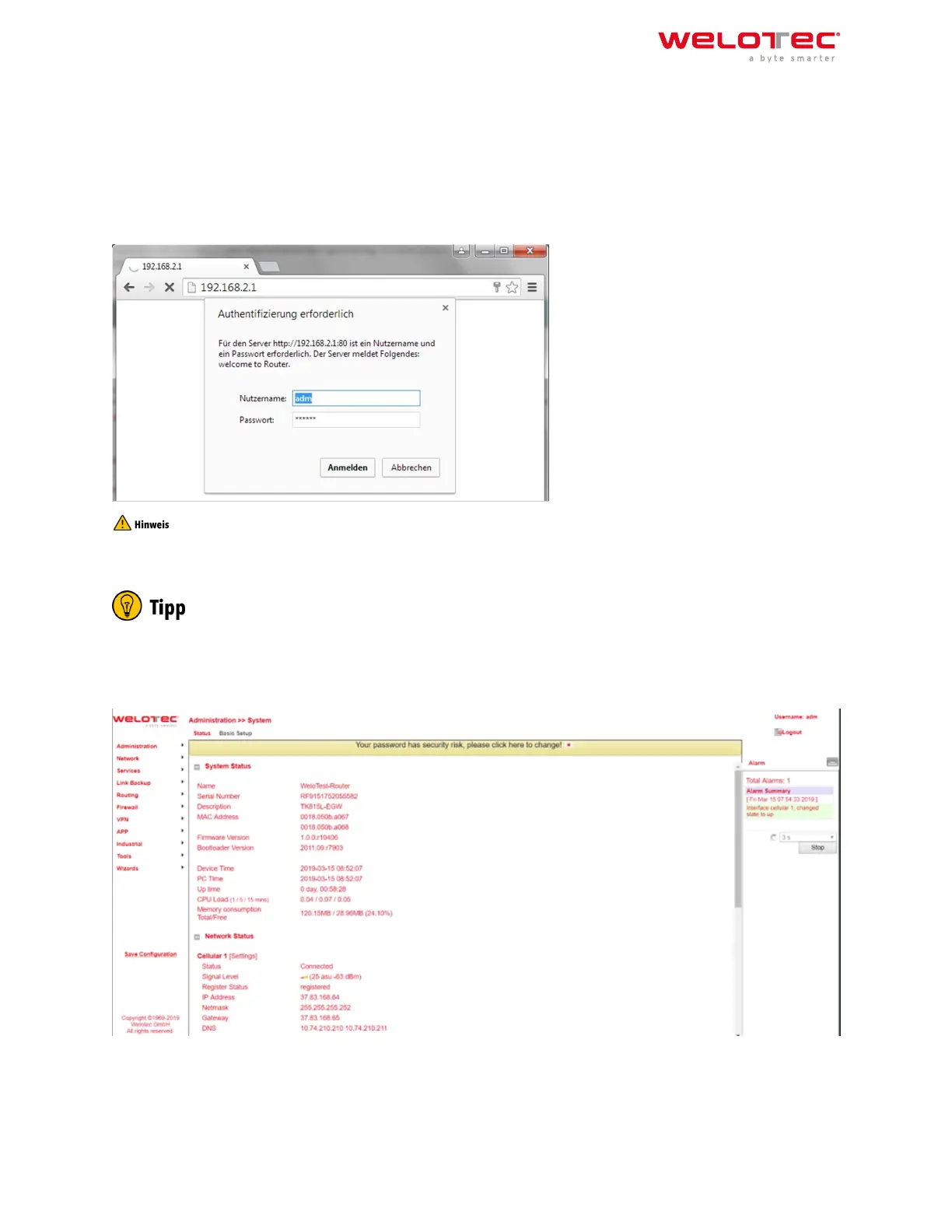
The TK800 series routers have a built‑inwebserver for configuration. Open http://192.168.2.1 in the browser. Enter
the user name (default: adm) and password (default: 123456) and confirm with Login.
For security reasons, the password should be changed aer the first login. Choose a password with at least 10
digits, upper and lower case letters, special characters and numbers.
The router allows parallel access of up to four users via the web interface. However, it should be avoided to con‑
figure the router simultaneously.
Aer the successful login, the web interface of the router appears.
The web interface of the TK800 is divided into 4 areas. On the le side is the Main navigation with the items Admin‑
istration, Network, etc. In the upper area is the Detail navigation. In this example with Status (active) and Basic
Setup. In the middle of the web interface the current status and configuration options are shown. On the right side
active alarms are displayed.
Welotec GmbH
Zum Hagenbach 7
48366 Laer
www.welotec.com
info@welotec.com
+49 2554 9130 00
Page 23



 To Next Page