Parameter
Description
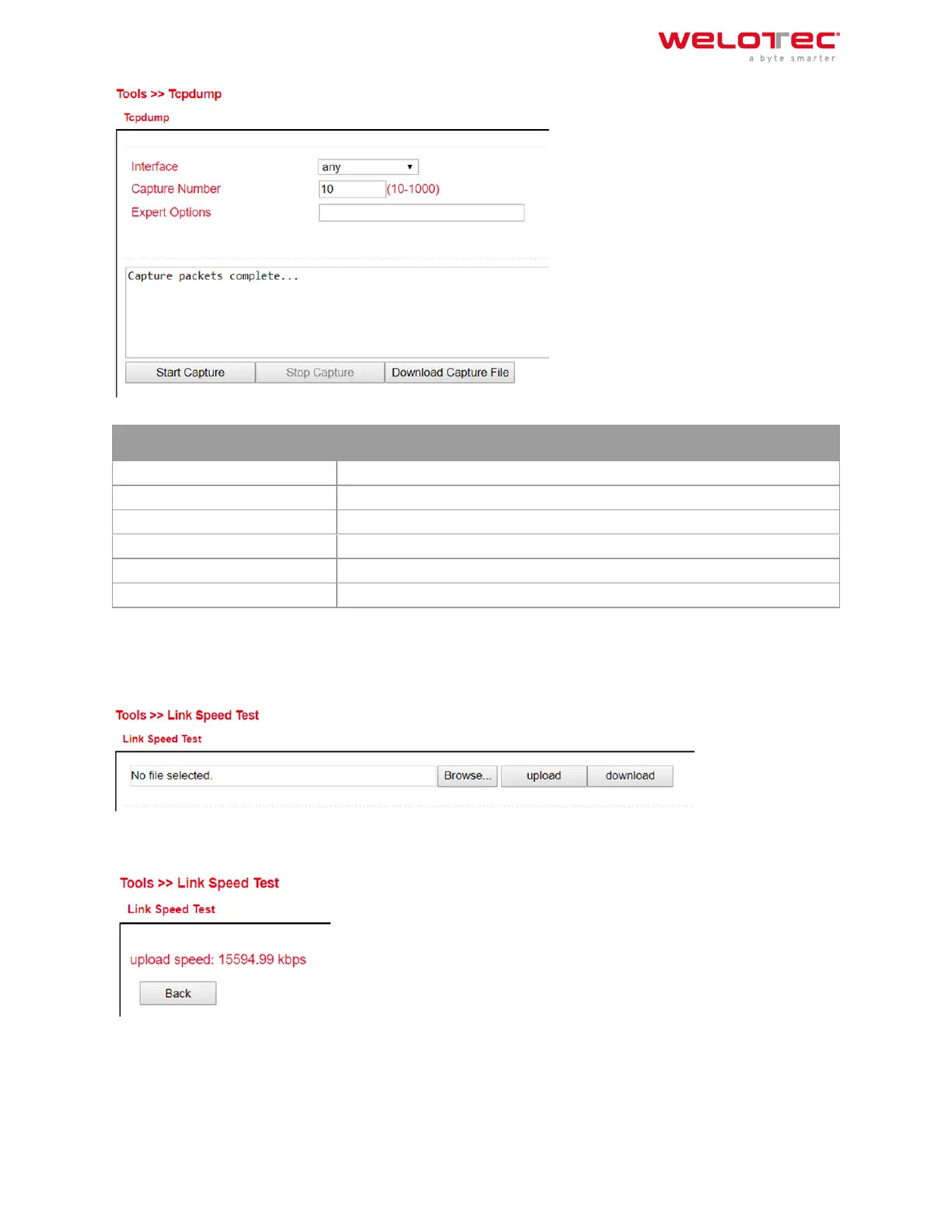
Interface Selection of the interface to be captured
Capture Number Number of captures. Default is 10
Expert Options Expert Options
Start Capture (Button) Starts capturing the data packets
Stop Capture (Button) Stops capturing the data packets
Download Capture File (Button) Downloads the capture as tcpdump.pcap file. Readable e.g. with Wireshark
3.11.4 3.10.4. Link Speed Test
Determine the connection speed by uploading and downloading files.
Via the Browse button you can upload a corresponding file from the computer. The file should be between 10 and
2000MB in size. Aer selecting the file, click the Upload button. The result will be displayed.
The download button downloads a 130MB file (test.bin) which shows the download speed during the download.
Welotec GmbH
Zum Hagenbach 7
48366 Laer
www.welotec.com
info@welotec.com
+49 2554 9130 00
Page 132



 To Next Page