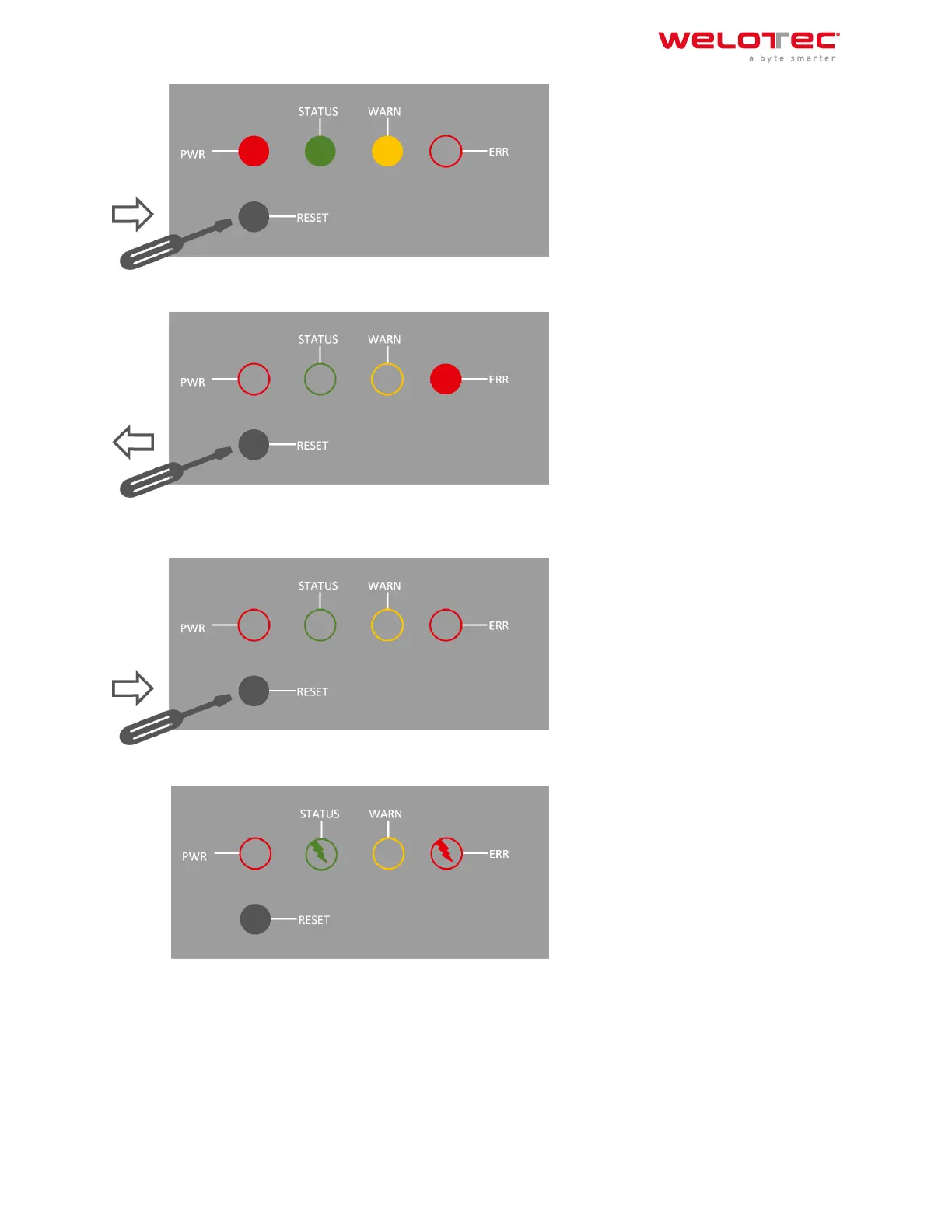
2) As soon as the ERROR LED lights up (approx. 10 seconds aer switching on), release the RESET key:
3) Aer a few seconds, the ERROR LED no longer lights up. Now press the RESET key again until the error light
flashes and then release the key:
4) Now the ERROR and STATUS LED lights will flash, indicating that the factory reset was successful.
Welotec GmbH
Zum Hagenbach 7
48366 Laer
www.welotec.com
info@welotec.com
+49 2554 9130 00
Page 13



 To Next Page