Param‑
eter
Description
Factory
settings
Enable Enables or disables the WLAN Disabled
Station
Role
AP (Access Point), Client or AP Client AP
SSID
Broad‑
cast
Display the SSID if it is supposed to be visible Enabled
AP Iso‑
late
Enables or disables AP isolation Disabled
Radio
Type
The radio standard can be selected here 802.11g/n
Chan‑
nel
The radio channel can be selected here 11
SSID The SSID that identifies your WLAN and will be displayed when searching for WLAN net‑
works.
TK800
Auth
Method
The encryption standard to be used. OPEN, if the WLAN is not to be protected (not rec‑
ommended).
OPEN
Encrypt
Mode
If Open or Shared is selected: WEP40 or WEP104, both are actually no longer used today
because they are not secure. When selecting the other options TKIP or AES
NONE
Band‑
width
20MHz or 40MHz channel bandwidth. A larger channel bandwidth can increase the
speed, but there are fewer overlap‑free channels.
20MHz
Stations
Limit
Maximum number of simultaneously connected clients blank
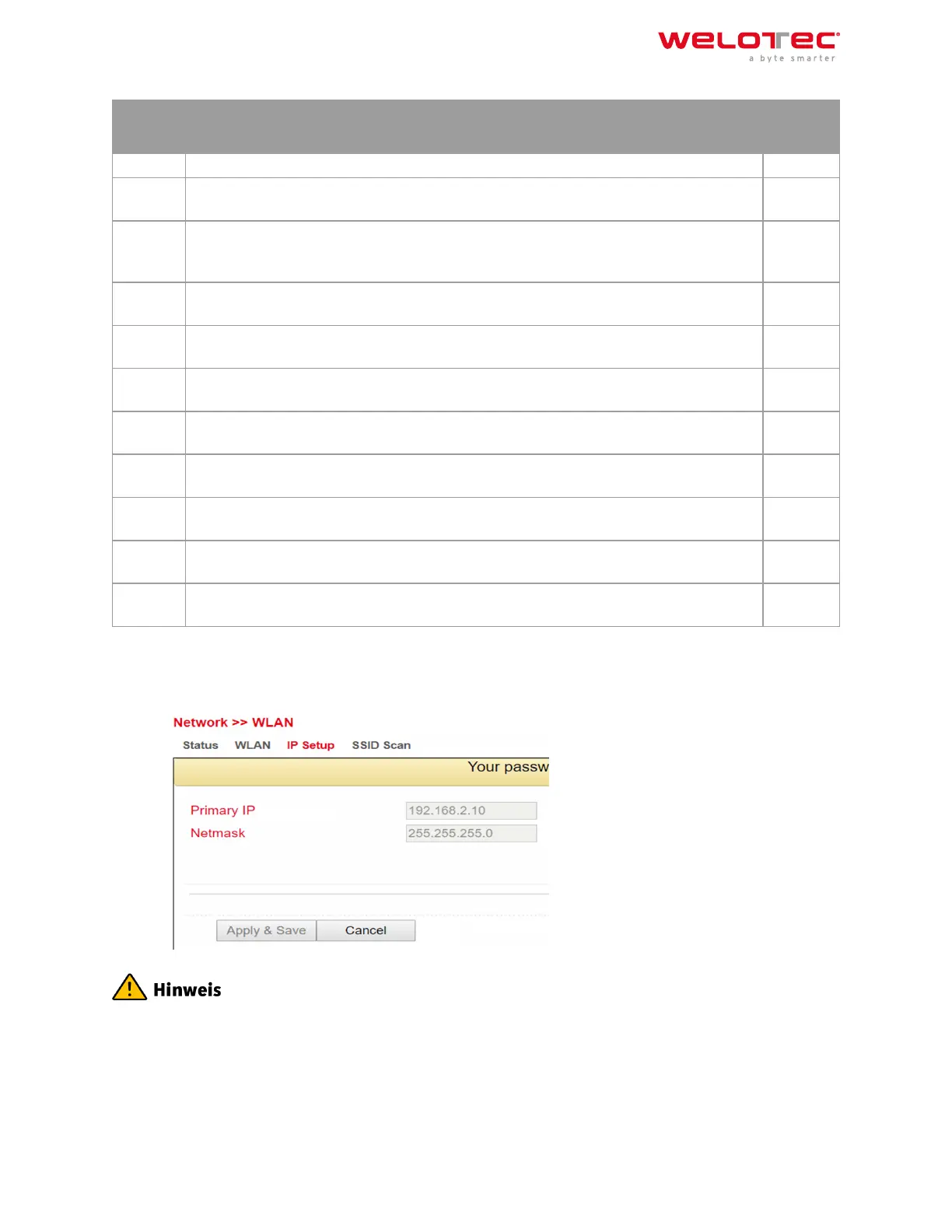
3.2.5.3. IP Setup
Under Network > WLAN > IP Setup the IP address of the WLAN interface can be changed.
The IP address can only be changed if the WLAN interface is not a bridge member.
Welotec GmbH
Zum Hagenbach 7
48366 Laer
www.welotec.com
info@welotec.com
+49 2554 9130 00
Page 59



 To Next Page