8 ‒ Function Description | P1PY201 ‒ Laser Distance Sensor ToF 30
Function Possible settings Default
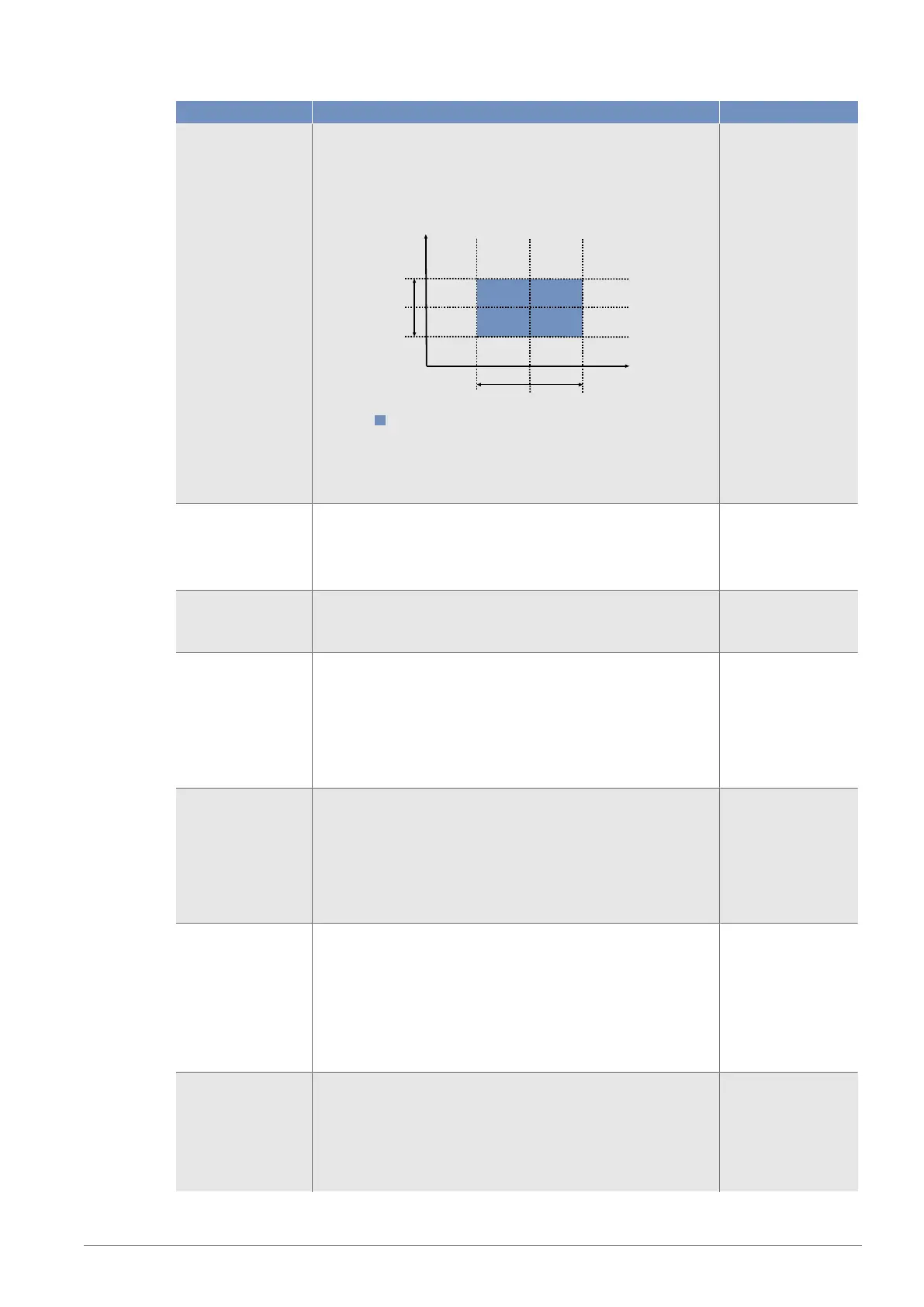
In this mode, the intensity of the received signal is also evalu-
ated for distance. The sensor is taught in a reference that con-
sists of a switching point for the distance and a switching
point for the intensity. As soon as the sensor detects a devia-
tion in distance or intensity, this is registered via the output.
Intensity
Distance Window
Intensity
Switching
point
Intensity
Window
Switching point
Taught-in reference from Distance and Intensity
Note!
The teach-in function is necessary to ensure that the sensor
works properly.
Switching point 50…10,000 mm
Note!
If a distance range has been set, the switching point can be
set within the set distance range only.
5,000 mm
Hysteresis Hysteresis is the difference between the switch-on and switch-
off point.
5…1,000 mm
15 mm
Near switching point
window
In teach-in mode, window teach-in
Distance from the set center of the window to the window’s
switching point that is close to the sensor.
The window can be set so that it extends from the sensor’s
minimum setting range to its maximum setting range. The pos-
sible minimum and maximum settings result from the center of
the window set in a particular instance.
30 mm
Far switching point
window
In teach-in mode, window teach-in
Distance from the set center of the window to the window’s
switching point that is far away from the sensor.
The window can be set so that it extends from the sensor’s
minimum setting range to its maximum setting range. The pos-
sible minimum and maximum settings result from the center of
the window set in a particular instance.
30 mm
Jump height min In teach-in mode, jump detection
The min. jump height specifies the measured value jump from
which a jump event should be detected.
In the “Automatic” setting, the sensor automatically calculates
the smallest possible jump.
0 = Automatic
10…1.000 mm
50
Jump height max In teach-in mode, jump detection
The max. jump height specifies the measured value jump up
to which a jump event should be detected.
In the “No restriction” setting, there is no limitation of the max.
jump height. A change from a valid measured value to “No
measured value” is evaluated as a negative jump.
1,000 mm


 To Next Page