BDA CS 300 – 06/15 – REV. B Page 54 / 84
4.3 Technical Data
4.4 Operating Elements
4.4.1 Touch Display
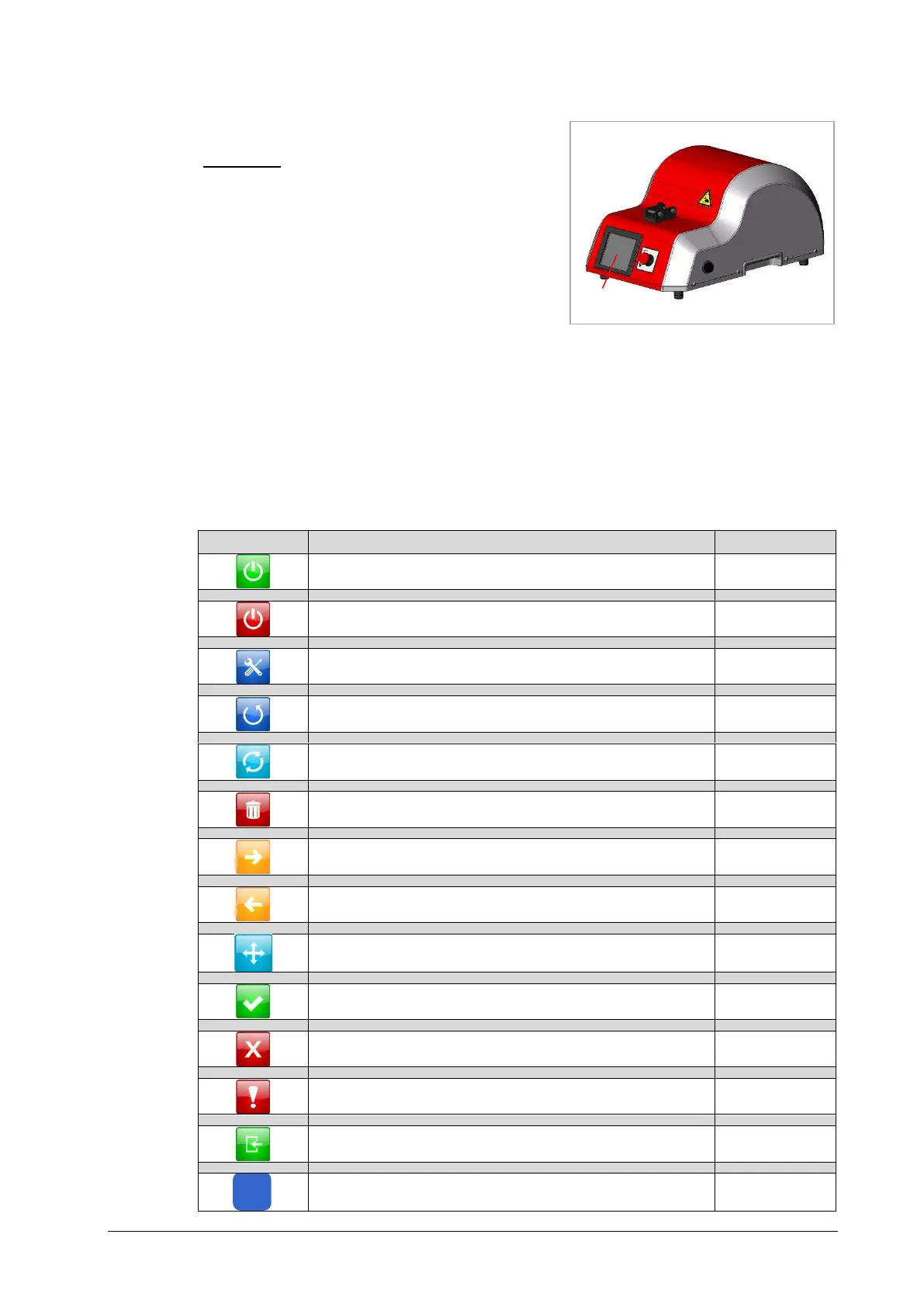
The touch display 1 (Fig. 4.3) is activated, deactivated or shifted to the set-up menu by the
key switch. The operation of the touch display is intuitively by self-explanatory icons, which
can partly be selected.
Normal Operation 360°, press once = complete cycle
Step 01-10, press twice = complete cycle
Manual Motor Movement forwards
Manual Motor Movement backwards
Calibration Touch Display


 To Next Page