Chapter 2: Getting Started
EN-22
2.4.7 Alarm Switch (LA5576)
a. To power on the device, do one of the following:
i.
Plug in the power adapter to the device and the other side to the wall
outlet.
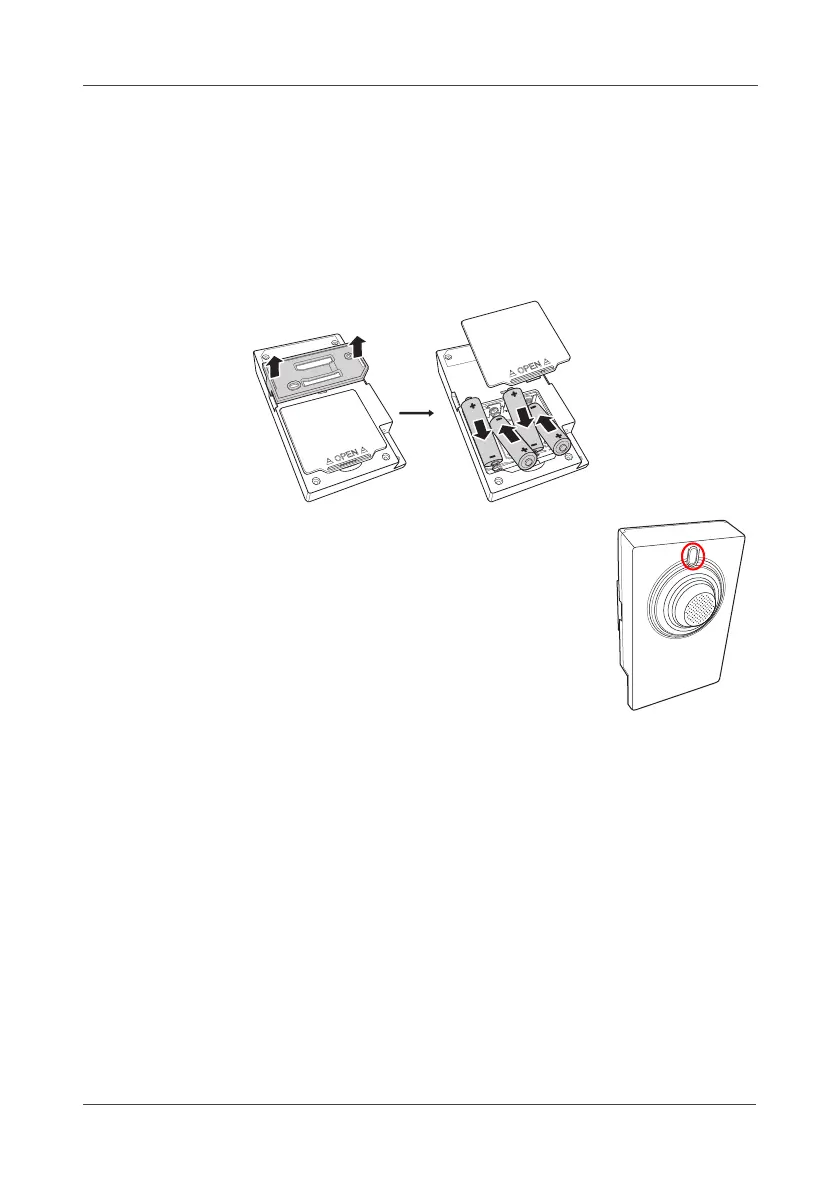
ii. Insert the batteries into the device.
To insert the batteries, refer to the illustration below
b. Once the alarm is triggered, the alarm volume is
approximately 90dB. To turn off the alarm sound,
press the upper LED button.



 To Next Page