Chapter 4: Web Management
EN-60
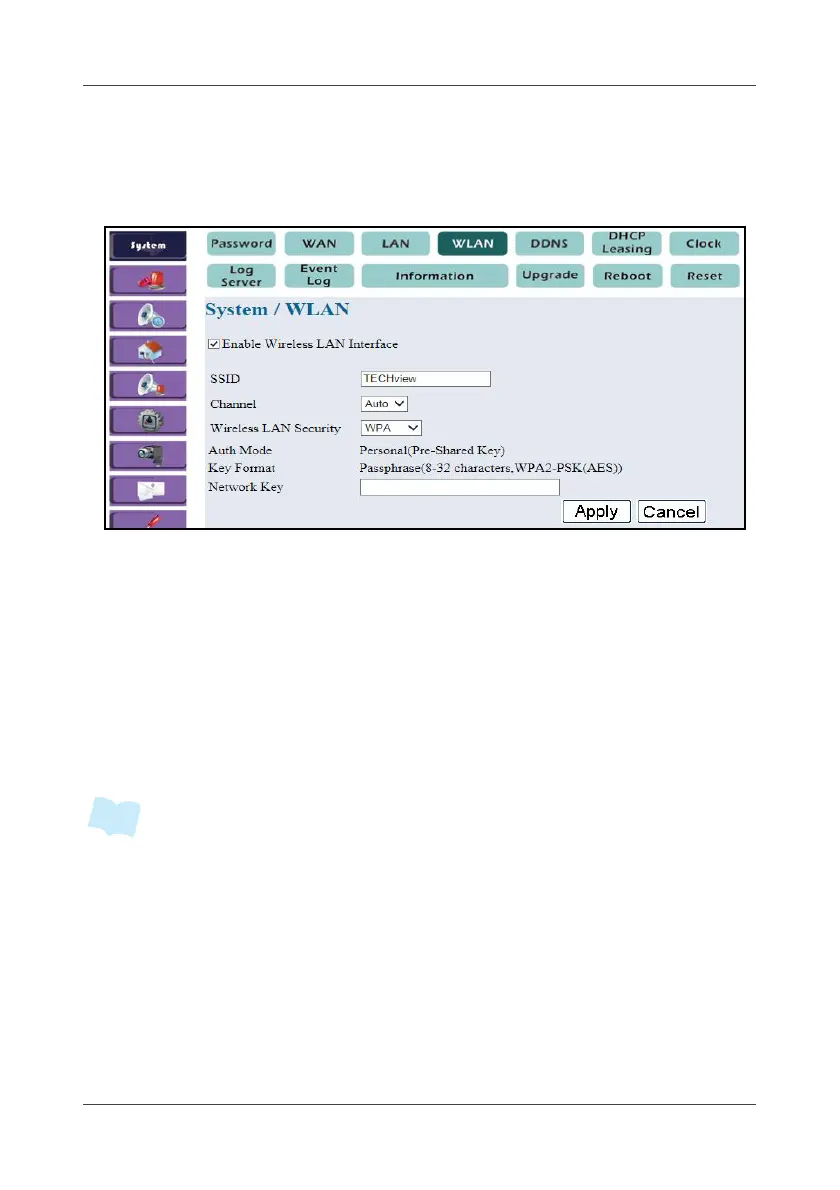
4.1.4 WLAN
This option allows you to configure the Gateway Wireless LAN interface.
1. Select System > WLAN.
2. Check Enable Wireless LAN Interface to enable the Wireless LAN.
3. Enter SSID.
The default SSID for the Gateway is “TECHview”.
4. On Channel, specify the wireless channel. To avoid conflicting with
other access points, set the setting to Auto.
5. On Wireless LAN Security, select the desired security settings.
6. To enable WEP/WPA encryption, enter the key for data encryption in
Auth Mode.
7. Click Apply.
• If the WPS function is being used, the WLAN security type must be set to WPA.



 To Next Page