Chapter 4: Web Management
EN-65
4.1.6 DHCP Leasing
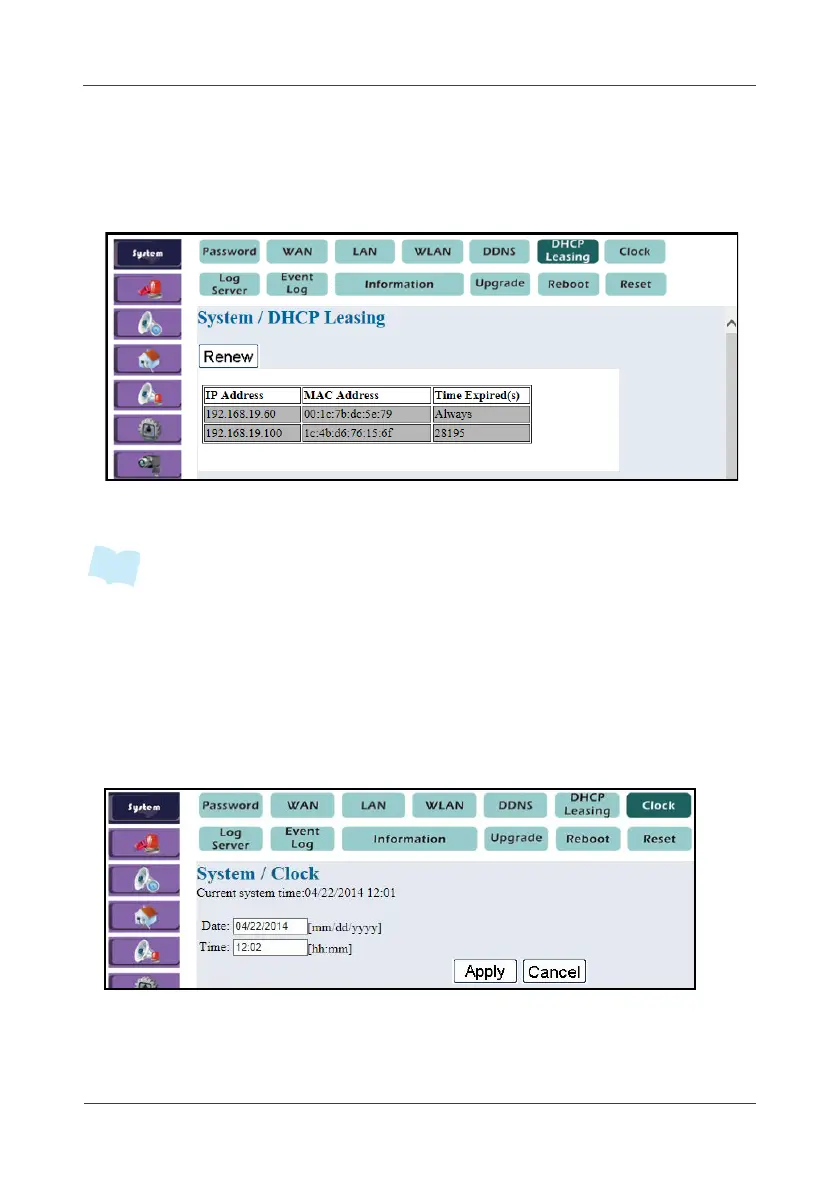
This option displays the Gateway DHCP client information.
1. Select System > DHCP Leasing.
2. Click Renew to renew the Gateway DHCP client information.
• The first IP address shown on the above illustration as “Always” belongs to an IP
camera. To configure IP camera setup, refer to 4.7 Surveillance on page 90 for
details.
4.1.7 Clock
This option allows you to adjust the current system date and time.
1. Select System > Clock.
2. Enter the new Date and Time as required.
3. Click Apply.



 To Next Page