Chapter 4: Web Management
EN-75
4.4.1 Panel Console
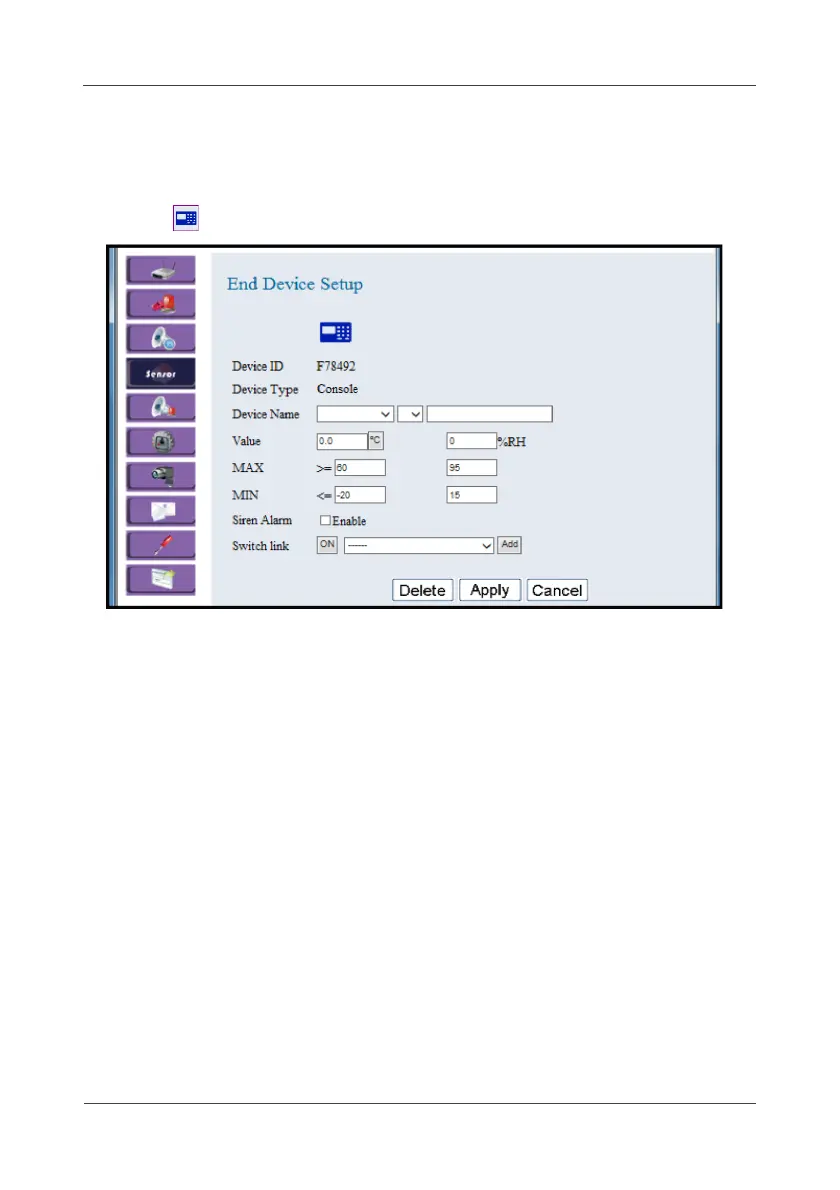
This option allows you to configure the Wireless Panel Console settings.
1. Click .
2. Select the location, device number, and specify the sensor name.
Click on the pull-down menu to see more options.
The current temperature and humidity readings are displayed in the
Value field.
3. Set the maximum (MAX) and minimum (MIN) threshold values.
You may swap temperature unit (
ºC or ºF) once required.
4. Check Enable to enable siren alarm once the current temperature or
humidity hits the threshold.
5. To bind multiple links with the automation-type controllers (such as
Wireless Power Switching or Wireless Lock Switch), select the
controller ID in the Switch link field and click Add. Select ON or OFF the
device when the alarm is triggered.
6. In the Switch link field, click Remove to delete the current binded
automation-type device.
7. Click Apply to save the settings.



 To Next Page