MULTI- ZONE / FROZEN FOOD VENDOR • 3576 • 4222618A | 17
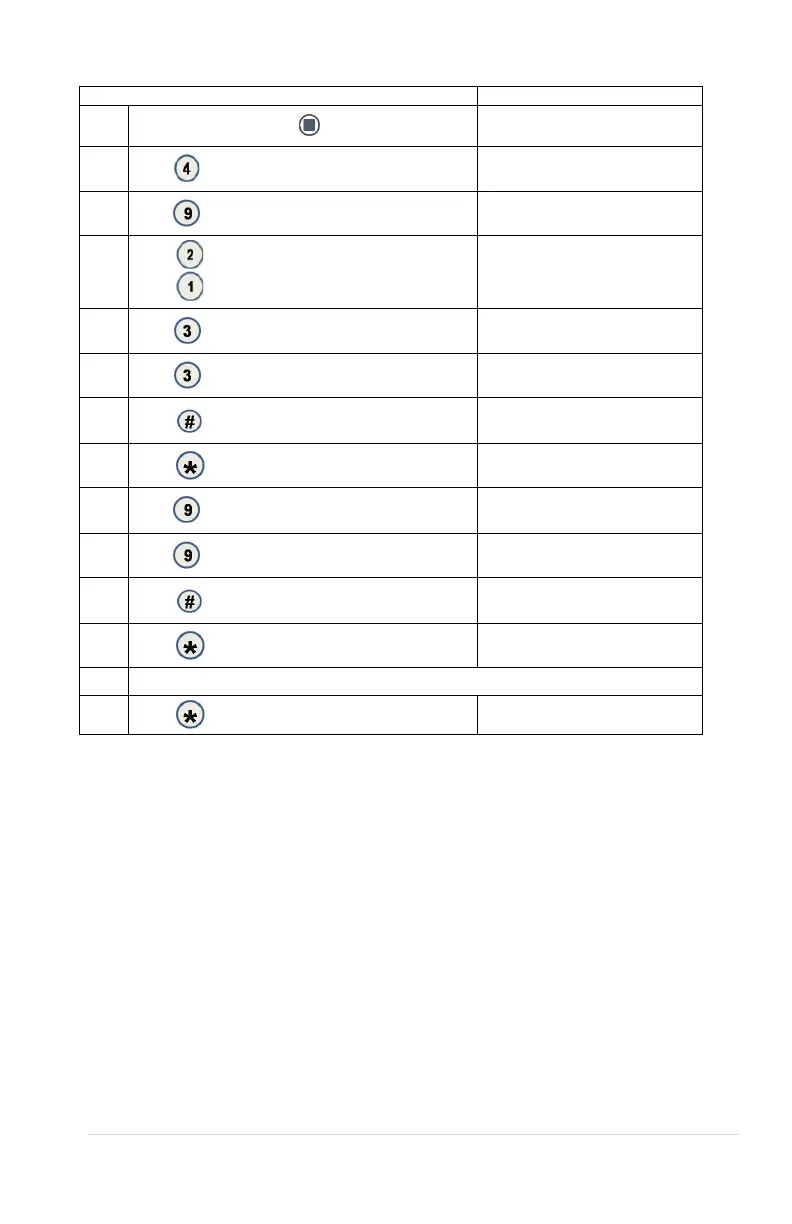
4.9.3 HS “All”
1.
Press Service Mode Button
Motors (--)
2.
Press
for Configuration menu
Configuration
3.
Press
for Health Safety menu
Health Safety
4
Press
to edit the Lower Zone or
Press
to edit the Upper Zone
Lower Zone or Upper Zone
5.
Press
for All Items
All Items (Current)
*- exit 3- edit
6.
Press
to toggle ON/OFF
All Items (Choice Flashing)
*- exit # - save
7.
Press
to save the setting
*- exit 3- edit
8.
Press
to exit All Items
Lower Zone or Upper Zone
9.
Press
to edit HS Zone ON/OFF
*- exit 9- edit
10.
Press
to toggle HS Zone ON/OFF
*- exit # - save
11.
Press
to save the setting
*- exit 9- edit
12.
Press
to exit back to main HS menu
Health Safety
Repeat steps 4 thru 12 for another Zone or go to step 14.
14.
(Sales Mode)
4.0 ADVANCED CONFIGURATION
NOTE: THIS IS PASSWORD PROTECTED (2314 DEFAULT)
4.0.1 BEEP ENABLE
See GVC 2 Programming Manual (P/N 4215507) for more information
4.0.2 OPTICS DISABLES
See GVC 2 Programming Manual (P/N 4215507) for more information
4.0.3 MOTOR TYPE
See GVC 2 Programming Manual (P/N 4215507) for more information
4.0.4 TALKER
See GVC 2 Programming Manual (P/N 4215507) for more information.
4.0.5 PASSWORD



 To Next Page