16 | MULTI- ZONE / FROZEN FOOD VENDOR • 3576 • 4222618A
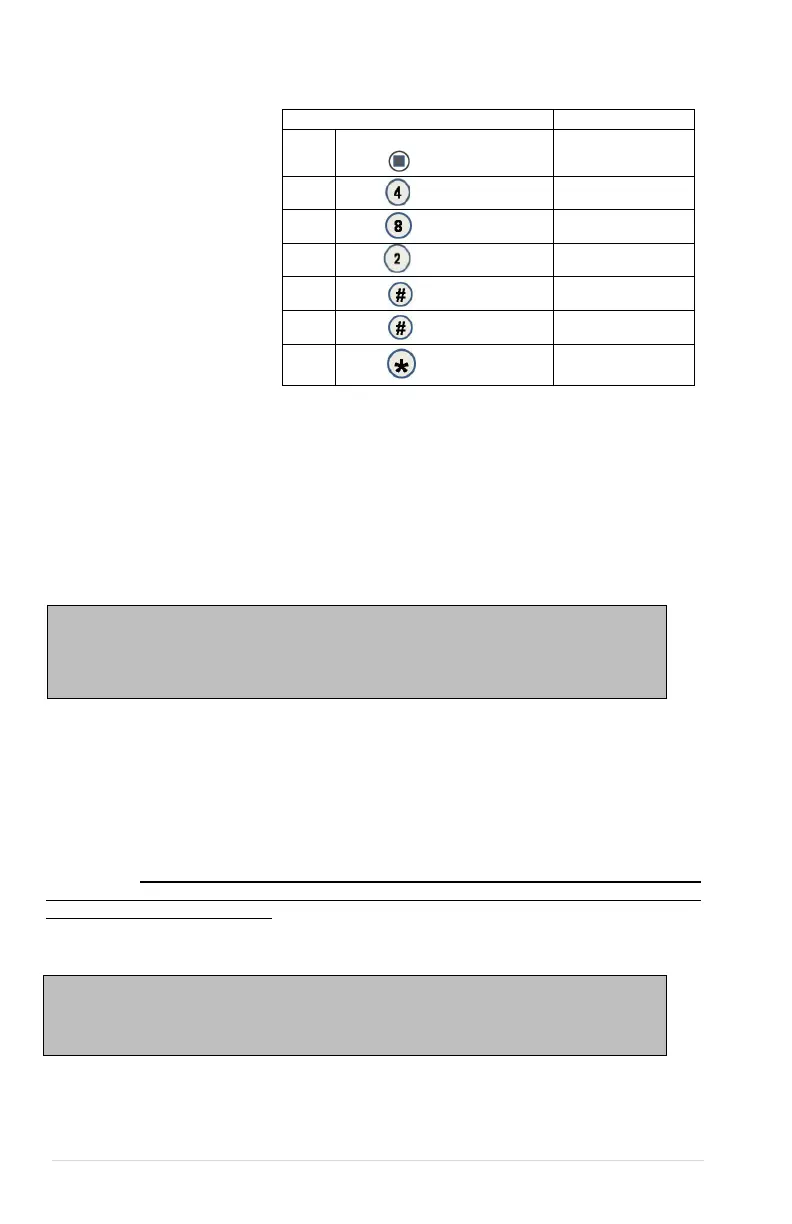
4.8.2 TIME
Time Setting - This
menu controls and
displays the current time
of day. The display will
show a 24 hour format.
Examples:
8:05 a.m. = TIME O8.O5
01:15 p.m. = TIME 13.15
11:45 p.m. = TIME 23.45
1.
Press Service Mode
Button
Motors ( - - )
2.
Configuration
3.
Date/ Time
4.
08:00:25
5.
09:00:25
6.
09:00:25
7.
Sales Mode
4.9 HEALTH SAFETY (HS)
THE HEALTH SAFETY FEATURE CAN NOW BE CONFIGURED FOR 2 TEMPERATURE
ZONES. A LOWER ZONE AND AN UPPER ZONE AS DETAILED IN THE HEALTH
SAFETY MENUS BELOW.
The HEALTH SAFETY feature prevents the sale of perishable food if the air temperature
inside the Food Vendor compartment rises above the Health Safety temperature limit for
more than 15 minutes. The perishable products being vended must match the refrigeration
configuration.
HEALTH SAFETY MENUS - This menu allows the user to specify the operating zone to
meet health safety requirements for cold and frozen food. The health safety requirements
can also be applied to an individual Item(s), Row(s), or ALL (whole machine). If the health
safety requirements are violated then the Item(s), Row(s) or the whole machine is shut down
accordingly.
HEALTH SAFETY ZONES - Health Safety settings are split into two zones, Upper Zone and
Lower Zone. Only the Lower Zone setting will be used when the machine is configured
as a Cold, Cold Food, Single Zone (SZ), Dual Zone (DZ),Single Zone Frozen (SZF) or
Single Zone Cold Food (SCF). The Upper Zone setting is used is for the Multi-Zone Frozen
(MZF) temperature mode. On a machine using the MZF setting, the Upper Zone follows the
HS rules for Cold Food and the Lower Zone follows the HS rules for Frozen Food.
IMPORTANT! The operator is responsible for ensuring the health safety of
vended products and to verify the machine HS settings. Make sure to Enable
All Items and Enable HS Zone Lower and/or Upper Zone before making any
Warning: These settings require specific refrigeration systems and options in a
machine. Please review this document and consult the machine service manual
and if necessary, Vendnet Service at 1-800-833-4411 before making any changes
to the machine settings. Please have machine model number and serial number
information when calling Vendnet Service,



 To Next Page