MULTI- ZONE / FROZEN FOOD VENDOR • 3576 • 4222618A | 15
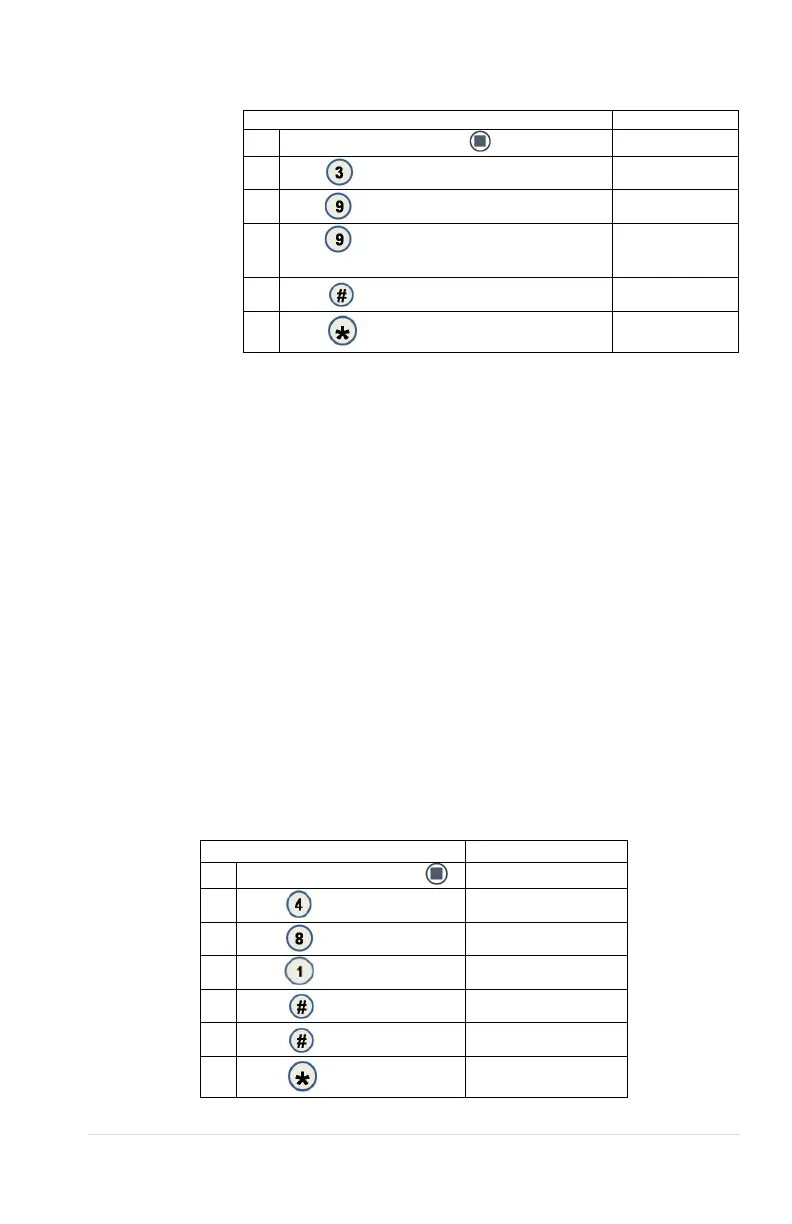
3.9 KEYPAD BACKLIGHT
This menu
controls
the brightness
level of the
keypad
backlight.
(Default is 3)
Press Service Mode Button
2.
Options
3.
KB Backlight
4.
Press repeatedly to change setting.
Note:0=Off, 1=Low, 2=Med, 3 =High, 4=Max
KB Backlight 3
5.
KB Backlight 3
6.
(Sales Mode)
4 CONFIGURATION
4.1, 4.2, 4.3: CONFIGURE MACHINE TO SNACK, CAN,
OR BOTTLE
See GVC2 Programming Manual (P/N 4215507) for more information.
4.4 LANGUAGE
See GVC2 Programming Manual (P/N 4215507) for more information.
4.5 AUTO REINSTATE
See GVC2 Programming Manual (P/N 4215507) for more information.
4.6 SPACE TO SALES (STS)
See GVC2 Programming Manual (P/N 4215507) for more information.
4.7 CUSTOM STS
See GVC2 Programming Manual (P/N 4215507) for more information.
4.8 TIME/DATE
Sets the time and date for timed operations.
The following submenus are available:
Date; Time
4.8.1 DATE
Press Service Mode Button
2.
Configuration
3.
Time/ Date menu
4.
MM/DD/YYYY
5.
06/01/2007
6.
06/01/2007
7.
Sales Mode



 To Next Page