24 | MULTI- ZONE / FROZEN FOOD VENDOR • 3576 • 4222618A
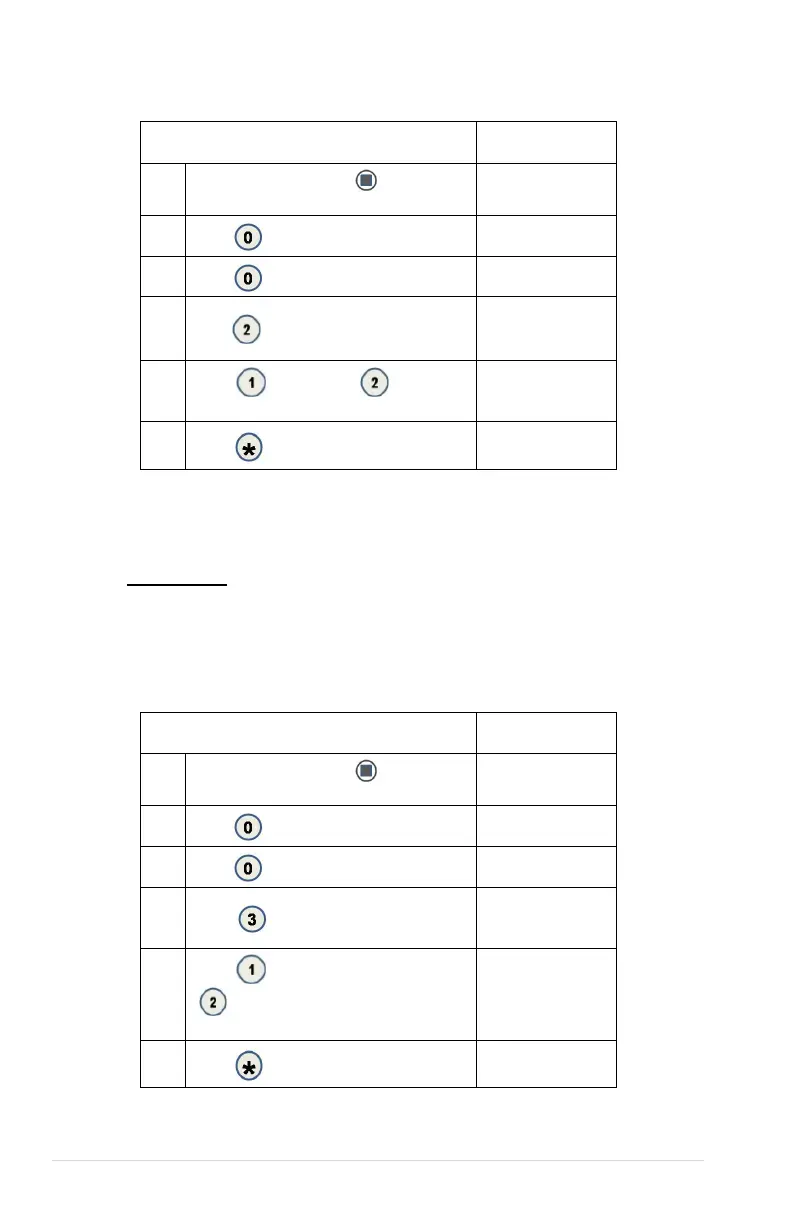
0.0.2 AUTOMATED DOOR
Opens and closes the Delivery Lift box product door and indicates if the control board
detects the motor cam switch to be in the correct position.
STEP DISPLAY
1
Press the ‘Service Mode’
button on the
(Motor count)
2
Diagnostics
3
Peripherals
4
Press
to see current Auto Door position
Auto Door Closed
1-open 2-close * -
5
Press
- OPEN DOOR , -CLOSE
DOOR
1-open 2-close * -
exit
6
Back to sales mode
NOTE: The display will show the current “Open” or “Closed” position while the
Auto Door is moving to a new position. If the control board can’t determine an
Auto Door motor position, the “Unknown” message will also appear.
IMPORTANT: If the control board cannot determine the Auto Door position when
the sales mode is entered or while in the sales mode, the machine will be placed
Out of Service.
0.0.3 DELIVERY LIFT TEST
Raises and lowers the Delivery Lift plate and indicates if the control board
detects the motor cam switch to have the Delivery Lift in the correct position.
STEP DISPLAY
1
Press the ‘Service Mode’
button on the
(Motor count)
2
Diagnostics
3
Peripherals
4
Press
1 – up 2 – down *--
exit
5
Press
- Raise the lift to top position
,
-Lower the lift to the bottom (Home)
Lift Down
1-UP 2-DOWN * -
exit
6
Back to sales mode



 To Next Page