19
User manual WMF bistro!
Software
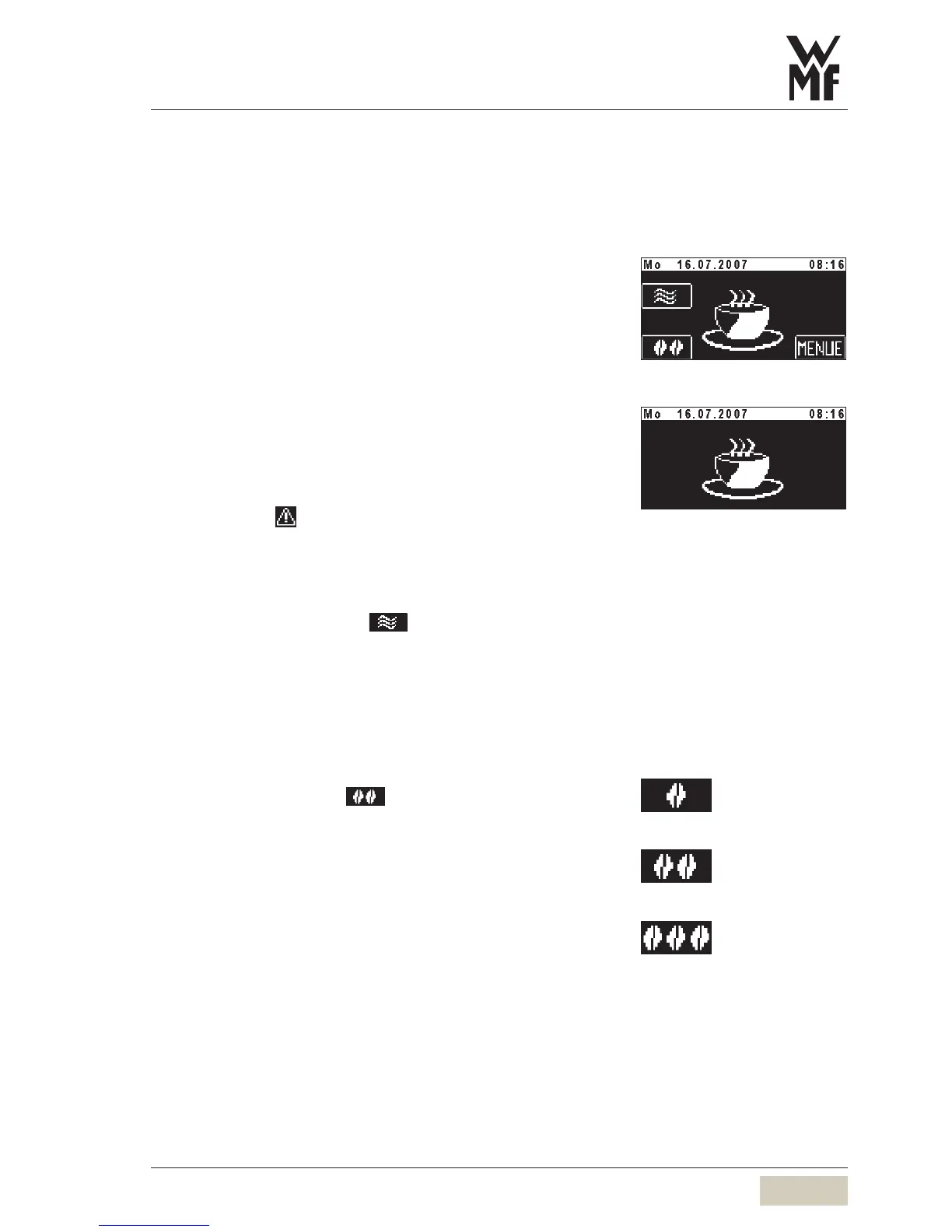
3.2 Ready to operate display
3.2.1 Ready to operate display
Standard display for normal operation
Warm rinsing
Barista pad
Menu
Information
Standard display for SB mode (self-service)
All pads which allow changes to be made are not available.
The warm rinse pad, Barista pad, menu pad and messages
are inactive. Error messages are not shown, only the
Caution symbol is shown.
3.2.2 Warm rinsing
Touch the warm rinsing pad
Rinsing of the pipes with hot water begins. The water
warms the brewing system and guarantees an optimum
coffee temperature.
3.2.3 Barista pad
Touch the Barista pad
The coffee strength will be altered once for the next brew.
•
•
•
•
Recommended after a longer
brewing pause, especially before
dispensing a cup of espresso.
Warm rinse pad (active/inactive)
see chapter “Settings” > operating
options
Recommended after a longer
brewing pause, especially before
dispensing a cup of espresso.
Warm rinse pad (active/inactive)
see chapter “Settings” > operating
options
weaker (-15%)
normal, as per setting
stronger (+15%)
Barista pad (active/inactive) see
chapter “Settings” > operating
options



 To Next Page