24
User manual WMF bistro!
Software
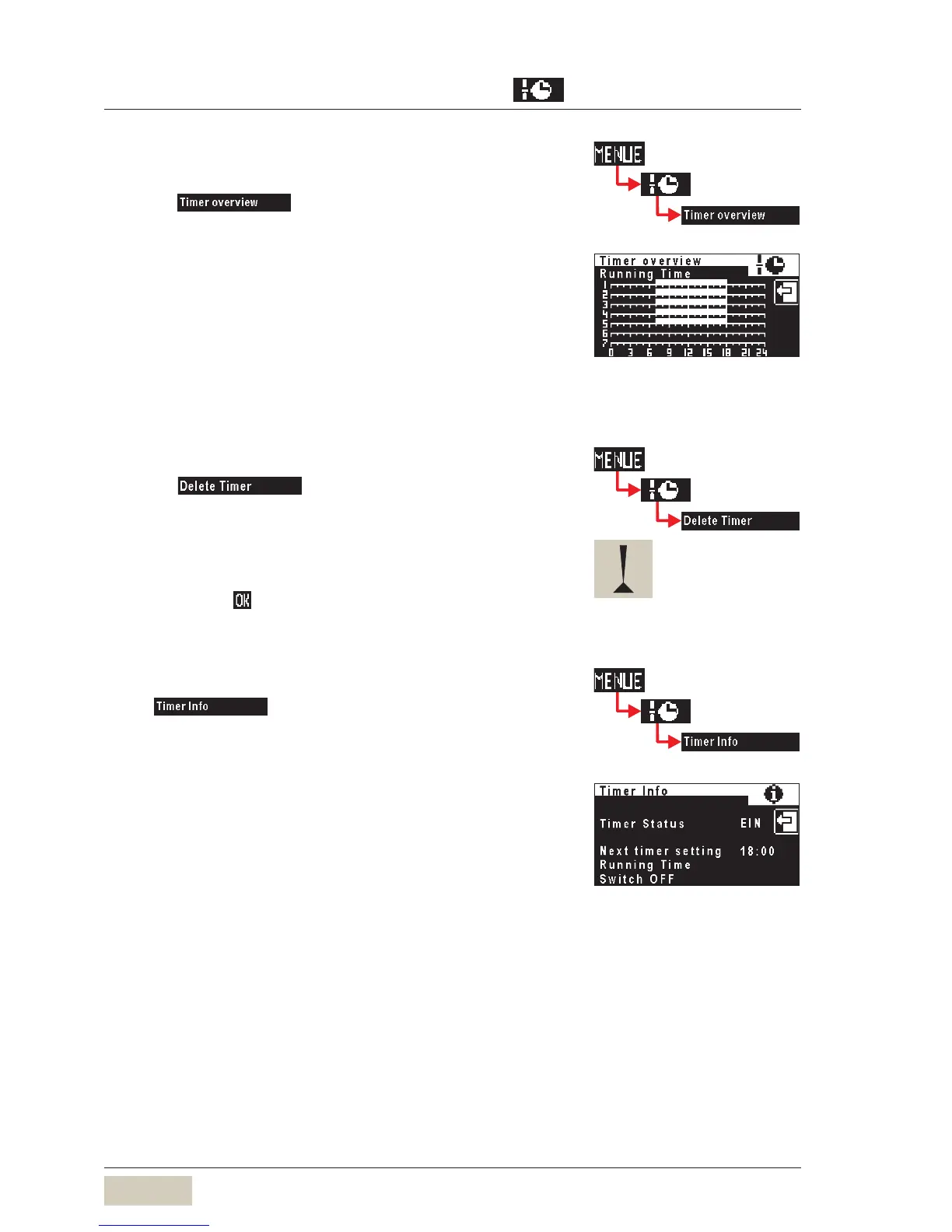
Timer overview
Checking the programmed switching times:
Touch
The week overview is displayed graphically. Operating
times are indicated by white bars.
Timer delete
Touch on page 2 of the timer main
program menu.
Scroll to desired day and touch to select.
A security dialogue now appears querying whether deletion
is actually intended .
Confirm with
The day is deleted with all its timer events.
Timer info
Touch
A display with the next timer event accesses.
Example:Example:
Timer events Monday to Friday
(1-5).
On time 7:00 hrs Off time 18:00 hrs
Timer events Monday to Friday
(1-5).
On time 7:00 hrs Off time 18:00 hrs
This action cannot be undone.This action cannot be undone.



 To Next Page