21
User manual WMF bistro!
Software
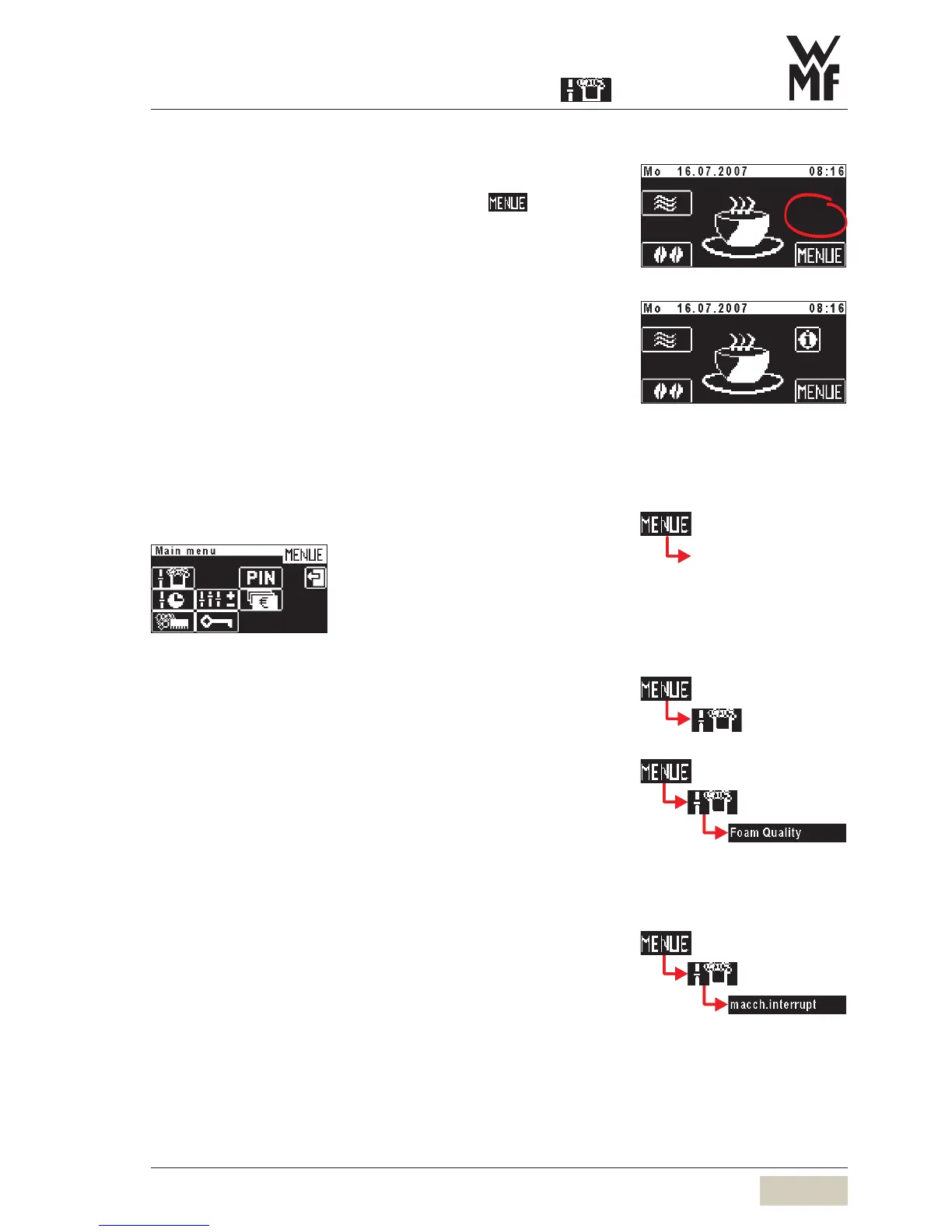
3.2.5 To main menu
Access to main menu:
Press on the ready to operate display on
Main menu is displayed.
3.3 Main menu
3.3.1 Milk and foam
Milk foam quality
The milk foam quality is set here.
This setting will apply to all beverages with milk foam.
Variations in milk characteristics are compensated for.
Reduce setting value -> finer
Increase setting value -> coarser
Latte macchiato pause interval
Latte macchiato is more successful if the interval between
milk and milk foam dispensing is lengthened. The standard
setting is 3 seconds.
Reduce value -> shorter interval
Increase value -> longer interval
... with additional pads... with additional pads
Delayed fading in, see chapter
“Settings” > operating options
Delayed fading in, see chapter
“Settings” > operating options
see chapter PIN access control
pictures of the main menu for
protected levels.
Ready to operate display



 To Next Page