32
User manual WMF bistro!
Software
Operating options
The following operating options are available.
Warm up button (active/inactive)
Barista pad (active/inactive)
2. Level, Shift button (active/inactive)
ON/OFF button (direct/via PIN)
Warm rinse pad
Recommendation for self-service: inactive.
Barista pad
Recommendation for self-service: inactive.
Shift button
Recommendation for self-service: inactive.
ON/OFF button
Recommendation for self-service: via PIN.
If “via PIN “ is set then the PIN for the cleaning level will be
queried on switching on or off.
Menu pad
Recommendation for self-service: delayed
Default: immediately
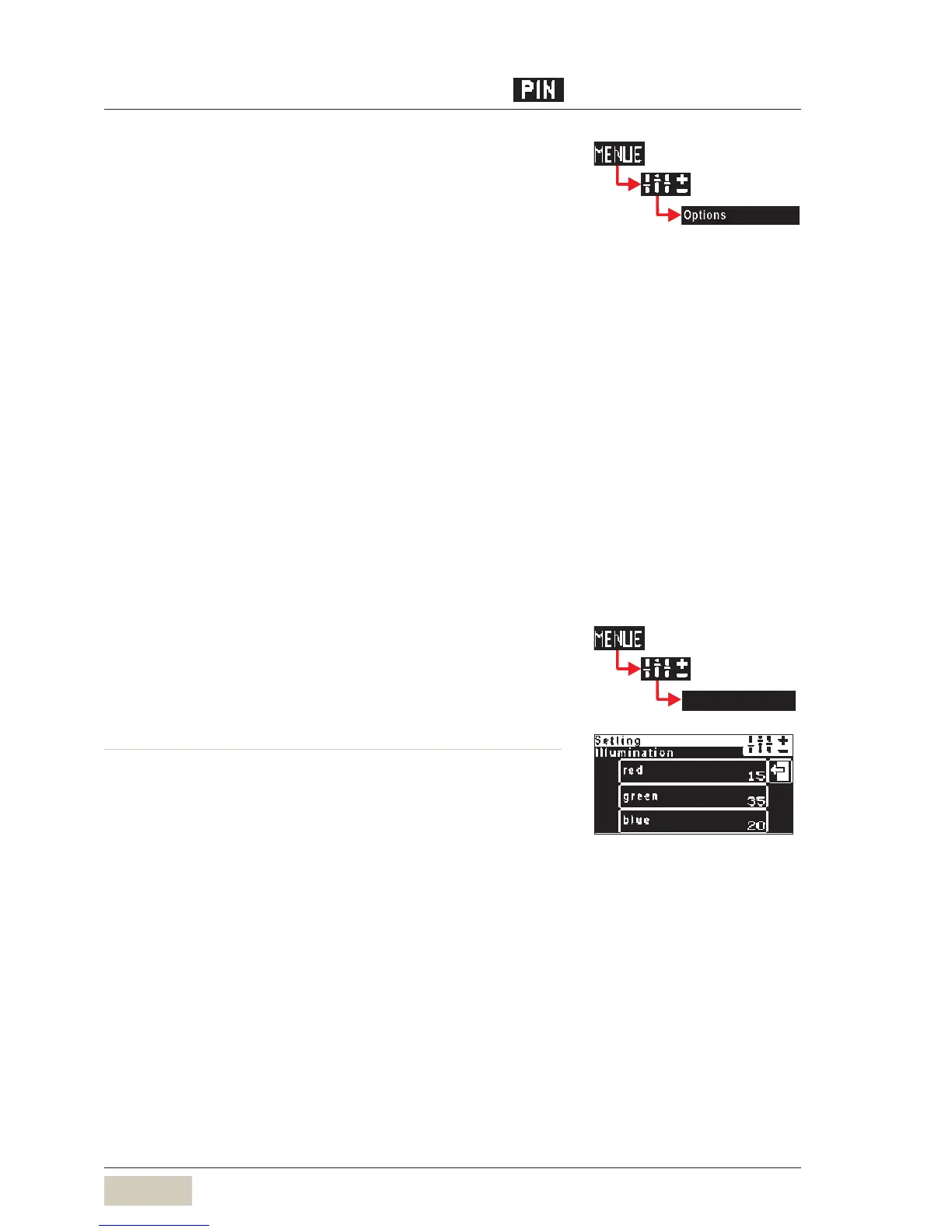
Illumination (optional)
Set the colour values here of the LEDs for the desired
illumination colour.
Example settings red green blue
permanent colour change 1 0 0
amber 25 30 0
blue 0 0 30
•
•
•
•
If customers serve themselves then
some functions can be switched
to inactive. The inactivated pads
will not be shown on the ready to
operate display
If customers serve themselves then
some functions can be switched
to inactive. The inactivated pads
will not be shown on the ready to
operate display
See PIN Rights access in the
chapter Software
See PIN Rights access in the
chapter Software
See PIN Rights access in the
chapter Software
See PIN Rights access in the
chapter Software
Illumination Illumination



 To Next Page