21 | Page
To Stop recording Audio:
Simply slide the OTR switch up and the unit will power off.
How to Charge the unit:
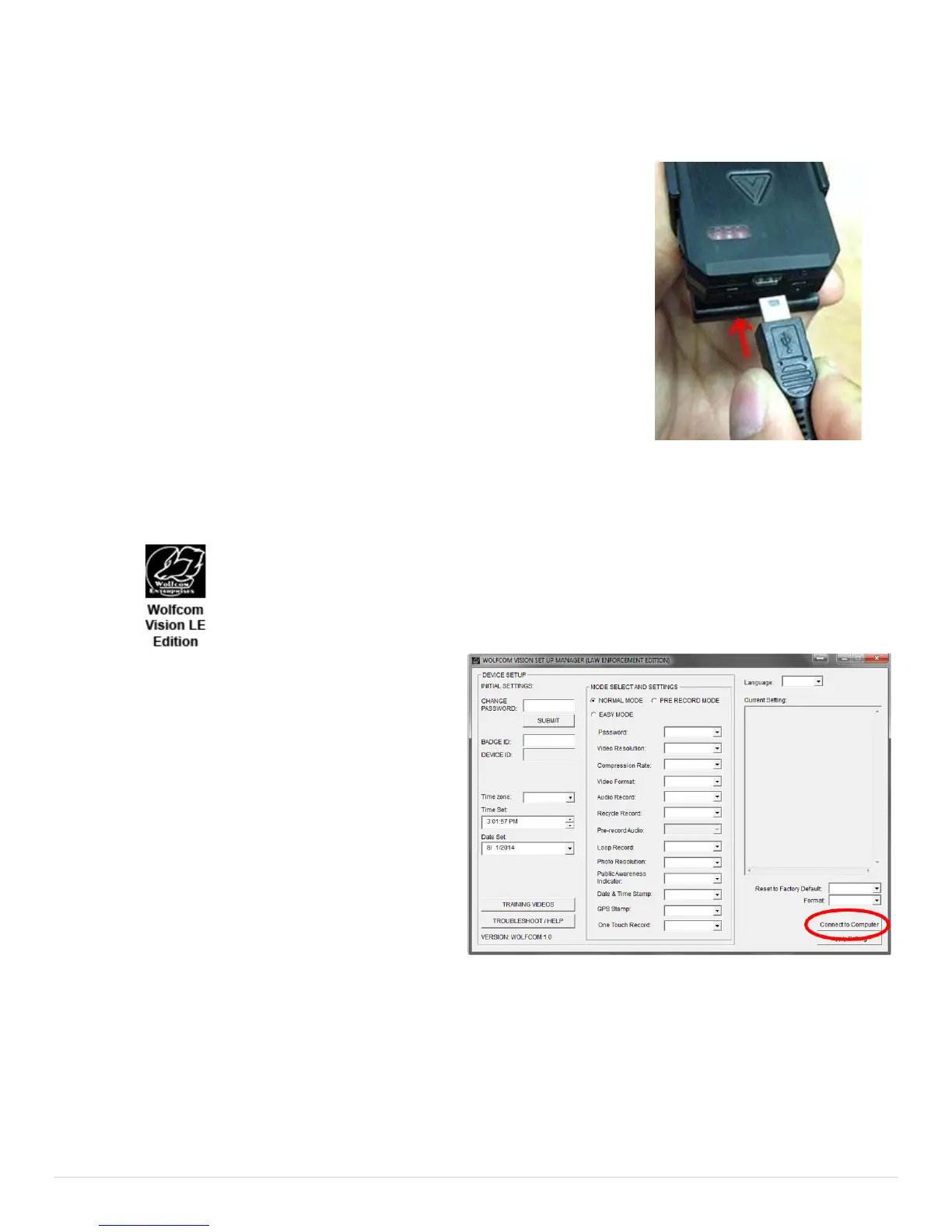
Plug the supplied 10 pin USB cable into the bottom of the unit and the other
end into the USB port on your computer or to the wall adapter. The status
LED on the top of the unit will turn "Yellow"(charge). Once the Status LED
turns "Green" that means the unit is fully charged.
If your unit came with a docking station, insert the Wolfcom Vision into any
available port on the docking station. Make sure that the docking station is
powered on and that the docking station is plugged into the wall using the
included power supply.
IMPORTANT* The USB cables that are included with your unit are specially
designed with a 10 pin connection. Using a 3rd party USB cable will not work
and may damage the unit. Please be sure to only use the cables that came
with your unit.
How to extract files from the unit:
Click on the Wolfcom Vision Setup Manager icon on your computer desktop. You should see an Icon that looks
like this:
1. First make sure that the OTR Switch (1) is in the
up position and that the unit is powered off.
2. Next make sure that the Function Switch (6) is
set to the up position.
3. Plug the supplied 10 pin USB cable into the
bottom of the unit and the other end into the USB
port on your computer.
4. Power on the unit by sliding the OTR Switch (1)
Down and the unit will power on.
5. On the Wolfcom Vision Setup Manager window.
Cick on the "Connect to Computer" button on the
button right. Your unit will connect and the auto play window will pop up.
How to use the flashlight:
The flashlight will only work during video and audio recording. It will also work if taking photos. The flashlight
will not work if the OTR switch is in the UP position. To activate the flashlight, press the flashlight button (14)
once. To deactivate the flashlight, press the flashlight button (14) again.


 To Next Page