31 | Page
How to use the Wolfcom Vision User PC software:
How to extract files from the unit
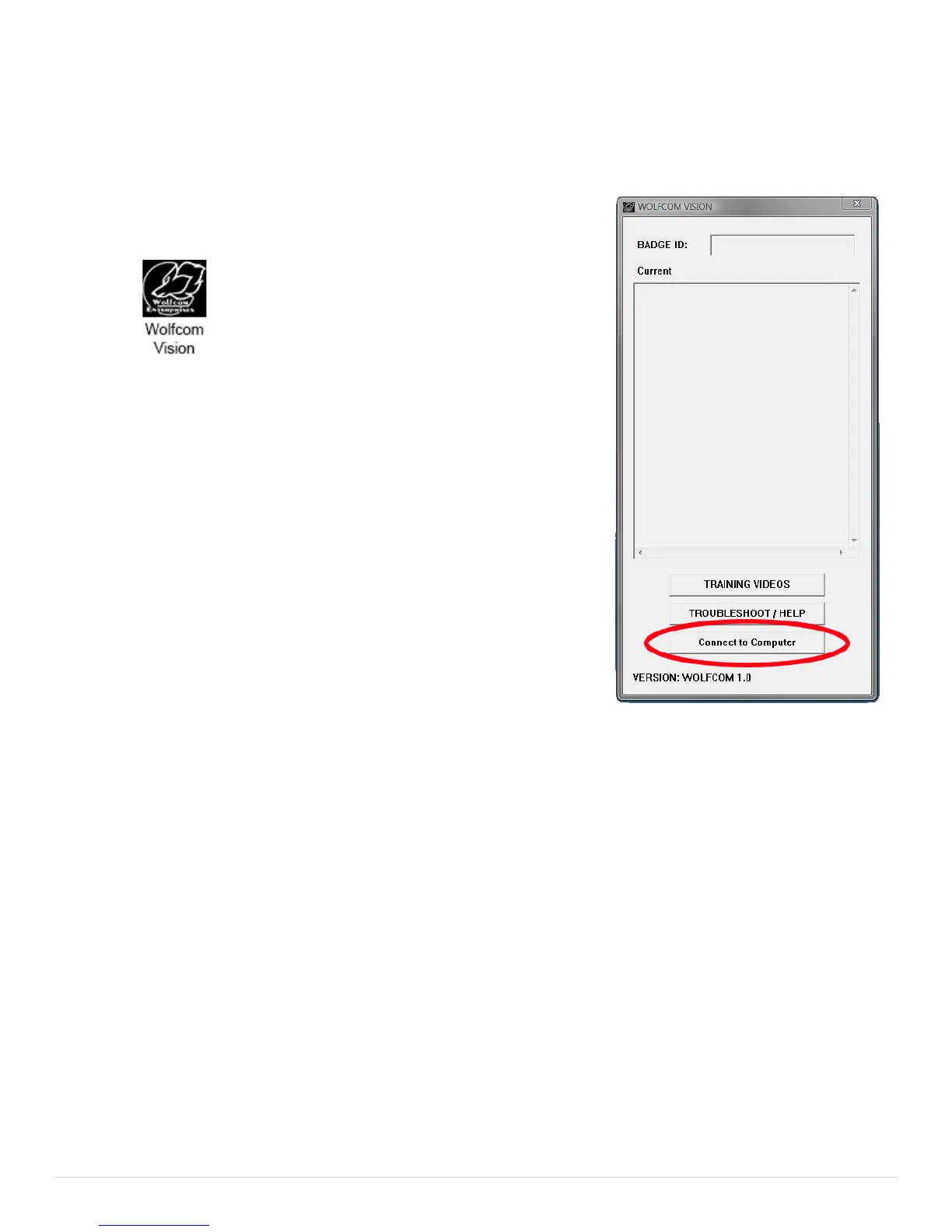
Click on the Wolfcom Vision Setup Manager icon on your computer
desktop. You should see an Icon that looks like this:
1. First make sure that the OTR Switch (1) is in the up position and
that the unit is powered off.
2. Next make sure that the Function Switch (6) is set to the up position.
3. Plug the supplied 10 pin USB cable into the bottom of the unit and
the other end into the USB port on your computer.
4. Power on the unit by sliding the OTR Switch (1) Down and the unit
will power on.
5. On the Wolfcom Vision Setup Manager window. Click on the
"Connect to Computer" button on the button right. Your unit will connect
and the auto play window will pop up.
Need Help in Training or trouble shooting? Click on the Buttons
on the PC software.


 To Next Page