35 | Page
Wolfcom Vision USER PC software Guide
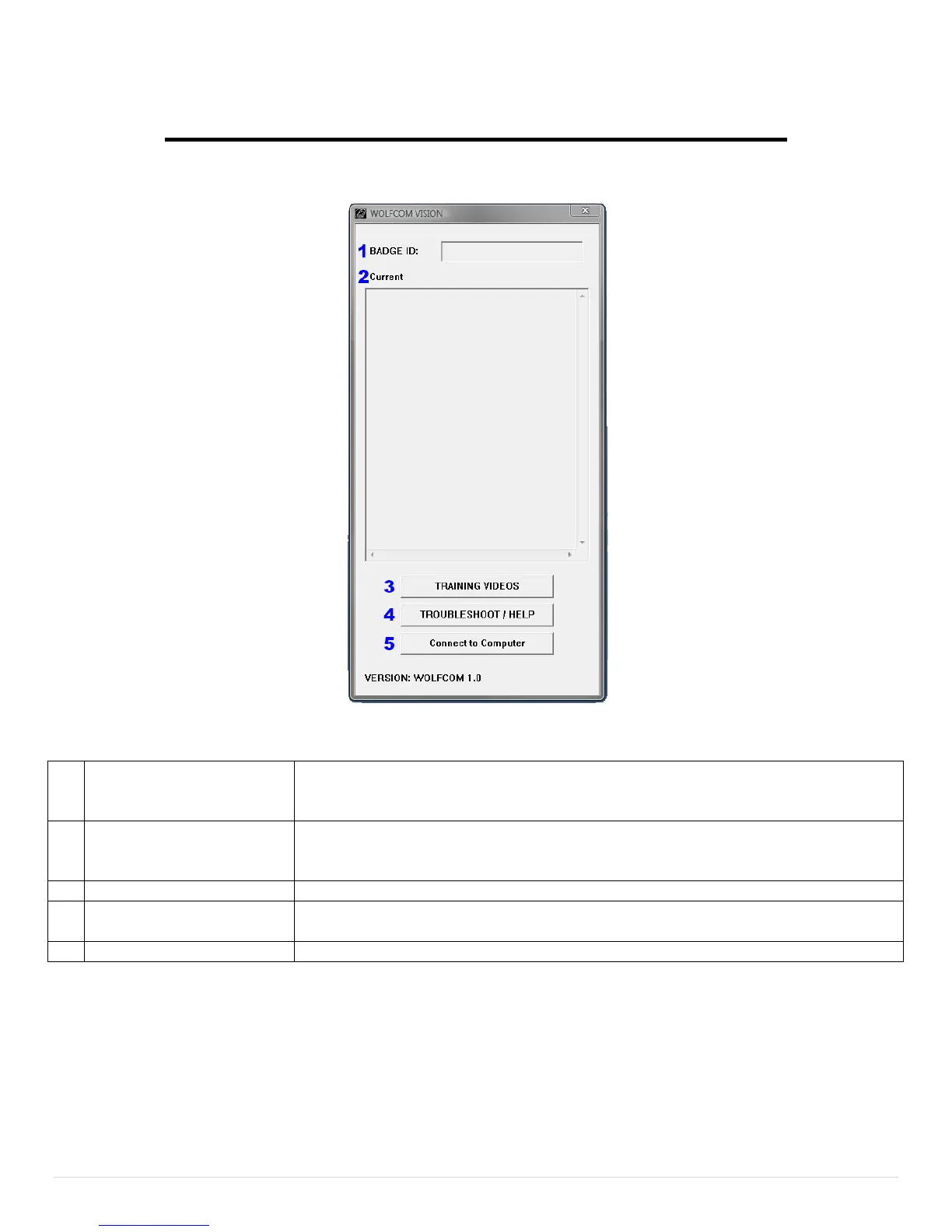
Officers badge identification number. Customizable up to 10 alphanumeric
characters. The Badge ID will be stamped onto the top left of every video and
This section will automatically load your current Unit settings once a unit is
connected to a PC. *Current Setting will clear every time a unit is connected
or the software is exited.
See all of our training videos on our website. *Must have internet connection.
If you come across any problems. Most questions can be answered here.
*Must have internet connection.
Once a unit is connected. Click the button to view the files on the unit


 To Next Page