EVOM™ Manual
World Precision Instruments 9
INSTRUMENT DESCRIPTION
EVOM™ Manual Meter
The EVOM™ Manual meter is compact and portable, and setup is quick.
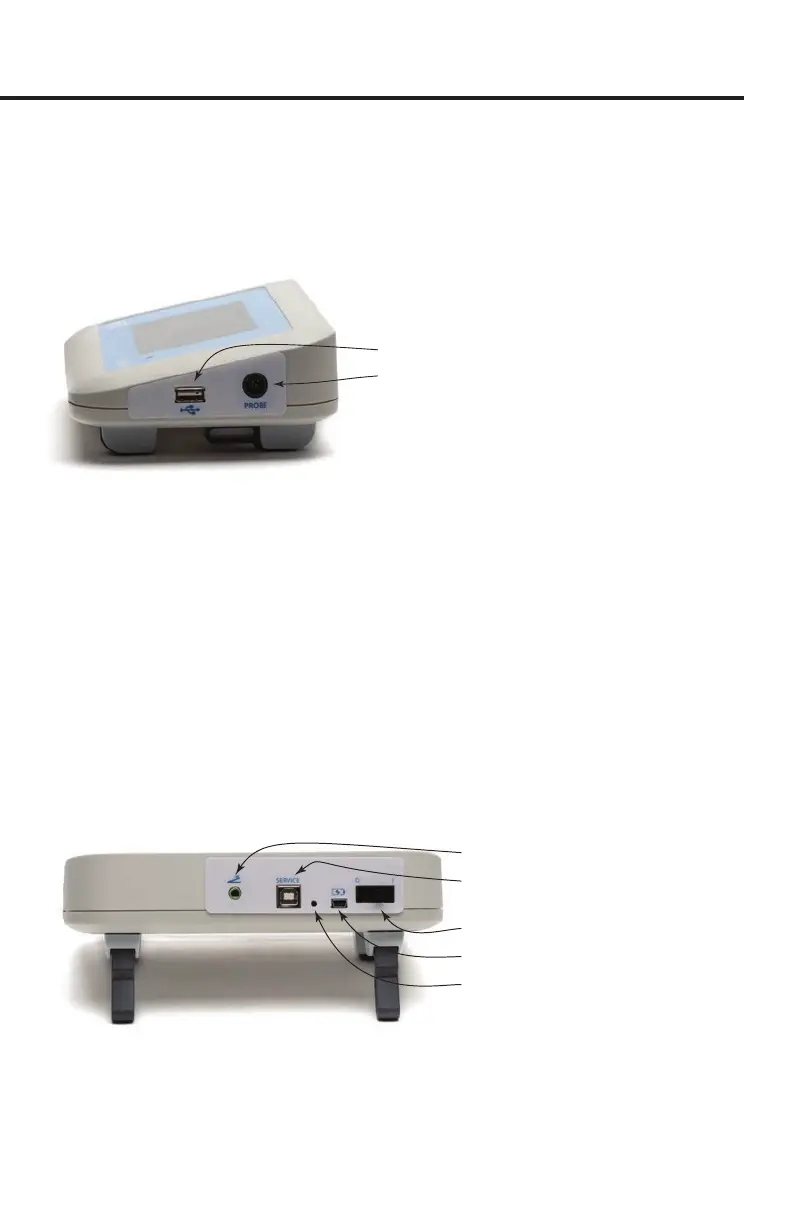
USB Port for Flash Drive
Electrode Port
Fig. 3—The ports on the side of the unit let you connect a USB ash drive and the EVOM™
electrode.
The side panel connection ports include:
• USB Port for Flash Drive – Insert the USB ash drive (WPI #97893) into this port
when you wish to collect data on the ash drive. Make sure it is properly seated.
NOTE: The USB ash drive contains the les for installing the EVOM™ Companion
Application that is used for secure data transfer to a connected PC. When you
need to install those les on a PC, plug the USB ash drive into any USB type A
port on the computer to access the les. See "Appendix F: Installing the EVOM™
Companion Application" on page 49.
• Electrode Port – Plug the STX series electrode or EndOhm chamber into this port
when you are taking measurements. You may also plug the 1000Ω test resistor
into this port when you are calibrating the unit.
Foot Switch Port
Power Connection Port
USB Port for Secure Data
Transfer to PC
Power Switch
Programming Button
Fig. 4—The ports and controls on the back of the unit let you connect a foot switch, connect
a USB cable to a PC for secure data transfer, connect the power adapter, and power on the
system.



 To Next Page