32 World Precision Instruments
SYSTEM MESSAGES
Here are some warning messages you may see.
Last Cell Warning
When you are taking measurements, and you reach the last cell, a message appears.
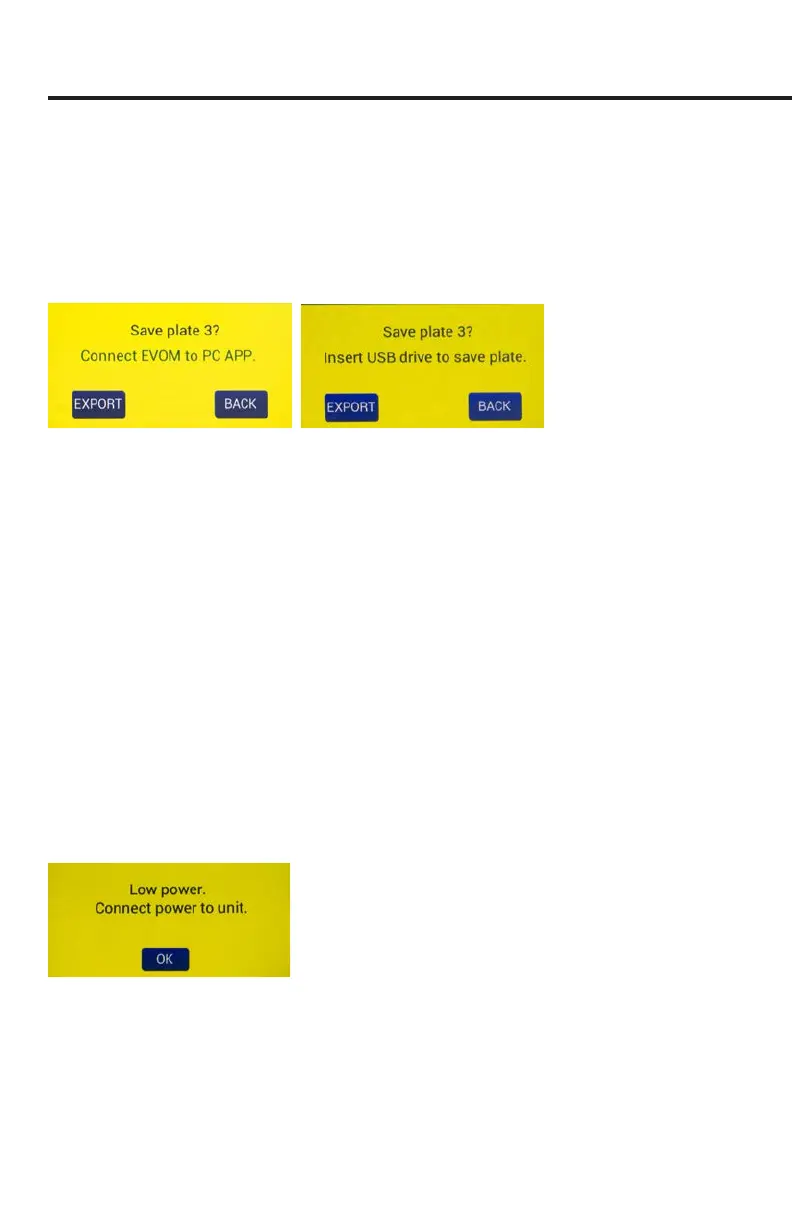
Fig. 60—(Left) After the last cell measurement is taken and you are saving to the EVOM™
Companion Application, this message appears.
Fig. 61—(Right) If you are saving to the USB drive, the message changes a little.
These messages indicate that the last well in the plate has been reached, and an
action on your part is required to proceed.
•
Export
starts the storage of all the plate les. When you select it a message
appears describing which plate is being stored (Fig. 60). The number of plates
could be one, two or three, depending on how many were collected before
exporting.
•
Next
is available on plate 1 and 2, but not on plate 3. It returns you to the
main screen so you can take measurements of the next plate which starts
from a clear state. The note above the
Setup
button on the main screen
indicates which plate data is being collected (Fig. 5).
•
Back
returns you to the main screen (data collection). You go back to the rst
well of the current plate being collected and can acquire data.
Power Level Messages
When the battery level falls below 5%, a warning message appears.
Fig. 62—The battery level is below 3%.
When the battery power level falls to 1%, a warning message appears. Save your data
le.
The data is saved to a backup le named PWRFAILDATA.TXT.



 To Next Page