EVOM™ Manual
World Precision Instruments 13
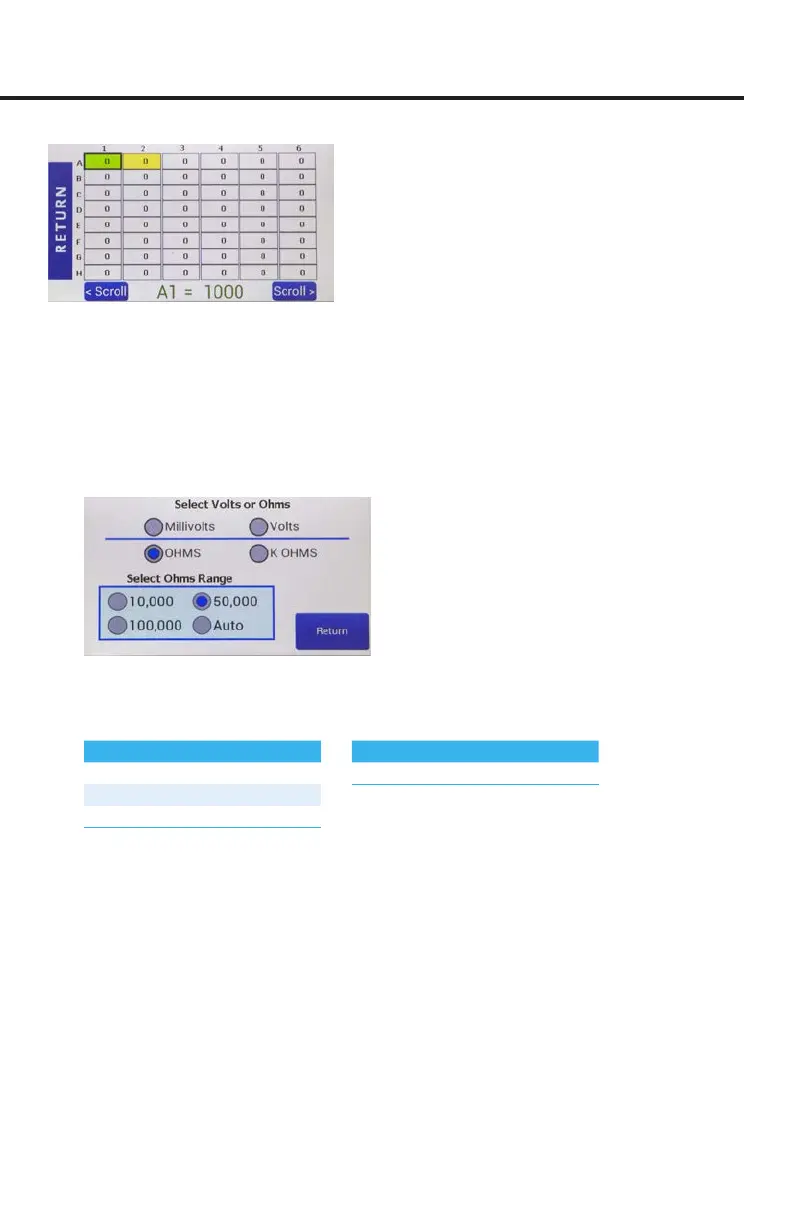
Fig. 12—96-well plate preview. (Press scroll to see the additional wells.)
NOTE: An out of resistance range displays ---- (5 dashes) on the screen. Adjust the
range to correct the error. A saved well under preview will show a space (“ “) if the
display was recorded out of range. The 100K range can read 5% over the 105K Ω.
Mode Units
1. Press
Mode Units
on the
Setup
page to access the
Select Volts or Ohms
screen.
Fig. 13—Choose the unit of measurement and (if you are using Ohms) the range.
2. Choose your units. Options include Millivolts, Volts, Ohms and K Ohms. If you
choose ohms, then you must also select an Ohms Range.
Fixed Current Variable Current
10 K 10 µA Auto 2 µA to 10 µA
50 K 4 µA
100 K 2 µA
3. Press
Return
.



 To Next Page